Childcare management software in Australia, compared
For long day care, OSHC, family day care and preschools: which systems can lodge Child Care Subsidy, what each costs as published, what payment fees add, and the rules on records, phones, photos and surcharges. With a cost calculator, a shortlist quiz and a switching checklist.
On This Page
- Only 20 products can lodge CCS
- The clocks your software has to beat
- Several brands now share an owner
- The systems, compared
- What it would cost you
- Which should you shortlist?
- Payments and card surcharges
- Phones, photos and privacy
- Where it meets your website
- Can I do this?
- Switching systems
- My view
- Questions I get asked
Search for childcare software and most of what comes up is written by the vendors. This guide is for owners and directors of long day care centres, OSHC services, family day care schemes and preschools choosing a management system or thinking about switching. It covers which products can lodge Child Care Subsidy at all, which brands now share an owner, what each costs as published, what payment fees add on top, and the rules on records, phones, photos and surcharges that the software has to fit. Prices are from each vendor's own page, read on 12 October 2026, with the GST basis each page shows. Prices change, so check before you sign.
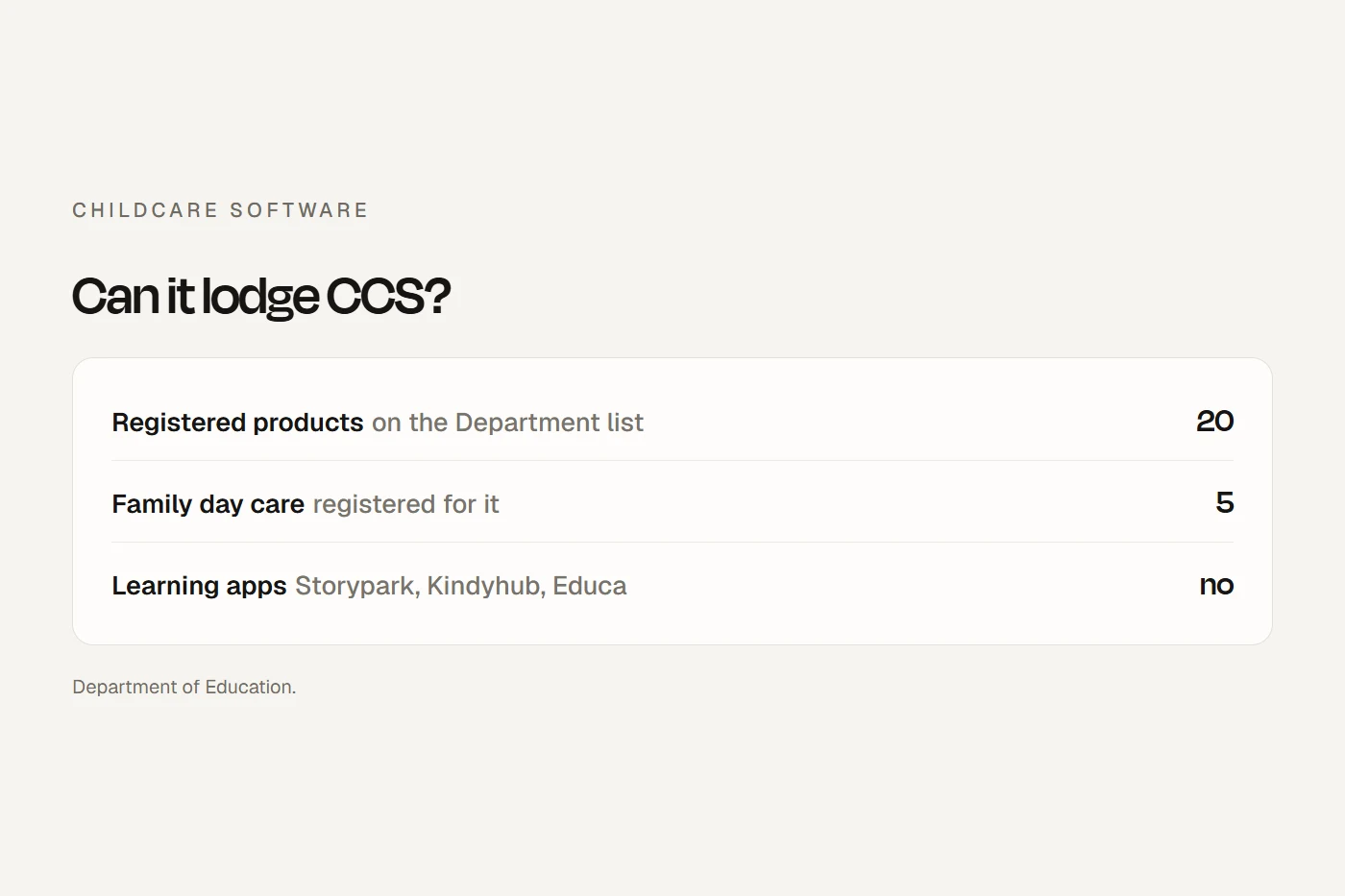
- Start from the registered listOnly 20 products can lodge Child Care Subsidy themselves. Learning apps such as Storypark, Kindyhub and Educa aren't among them.
- Count payment fees tooFor a busy centre, direct debit and card fees can cost as much as the subscription, and card fees can no longer be passed on to families.
- Plan the exit before you signYou keep CCS records for 7 years and incident records until the child turns 25, whichever system you're on by then.
Only 20 products can lodge CCS
You reach the Child Care Subsidy System one of two ways: the government's free Provider Entry Point (PEP), or registered third-party software. The PEP does the subsidy paperwork (enrolment notices, session reports, entitlements) and nothing else. The Department of Education says most providers pay for software anyway, for rostering, room management, invoicing, vacancies and payroll.
The Department publishes the list of registered child care software. Today it has 20 products. Each vendor has warranted that its product was tested with the CCS System, and the Department says plainly that listing isn't an endorsement and it accepts no liability for the outcome. The list, by product name:
Fully Booked, QikKids, Xplor, Kidsoft, XAP, smartcentral, HubWorks, Harmony Web, Child Care Central, KindyWorks, BASYS, Keiko, YourChildsDay, OWNA, Kinder m8, LookedAfter, Kangarootime, oasis, Spike, and One Customer Web.
Three things follow from it.
- Learning apps don't lodge CCS. Storypark, Kindyhub, Educa and Kinderloop aren't on the list, and neither are Famly (a UK product) or Brightwheel (a US product with no Australian pricing). If you use one of them, you still need a registered product or the PEP.
- Family day care has five choices. Only Fully Booked, smartcentral, HubWorks, Harmony Web and Child Care Central are registered for family day care. For in home care it's Fully Booked, Spike, HubWorks, Harmony Web and Child Care Central. OWNA lists a family day care price, but it isn't registered for family day care, so ask how it would lodge.
- Some preschools don't need registered software at all. A state-funded sessional kinder that doesn't administer CCS has no subsidy to lodge, so a cheaper plan without CCS will do.
The clocks your software has to beat
These come from the Family Assistance Law and the Department's own pages, and they're why the software matters.
| What | When | Where the rule is |
|---|---|---|
| Enrolment notice for each child | Within 7 days after the end of the week the arrangement is made | Administration Act s 200A |
| Session reports, with actual in and out times | Within 14 days after the end of the week the care was given | Administration Act s 204B |
| Fee changes | Within 14 days of the change, plus twice a year even if nothing changed | Department of Education |
| Statement of entitlement to families | Every fortnight | Department of Education |
| Passing CCS on as a fee reduction | Within 14 days of receiving it | Department of Education |
| Gap fees | Paid electronically, not in cash | Administration Act s 201B |
Scroll the table sideways to see every column.
Two of these shape what you should buy. Session reports need the actual sign-in and sign-out times, so the sign-in kiosk or app is what makes the report right; a paper sheet means someone types it all again. And the Act itself names "the payment gateway service" of your management software as an allowed way to collect gap fees, which is why every system sells a payments add-on.
Your fees and vacancies also flow from the software to StartingBlocks.gov.au, where families compare services. StartingBlocks says that if your software only has a yes or no tickbox for vacancies, you'll need to enter full vacancy details through the PEP instead. Ask whether a product reports vacancies by age group and day.
The records it holds
The National Regulations decide what the system has to store. The attendance record must have each child's name, the date and time of arrival and departure, and be signed at the time by the person dropping off or collecting, or by an educator (reg 158). The enrolment record covers contacts, authorised nominees, court orders, health information, language and cultural background (reg 160). Reg 177 lists the prescribed records, and it includes documentation of children's assessments for the educational program, so the learning stories in your documentation app are regulated records too, not just photos. Records can be electronic if they're secure and can be brought up when an authorised officer asks.
Several brands now share an owner
The market has consolidated. Xplor Group runs both Xplor and QikKids. OWNA has bought the company behind Kidsoft, Kangarootime Australia, smartcentral and Kindyhub. Storypark has taken in Kinder m8, whose website now redirects to Storypark, and works with Xap as its management engine. Harmony Web and Child Care Central appear to sit in the same group, on my reading of their sites. So half of the 20 registered products sit in four groups, and comparing OWNA with Kidsoft with Kangarootime is comparing one owner's products.
That isn't a reason to avoid any of them. It's a reason to ask the vendor what its plan is for the product you're buying, and what happens to your data if it's folded into a sibling.
The systems, compared
| System | Registered for | Published price | Payments | Data |
|---|---|---|---|---|
| Xplor (Office, Playground, Home, MyWaitlist) | Centre-based, OSHC | Office from $204 a month; all four from $558 a month; before GST | Xplor Pay, from $1 a transaction | Australia (AWS) |
| OWNA Premium | Centre-based, OSHC | $149 to $249 a month a centre by number of children, or $139 to $239 paid yearly; GST basis conflicts | Card 1.75%, direct debit 75c | Children's data in Australia; some to US processors |
| Kidsoft | Centre-based, OSHC | Quote only | DebitPro, rates not published | AWS; archive in Australia |
| HubWorks (HubHello) | Centre-based, OSHC, family day care, in home care | $158 a month or $1,728 a year a service; GST not stated | iPay: 75c bank, 75c plus 1.56% card | AWS Sydney |
| Storypark with Xap | Centre-based, OSHC (through Xap) | From $229 a month | Rates not published | AWS Sydney; SOC 2 Type I |
| Kangarootime | Centre-based, OSHC | Quote only | Rates not published | Australia |
| Harmony Web | Centre-based, OSHC, family day care, in home care | $1,760 a year a service plus modules, GST included | redPAY, rates not published | Australia |
| smartcentral | Centre-based, family day care, OSHC | Quote only | ChildCare EasyPay, rates not published | Australia |
| Fully Booked | Centre-based, OSHC, family day care, in home care | Typically $1,155 a service a year | Ezidebit | AWS, region not stated |
| LookedAfter | Centre-based, OSHC | From $79 a month | Families enrol, book and pay | Australia (AWS) |
Scroll the table sideways to see every column.
A few notes the table can't hold:
- Xplor sells Office (admin and CCS), Playground (the educator app), Home (the family app) and MyWaitlist (enquiries and tours) separately or together. Digital enrolment forms start on Office Core; rostering and timesheets are on Essentials only. Monthly plans can be cancelled on a month's notice. QikKids is a separate Xplor Group product with its own desktop version, from $275 a month before GST.
- OWNA has two plans. Lite has no CCS (OWNA calls it best for preschools), so a CCS centre needs Premium. Its price matrix says GST is included, while its Terms say the price excludes GST, so ask which applies. Its pricing page says there are no lock-in contracts, but the Terms renew automatically unless you give notice 30 days before the term ends. Setting up enquiry, waitlist and enrolment forms is an optional $399 once.
- HubWorks has the widest registration of the larger systems, a minimum 12-month term and no setup fee. Its cheaper Professional plan ($71 a month or $779 a year) has no CCS and is meant for preschools.
- Storypark with Xap puts the learning app and the management system under one company. Storypark says the two are separate products for now. It's the only system in the table I found stating a formal security certification.
- Kidsoft and Kangarootime don't publish prices. Their terms charge $400 before GST for access to your archive after you leave, and $25 a month before GST if you don't pay them by direct debit.
- Harmony Web is the clearest on price: per service per year, GST included, with Online Enrolments ($535) and Program and Practices ($500) as modules. For family day care it's $1,490 a year plus $7.50 a week per educator.
- Also registered but not covered here: Spike, KindyWorks, BASYS (OSHC only), Keiko, YourChildsDay, oasis and Child Care Central.
Learning apps on their own
If your management system doesn't do documentation well, a separate learning app sits beside it, priced per child. Storypark is $1.79 a child a month, paid yearly. Kindyhub is $1 a child a month before GST. Kinderloop is $1.25 a child a month with a $10 minimum. Educa is $1.29 to $1.59 a child, with a 15-child minimum and no currency shown, and its privacy policy says data may be stored in Australia or the United States depending on the centre's location. Storypark syncs with Xap, Kidsoft and Kinder m8; with QikKids and Xplor it's a bulk add only, and I found no OWNA integration. For an OSHC service, check the app supports My Time, Our Place and not only the Early Years Learning Framework.
What it would cost you
Enter your numbers to see a year's subscription for each system with a published price, plus what payment fees add at two published rates. Prices are for long day care bands; OWNA's OSHC bands allow twice the children.
In that default example, payment fees run to more than most of the subscriptions. A calculator that leaves them out understates the cost. Quotes from Kidsoft, Kangarootime and smartcentral, setup and migration fees, and devices for educators are on top.
Which should you shortlist?
Payments and card surcharges
Gap fees have to be paid electronically: card, bank transfer, PayID, direct debit, BPAY or Centrepay. Cash is out unless the Department grants an exception. Card surcharges are now banned on Visa, Mastercard, eftpos and Amex, and the ACCC warns that relabelling a surcharge as another fee may be misleading.
Some childcare payment tools were built to pass card fees on to families. Xplor's page now says card processing fees "will need to be absorbed by your service". At least one other vendor's payments FAQ still says transaction fees can be passed on to parents. For card payments, that's no longer allowed: switch the setting off and build the cost into your fees. A fee on bank account direct debit isn't a card surcharge, so on my reading the ban doesn't cover it, but show it clearly before families sign.
Phones, photos and privacy
In centre-based services, staff and volunteers can no longer use or carry personal phones while working directly with children. Photos, attendance and documentation happen on service-supplied devices only, and the provider must set those devices up to match its child safety policies (National Law s 175B(2)). Family day care can use service-supplied or service-authorised devices. Count the tablets in your cost, and ask the vendor whether the educator app can be locked to the service: managed logins, no saving photos to the camera roll, remote sign-out. None of the vendor pages I read mention the device rules.
Your policies must already cover taking, storing and destroying images of children and getting parents' authorisation (reg 168). In the app, that means a consent setting per child, so a child without consent doesn't appear in other families' feeds. Storypark's child safety page describes exactly this for group stories; ask the others to show you theirs.
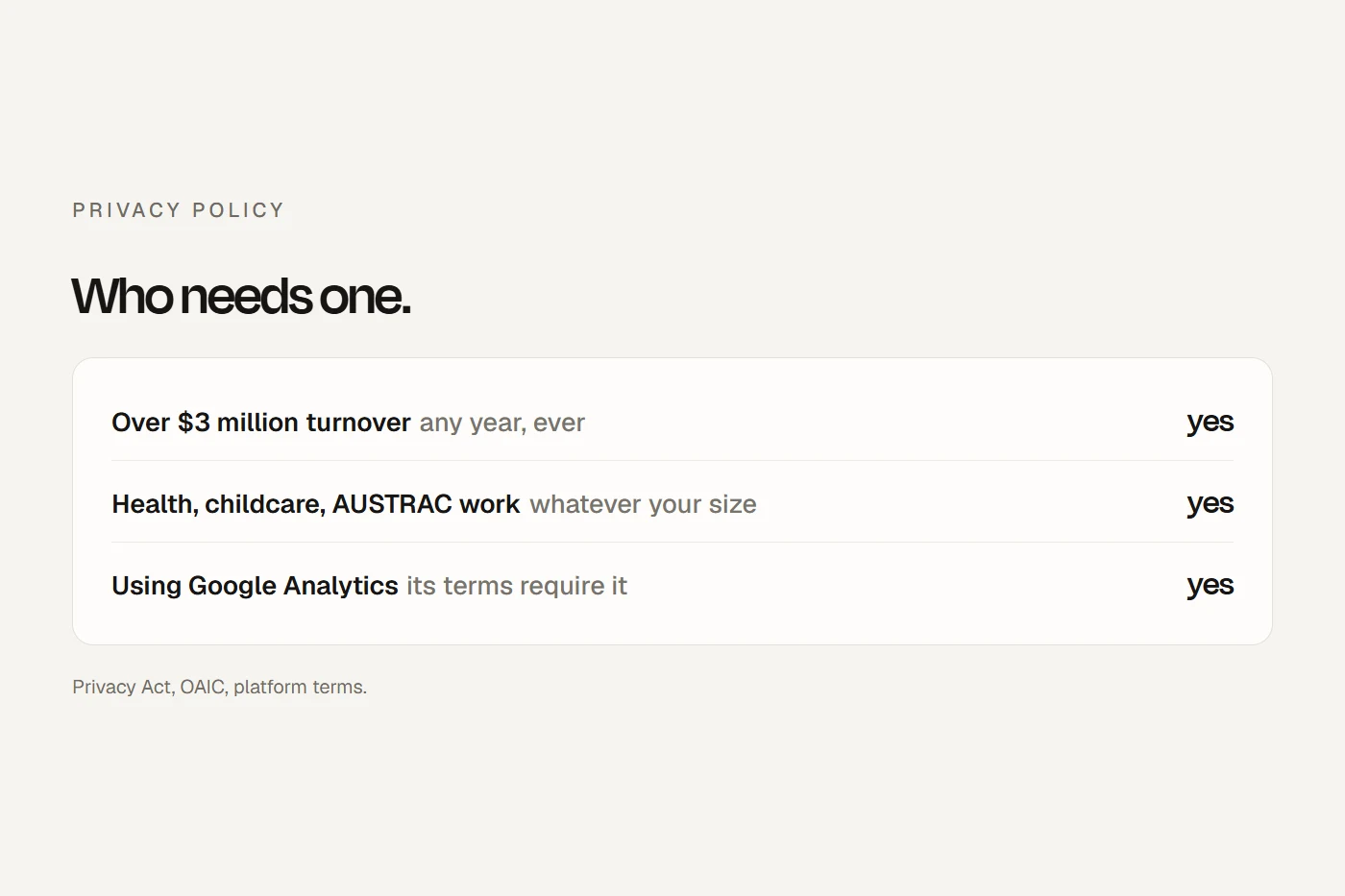
The OAIC lists child care centres among health service providers, which the Privacy Act covers whatever their turnover. You stay responsible for data you hand to a cloud vendor, and if any of it goes overseas, your privacy policy should say so. For CCS, families must know their details are shared with the Department and consent to it. The Department also asks providers to use two-factor login and never share staff logins, so check every product supports it for every staff account.
Where it meets your website
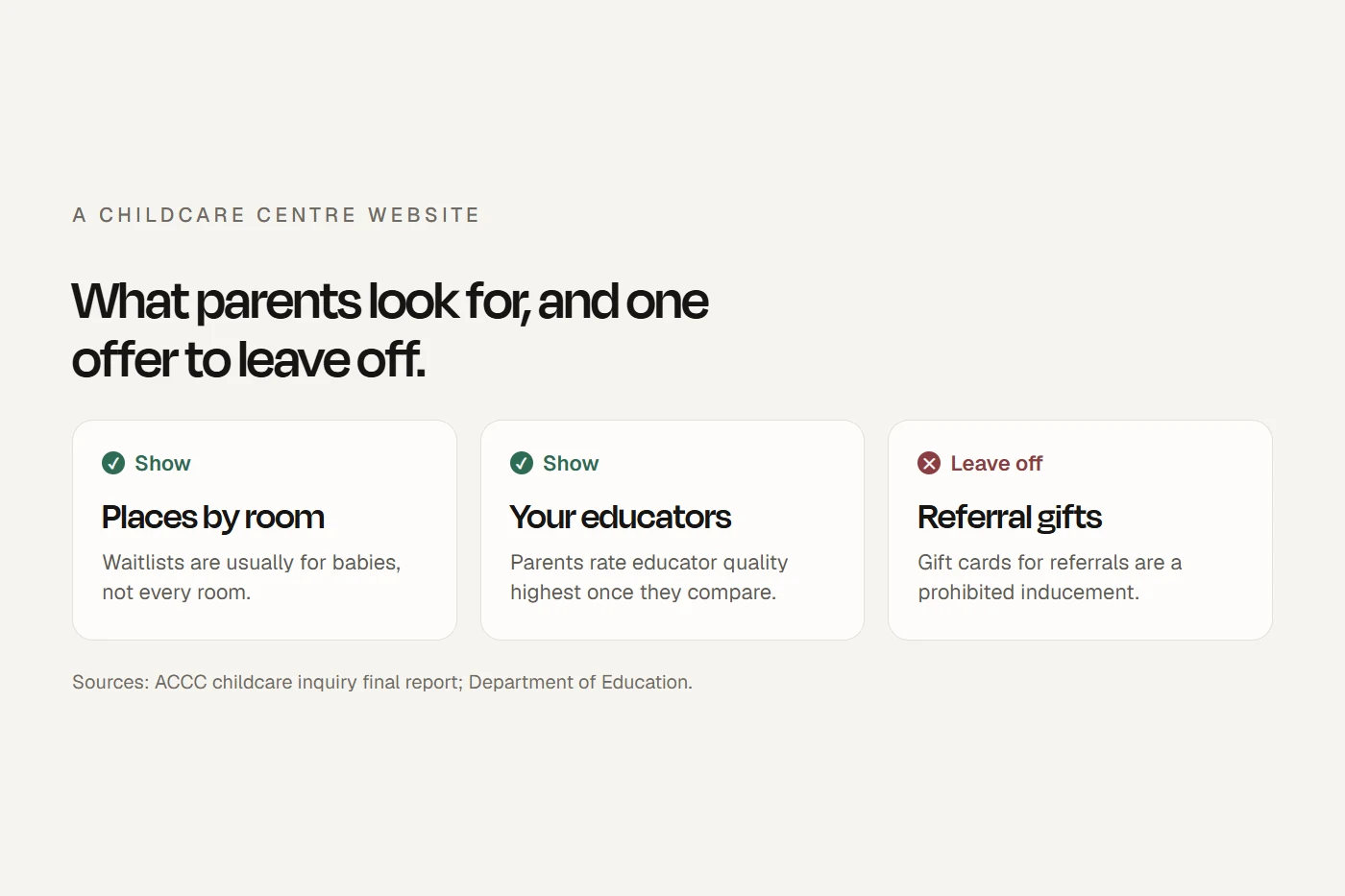
The enquiry, waitlist, tour and enrolment forms usually come from the management system, and they're the part of it families see first. Some embed in your own pages; others are links to the vendor's hosted form, which looks different from your site. The Department also lets you reference a fee schedule on your website in each family's written arrangement, so that page needs to stay current. And a "refer a friend" reward with a gift card or voucher is a prohibited inducement, even if the CRM offers the feature. My childcare website checklist covers the rest of the site, and childcare marketing covers how families choose.
Can I do this?
Tap a card to see the verdict.
Switching systems
Your ticks save in this browser.
- Check the new product is on the registered list for your service type.
- Get a new software activation code through PRODA, and make sure every staff user has their own PRODA account.
- Time the cut-over to the weekly cycle so no week goes unreported. Session reports are due 14 days after the week ends.
- Check every enrolment carries over, with its written arrangement and enrolment notice.
- Move direct debit authorities and payment details, and turn off any card surcharge setting.
- Export everything before access ends: 7 years of CCS records, and attendance, enrolment, medication, incident and learning records for as long as the Regulations require.
- Ask the old vendor about archive access and what it costs.
- Check vacancies still reach StartingBlocks by age group and day.
- Replace the forms and links on your website, and update the fee schedule page your arrangements refer to.
- Update your privacy policy: where data is held, any overseas processors, and the CCS sharing consent.
- Set up the educator app on service devices only, and collect photo consent again if sharing works differently.
- Read the old contract's notice period and auto-renewal date before you give notice.
My view
Start from the Department's registered list for your service type, then compare the few that publish prices with the calculator, payment fees included. Ask every vendor the same four questions: what you pay to get your records out when you leave, whether the educator app can be locked to service devices, how photo consent works per child, and whether its forms embed in your own website. The answers will separate them faster than a feature list.
Questions I get asked
What is the best childcare software in Australia?
There's no single best. For CCS you choose from the 20 registered products, and the right one depends on your service type, whether you want published prices, and how families book and pay. Family day care has only five registered choices.
Can Storypark lodge CCS?
Not on its own. Storypark isn't on the registered list; it works with Xap, which is registered, or syncs with Kidsoft and Kinder m8.
How much does childcare management software cost?
The published prices run from under $1,000 to over $6,000 a service a year, before payment fees. Several vendors quote only after a demo.
Do I need paid software for CCS?
No. The government's Provider Entry Point is free and lodges enrolments and session reports. Paid software adds rostering, invoicing, vacancies and payroll.
Can a childcare centre charge a card surcharge?
No. Card surcharges are banned on Visa, Mastercard, eftpos and Amex, so card fees are the centre's cost.
How long do childcare records have to be kept?
CCS records for 7 years. Under the National Regulations, incident, injury, trauma and illness records until the child turns 25, and most other records about a child for 3 years after they leave.
About this guide
Written by Joseph Alzein, founder of bdog. bdog builds websites for childcare services and has no arrangement with any vendor named here. Prices and features come from each vendor's own pages, read on 12 October 2026, with the GST basis each page shows; prices change, so check before you sign. The rules come from the Family Assistance Law, the Department of Education, the Education and Care Services National Law and Regulations, ACECQA, the ACCC and the OAIC. This is general information, not legal advice.
Main sources:
- Department of Education: registered child care software
- Department of Education: Child Care Subsidy System
- Department of Education: session reports
- Department of Education: gap fees
- Department of Education: record keeping
- StartingBlocks: updating fees and vacancies
- ACCC: card surcharges
- OAIC: small business and the Privacy Act
- Xplor pricing
- OWNA pricing
- HubHello pricing
- Harmony Web
- Storypark pricing