Leaving Wix: how to move your site without losing your Google rankings
What comes with you, what stays behind, what to do about your .com.au and your email, and the order Google says to do it in. With an export checklist and a redirect planner that writes the lines for you.
On This Page
You can leave Wix, but you can't take the website with you. Wix's help centre says a Wix site has to be hosted on Wix's servers, so there's no export button that turns it into a WordPress or Squarespace site. What you can take is most of what's inside it: contacts, form submissions, bookings, products, orders, invoices and your uploaded photos. Some things stay behind, and the blog is the one that catches people out. This guide covers what comes with you, what to do about your .com.au and your email, and how to move without losing the Google rankings you've built.
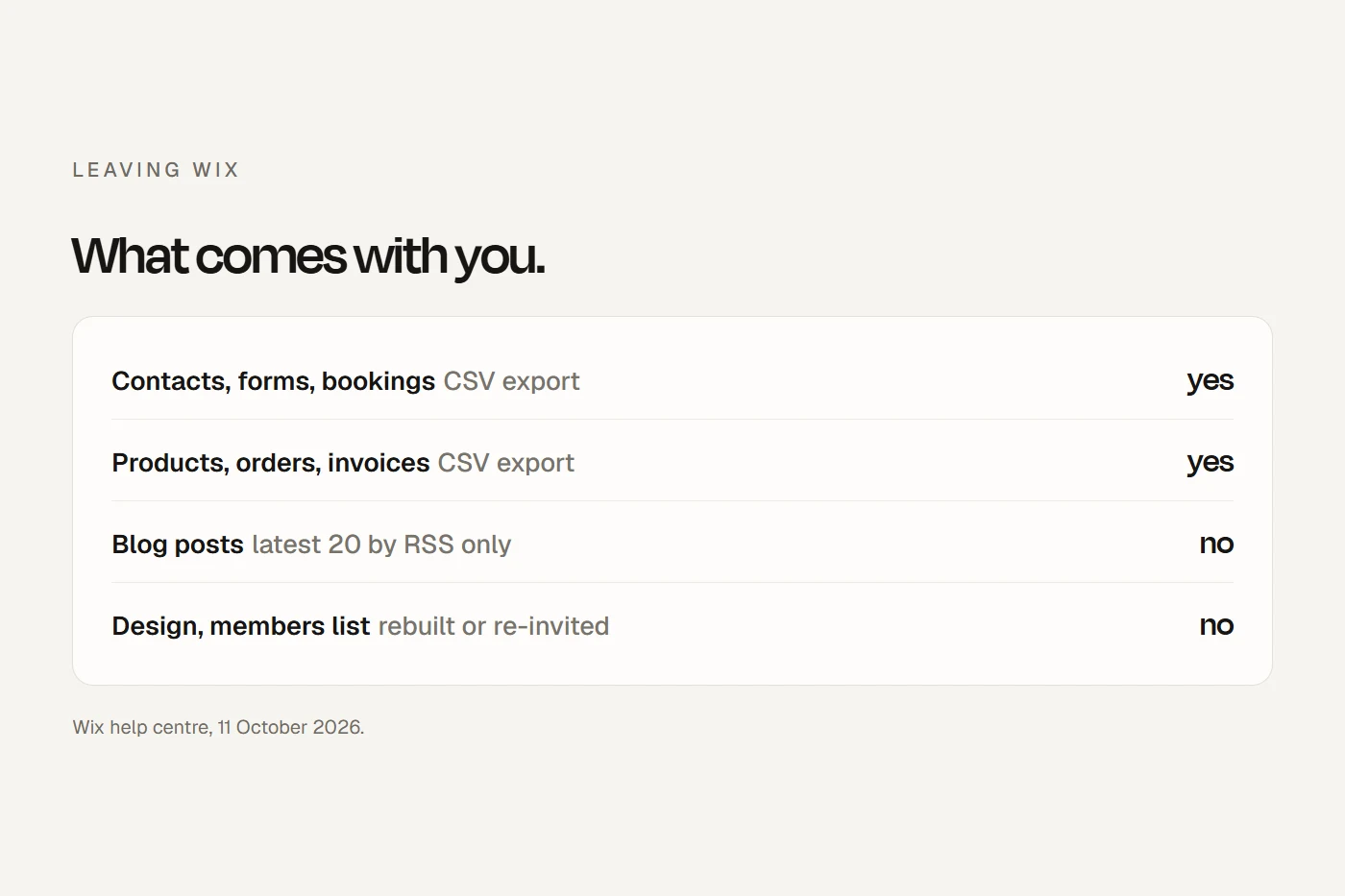
- What comes with youContacts, form submissions, bookings, products, orders, invoices, CMS data and uploaded media, as CSV files or downloads.
- What doesn'tThe design, blog posts (beyond the latest 20 by RSS), your members list, booking service set-ups, chat history, and Wix's stock images.
- Keeping your rankingsList every URL from your Wix sitemap, set up 301 redirects on the new site, then switch the domain. Cancel Wix last.
I build websites for Australian businesses, and moving off Wix is part of that work. It isn't hard, but the order matters. Switch the domain before the redirects exist and every old link breaks at once. Cancel too early and, once the paid period ends, your current site drops to a free Wix address with Wix ads. Everything below comes from Wix's help centre, Google Search Central and auDA, read on 11 October 2026.
What you can export from Wix
| What | Can you get it out? | How, and the limit |
|---|---|---|
| Contacts | Yes | CSV (regular, Google or Outlook), up to 50,000 at a time |
| Form submissions | Yes | CSV. Dates come out in UTC, not Australian time |
| Bookings | Yes | The booking list as CSV, plus a bookings and staff-hours report by date range |
| Booking services (names, durations, prices) | No | Wix says "it's not possible to export or import the configuration of services". Write them down |
| Products | Yes, physical only | CSV, 5,000 rows per file. "Exporting digital products is not currently supported" |
| Orders | Yes | CSV, covering store, booking, restaurant and donation orders |
| Invoices you sent | Yes | CSV or PDF |
| CMS collections | Yes | CSV, including hidden and system fields |
| Photos and videos you uploaded | Yes, a few at a time | "Currently, you cannot bulk download all your media files at once." Wix's free images and Shutterstock media can't be downloaded |
| Blog posts | No | "It is not possible to export blog posts to other platforms." The RSS feed shows only the latest 20 |
| Members list | No | Not exportable "due to privacy concerns". Export them as contacts instead |
| Inbox and chat history | No export documented | Copy anything you need before you go |
| Redirects you set up in Wix | Yes | CSV, 500 per file |
| The design and layout | No | It's rebuilt on the new platform |
Scroll the table sideways to see every column.
The blog is the hard one. If you've written 60 posts, an importer gets the latest 20 through RSS at best and the other 40 are copied by hand. Budget for that before you commit to a date. Members have to sign up again on the new site, since their logins can't move. And any images you used from Wix's free library or Shutterstock need replacing, because you can't download them.
Before you cancel: the export checklist
Tick these off while your Wix site is still live. Your ticks are saved in this browser.
- Contacts. Contacts, Import / Export, Export. Choose All Contacts and a CSV format.
- Form submissions. Open each form's submissions table and click Export.
- Bookings. In the Booking List, scroll to the very end so everything loads, then Download CSV. Also export the bookings and staff-hours report from the Booking Calendar.
- Booking services. Write down every service, duration, price and staff schedule. There's no export.
- Products. Products, More Actions, Export. Digital products need recreating by hand.
- Orders and invoices. Export both to CSV, and invoices to PDF if your accountant wants them.
- CMS collections. Each collection, More Actions, Export to CSV.
- Photos and files. In the Media Manager, select a folder's files and Download. Repeat for each folder.
- Blog posts. Copy every post's text and images, oldest first. RSS only covers the latest 20.
- Members. They're in your contacts export. Plan to invite them to sign up again.
- Inbox. Copy any conversation you need to keep.
- Existing redirects. SEO & GEO, URL Redirect Manager, More Actions, Export redirects.
- Every URL. Open yourdomain.com.au/sitemap.xml and copy the address of every page, post and product from each sitemap it lists.
- DNS records. If your domain uses Wix's name servers, copy every record, especially the MX records for your email.
- Business email. Decide whether to keep paying Wix for Google Workspace or move billing to Google.
Your .com.au domain
For most Australian businesses this is simpler than it sounds. Wix's help centre says "it is not possible to purchase an Australian (.au) domain from Wix or transfer one to Wix", so if you have a .com.au, it's most likely registered somewhere else, with your web host or a registrar, and connected to Wix. Leaving Wix doesn't mean transferring it. It means changing where it points.
How you do that depends on how it's connected:
- Connected by pointing (A and CNAME records). Change those records at your registrar to the ones your new host gives you. Your email records stay where they are.
- Connected through Wix's name servers. Wix is running your DNS, so your email's MX records and any verification records live at Wix. Copy every record first, recreate them at your registrar or new host, then switch the name servers back. Skip that step and your email stops.
Some older .com.au names were bought through Wix; Wix has a help article on transferring ownership of one. If yours shows in the Domains section of your Wix account, you can either point it at the new site or move it to an Australian registrar. auDA, which runs .au, says there's "no fee for any transfer of a .au domain name licence between registrars" (though some registrars charge their own), that the authorisation code goes to the registrant contact email in the .au registry, and that a transfer can take up to three days once approved. Check that email address still reaches you before you start. Don't cancel a Wix-registered domain to "move" it: transfer it.
A .com or other domain registered at Wix can be pointed at your new site with A and CNAME records, but "It is not possible to change the name servers of a Wix domain." If your new host needs name servers changed, transfer the domain away first. Wix says a transfer usually takes up to seven days and that you'll need to add your MX records again afterwards.
Your email
If you bought Google Workspace through Wix, the mailboxes are Google's and Wix is billing you for them. Wix says that if you cancel your Wix subscription, "your Google Workspace account remains active", and that you can move the billing to Google, which can't be undone. Either way, the MX records have to follow your domain's DNS.
How to keep your Google rankings
Your domain stays the same, but your URLs probably won't. Wix puts blog posts at /post/your-post and products at /product-page/your-product. WordPress and Squarespace use different paths, so every one of those addresses changes. Google treats that as a site move with URL changes, and its guide sets out the order. Here it is with the Wix part next to each step.
- Prepare the new site. Build and test it before anyone sees it. If you block search engines while you build, Google says: "Don't forget to remove any noindex or robots.txt blocks that were only needed for the migration."
- Map every old URL to a new one. Google says to start from your sitemaps, "because it's likely your most important URLs have been submitted in Search Console that way". On Wix that's yourdomain.com.au/sitemap.xml, which lists separate sitemaps for pages, blog posts, products and so on.
- Send each page to its closest match. Google: "Don't redirect many old URLs to one irrelevant single URL destination, such as the home page of the new site." If you're dropping a page on purpose, let it return a 404 or 410.
- Update the new site. Each new page gets a canonical tag pointing at itself, internal links use the new URLs, and you make a new sitemap.
- Set up the 301 redirects on the new platform, then switch the domain. Once your domain points at the new site, any redirects you had in Wix stop working, so they all have to be rebuilt there.
- Tell Search Console. Submit the new sitemap. The Change of Address tool is only for moving to a different domain, so if you're keeping your .com.au, you don't need it.
- Watch the traffic. Google says visibility "may fluctuate temporarily during the move" and that a small or medium site "can take a few weeks for most pages to move". Keep the redirects "for as long as possible".
Two more of Google's rules worth knowing: avoid chains of redirects (send each old URL straight to its final page), and expect some movement anyway. Google's guide prefers you keep the same CMS when you move, which leaving Wix can't do, and Squarespace's own Wix guide says switching "may cause your site's search ranking to dip, at least at first". Nobody publishes a figure for how much or how long, so I won't give you one.
Plan your redirects
Paste the URLs from your Wix sitemap below, one per line, and set where your blog posts and products will live on the new site. It writes the redirect lines for you. Pages whose address stays the same don't need one.
Where the lines go depends on the new platform. In Squarespace they go in the URL mappings panel, in the format /old-url -> /new-url 301, up to about 2,500 lines. On self-hosted WordPress, the usual route is a redirect plugin; the most widely used, Redirection, has over two million active installs. Your new host or developer may also set them up for you.
Wix to WordPress, Squarespace and the rest
| Moving to | Wix importer? | What it brings across |
|---|---|---|
| WordPress.com | Yes, official | Pages, images, menus and site title. It "will not recreate your exact Wix design", and blog posts come across only as the latest 20 by RSS |
| Self-hosted WordPress | No | WordPress's RSS importer can bring in the latest 20 posts. Pages are rebuilt by hand. WooCommerce has a CSV product importer |
| Squarespace | No | Products by CSV, after editing it to Squarespace's format. Squarespace says "It's not possible to import your last site's layout, design, fonts, or other content" |
Scroll the table sideways to see every column.
You'll see hosts advertising a free website transfer. That's for sites built on software you can copy, like WordPress. A Wix site can't be exported, so there's nothing for them to transfer; the site gets rebuilt either way. If you're still deciding where to go, my Wix vs WordPress guide compares the costs over three years.
Cancelling Wix, last
Squarespace's own advice for people leaving Wix is "keeping your old site online with Wix until your new site is complete", and I'd go further: keep it until the new site is live, the redirects work and you've checked your email. Then:
- Cancel the plan in Premium Subscriptions, under More Actions next to the plan. It runs to the end of the period you've paid for. Only a first-time purchase has the 14-day refund.
- Deal with the domain and email separately. "Canceling your site plan does not cancel any domain, business email, or app subscriptions." Transfer or keep the domain, move or cancel the email, and cancel any paid apps.
- Unpublish the old site. After cancelling, it stays online at a free wixsite.com address with Wix ads. You don't want two copies of your business online.
Questions I get asked
Can I move my Wix site to another host?
Not the site itself. Wix sites have to be hosted on Wix. You can export most of your content and rebuild the site on the new platform, then point your domain at it.
Can I keep my domain if I leave Wix?
Yes. A .com.au is usually registered elsewhere and only connected to Wix, so you change where it points. A domain bought at Wix can be pointed at the new site or transferred away.
Can I migrate my Wix blog to WordPress?
Partly. Wix doesn't export blog posts. Its RSS feed gives the latest 20, which WordPress.com's Wix importer or an RSS importer can bring across. Older posts are copied by hand.
Will I lose my Google rankings if I leave Wix?
Some movement is normal. Google says visibility may fluctuate during a move. Mapping every old URL to its new one with 301 redirects, and keeping them, is what protects your rankings.
Will my email stop working if I leave Wix?
Not if you move your DNS records first. If your domain uses Wix's name servers, copy the MX records and recreate them before you switch. Google Workspace bought through Wix stays active after you cancel.
Does cancelling Wix delete my site?
No. When the plan ends, the site goes back to a free Wix address with Wix ads. Unpublish it once your new site is live.
About this guide
Written by Joseph Alzein, founder of bdog. I build websites for Australian businesses, including moving them off Wix, and Wix pays me nothing. Everything here comes from Wix's help centre, Google Search Central, auDA, WordPress.com and Squarespace, read on 11 October 2026. Help pages change, so check the current steps in your account.
Main sources:
- Wix: exporting contacts
- Wix: form submissions
- Wix: the booking list
- Wix: booking services can't be exported
- Wix: exporting products
- Wix: downloading media
- Wix: blog posts can't be exported
- Wix: members list
- Wix: exporting redirects
- Wix: your sitemap
- Wix: URL structure
- Wix: .au domains
- Wix: transferring a domain away
- Wix: pointing a Wix domain elsewhere
- Wix: Google Workspace FAQs
- Wix: cancelling a plan
- auDA: transferring a .au domain
- Google Search Central: site moves with URL changes
- Google: Change of Address tool
- WordPress.com: import from Wix
- WordPress: importing content
- Redirection plugin
- Squarespace: moving from Wix
- Squarespace: URL mappings