What an NDIS provider website needs
The rules that apply to an NDIS provider’s website: registration claims, funding and prices, inducements, complaints, accessibility and privacy, from the NDIS Act, the Commission and the Human Rights Commission. With a complaints block builder and a readiness checklist.
On This Page
Search for what an NDIS provider website needs and page one is web design agencies, software vendors and the NDIA's own portals. A couple of the agency checklists call things legal requirements that aren't, and none of them quotes the rules that do apply: what you can say about registration, what complaints information must be public, what the accessibility standard is, and what the Privacy Act expects. This guide is those rules, read from the NDIS Act, the NDIS Commission's rules and guidance, the NDIA, the Australian Human Rights Commission and the Privacy Act on 12 October 2026, plus what participants told the Commission they want from a provider's website. It's general information, not legal advice. NDIS rules are changing in stages, so check the Commission's pages before you rely on anything here.
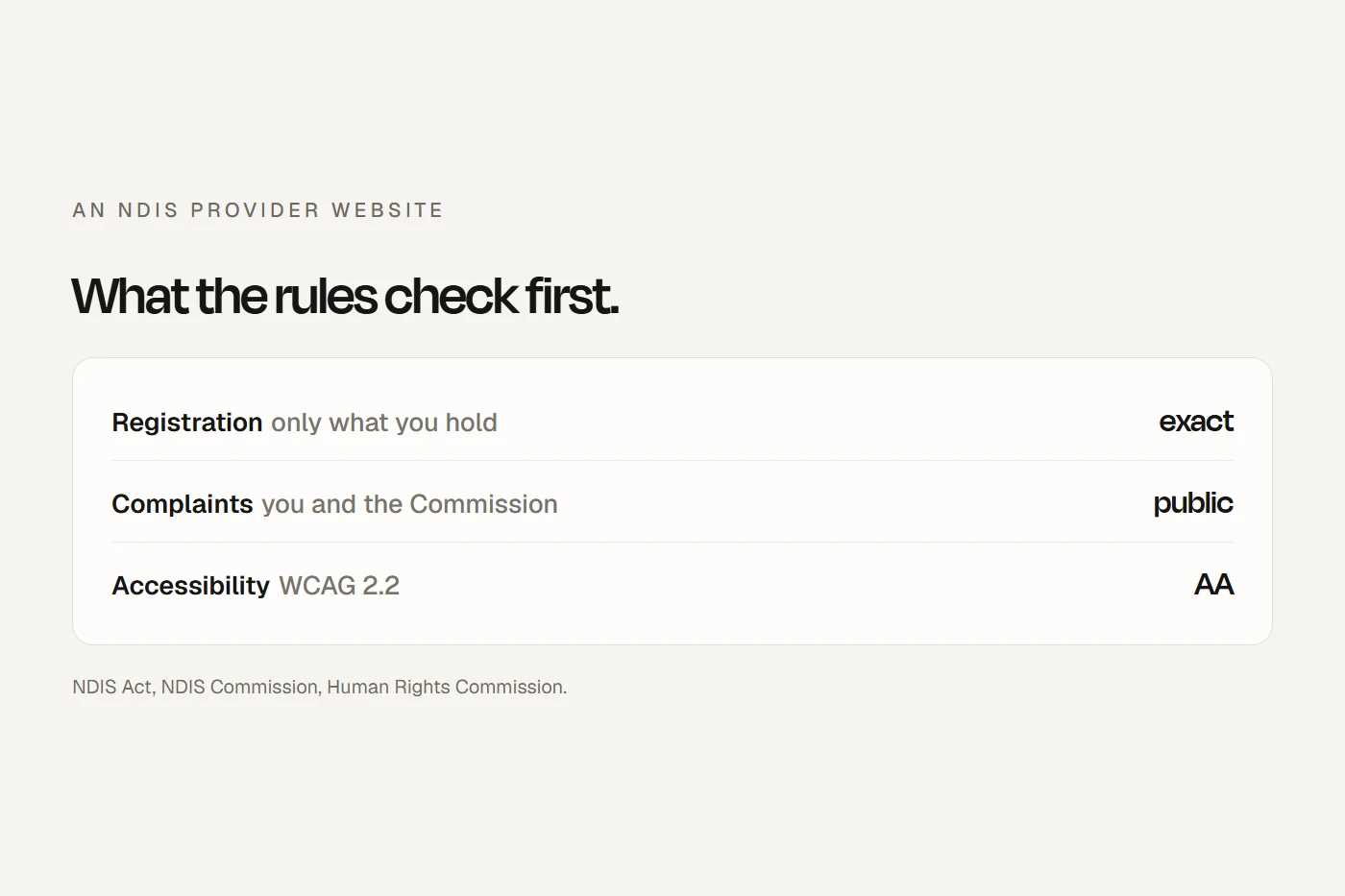
- Say exactly what you're registered forAdvertising a support that needs registration when you aren't registered is now an offence under the NDIS Act. "NDIS approved" is out for everyone.
- Put complaints where people can find themRegistered providers must make public how to complain to them and to the NDIS Commission. Everyone else is expected to explain both.
- Make it accessibleThe Human Rights Commission says WCAG 2.2 at Level AA is the minimum, and that overlay widgets don't do the job.
Who reads an NDIS provider's website
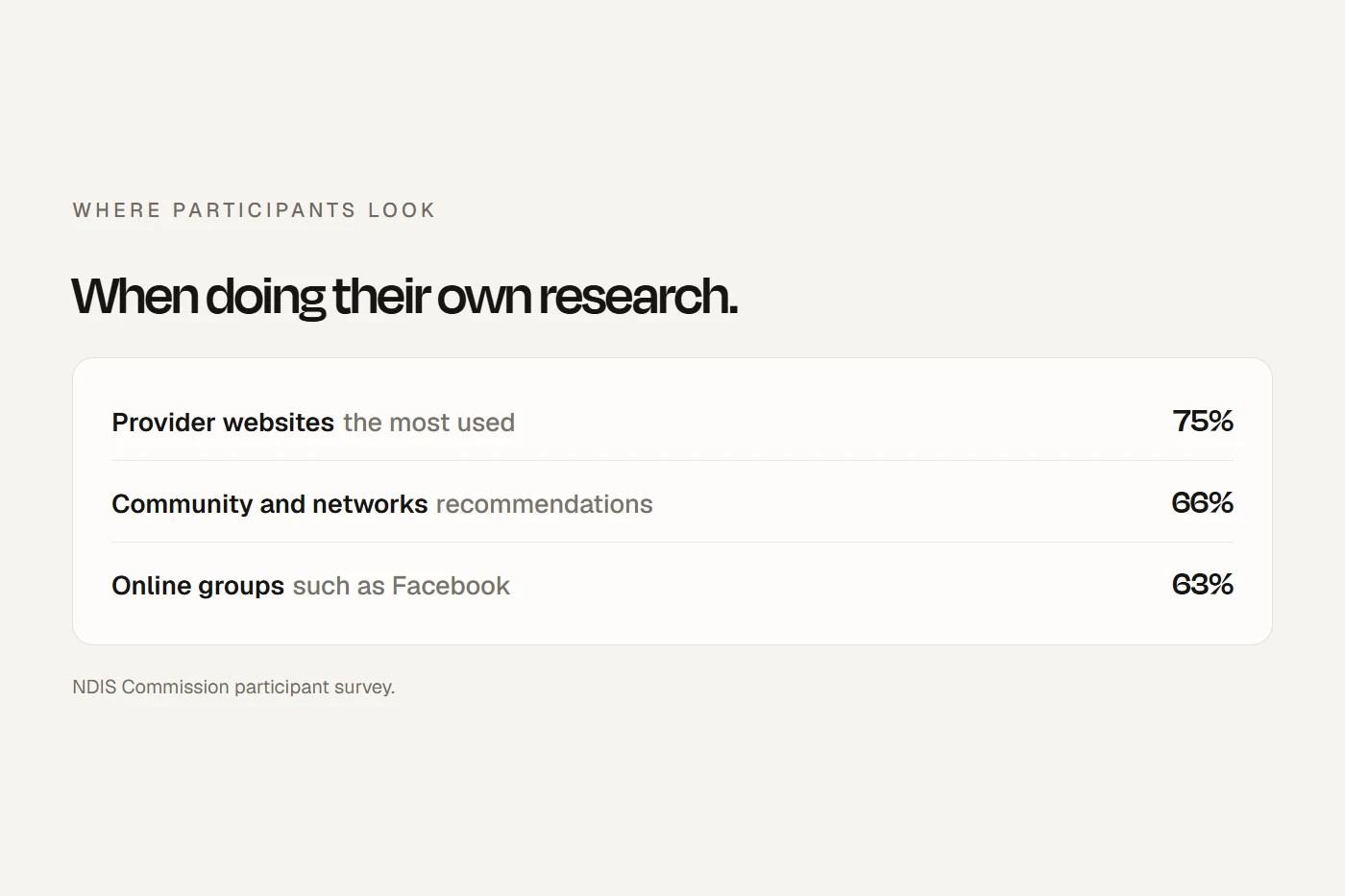
Three kinds of people: a participant or family member deciding whether to call, a support coordinator or plan manager deciding whether to refer, and, if something goes wrong, the NDIS Commission or the ACCC. When the Commission surveyed participants who research providers themselves, provider websites were the source they used most, ahead of recommendations and Facebook groups. More than half said it wasn't easy to find providers who could deliver what they needed.
They also said what they want to see: where you work, what you offer, staff qualifications and training, costs, and processes and terms "explained plainly and in easy to read formats". Many said they'd signed agreements without understanding them. Meanwhile, fewer than half of providers said they share information about their workers' skills and training. That gap is the easiest win on most NDIS websites.
The Commission's own guide for participants lists what to think about before choosing a provider: can they deliver the supports you need, do those supports need a registered provider, will they listen to you, can you agree on the type and cost of supports, and how do you end the agreement if something goes wrong. Each of those is a section your website can answer.
What you can say about registration
This is where the law is strictest.
- "Registered" only if you are. The NDIA's logo guidelines say you may only advertise as a "registered provider" if you're registered with the NDIS Quality and Safeguards Commission. Your status shows on the Commission's Provider Register.
- Don't advertise supports that need registration you don't hold. The NDIS Act now makes it an offence for an unregistered person to hold themselves out as able to provide a support that the rules say needs registration. Those currently include supported independent living (SIL), specialist disability accommodation, specialist behaviour support, plan management and NDIS digital platforms.
- An application isn't a registration. SIL and platform providers whose applications are pending are listed separately on the register. Say "application for registration lodged", not "registered".
- No "NDIS approved". The NDIA says it doesn't endorse or approve any products or services, and lists "NDIS approved" and "100% NDIS funded" as statements to avoid. The register does use "Approved" as a status label, but on your website the word is "registered".
- No NDIS logo, and no "NDIS" in your name. The plain NDIS logo needs the NDIA's written consent. Registered providers may use the "I heart NDIS" and "I support NDIS" logos with the "Registered Provider" tagline. The NDIA calls "NDIS" in a business, trading or domain name, and "NDIS packages", misleading.
If you're unregistered, say so plainly and say who you can serve: "We're an unregistered provider. We work with people who self-manage or use a plan manager." That's accurate, and it saves NDIA-managed participants a wasted call.
Registration rules are tightening in stages. Parliament has legislated wider mandatory registration for higher-risk supports, with the list still to be published. Before you put a support on your website, check whether it now needs registration.
Funding, prices and gifts
The NDIS now has lists of what is and isn't an NDIS support, and whether something is fundable depends on the person's plan. The ACCC has called out providers suggesting the NDIS will cover things it won't. So "covered by the NDIS" is out; "may be fundable under your plan, and we can talk it through with you" is accurate.
The Code of Conduct guidance says participants have a right to clear pricing information. On your website that means your prices, what they include, and any extra charges such as travel and cancellations. Two traps:
- Don't present the price limit as "the NDIS rate". The Minister's pricing determination sets maximum prices for NDIA-managed and plan-managed participants. One participant told the Commission providers "will often tell people that is what they have to charge under NDIS rather than that's the maximum allowed".
- Don't charge participants more than private clients for the same service without a reason. That's a Code of Conduct problem.
Gifts and sign-up offers are already a Code of Conduct problem, and Parliament has passed a ban on inducements. It covers gifts to anyone, not just the participant: family members, coordinators and referrers too. And the rules can never permit cash, gift cards, vouchers or electronic devices. So no "sign up and get a tablet" banners. A first meeting to see whether you're a good fit is a different thing, but check how the new rules treat it before you advertise it as free.
Can I say this on my website?
Tap a card to see the verdict. General information, not legal advice.
Complaints and feedback
This is the one place the rules come close to saying "put this on your website". The Complaints Management and Resolution Rules require a registered provider's complaints system to make "readily available and accessible to the public" how to complain to the provider and how to complain to the Commissioner. The system must accept anonymous complaints and support people to complain. For unregistered providers, the Commission's Code of Conduct guidance expects you to help people understand how to complain both to you and to the Commission.
A complaints page or block should cover: how to tell you (phone, email, a form), that people can stay anonymous, that they can bring a supporter or advocate, that complaining won't affect their supports, and the Commission's contact details. Fill this in to build yours:
Link it from every page's footer, not just your policies page.
Accessibility
The Disability Discrimination Act makes it unlawful to discriminate on the ground of disability in providing goods or services, including in the way you provide them. The Australian Human Rights Commission's guidelines on digital access say organisations "should conform with WCAG 2.2 at a minimum Level AA". The guidelines aren't law in themselves, but they're the Commission's view of what the Act expects. For a business whose clients are people with disability, an inaccessible website is the most obvious problem it can have.
Three points from those guidelines worth acting on:
- Don't rely on an overlay widget. The Commission says AI tools, including plug-in overlays, "are not sophisticated enough to be reliable in most situations".
- Publish an accessibility statement explaining how you've met the standard, and give people an accessible way to tell you when something doesn't work.
- Use plain language. The guidelines point to the plain language standard and to Easy Read for people with cognitive and learning disabilities.
The NDIS Practice Standards, for registered providers, require communication "in the language, mode of communication and terms that the participant is most likely to understand". They don't mention websites, but for many of your readers that means plain language, and Easy Read versions of the pages that matter most: what you do, how to start, complaints and privacy. The NDIA also says providers are responsible for offering interpreting services. Registered providers can use TIS National at no cost; unregistered providers can too, but pay for it. A line on your contact page, "Need an interpreter? Tell us your language and we'll book one", covers it. Don't rely on a translate widget for anything important; even the Commission warns its automated translations may not be accurate.
Try this quick check on your own site. It isn't a full audit, which should include testing with people who use assistive technology, but it catches the common failures. Your ticks save in this browser.
- Unplug the mouse. You can reach every link, menu and form field with Tab, and submit with Enter.
- You can always see where you are while tabbing, and nothing hides the focused item, like a sticky header or chat bubble.
- Zoom to 200%. Nothing is cut off or overlaps.
- On a phone held upright, there's no sideways scrolling to read text.
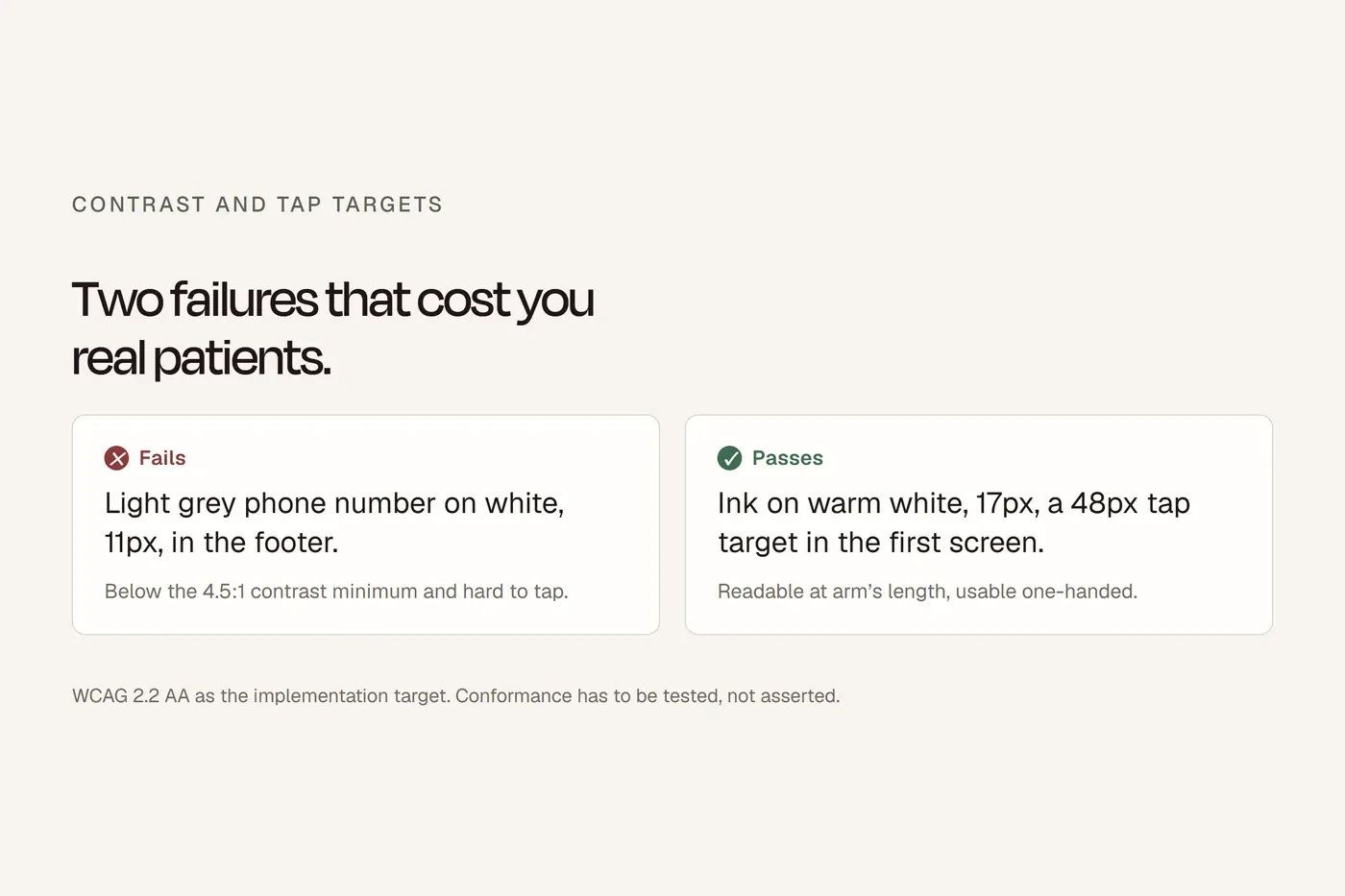
- Text contrast is at least 4.5 to 1, using a free contrast checker.
- Every meaningful image has alt text that says what it shows.
- Every form field has a visible label, and errors say what went wrong.
- Buttons and links are big enough to tap, or well spaced.
- Link text makes sense on its own: "Read our complaints process", not "click here".
- Videos have captions, and nothing moves or auto-plays without a pause button.
- Help is in the same place on every page: phone and contact link.
- The form doesn't ask for the same thing twice and has no puzzle CAPTCHA.
Privacy policy and enquiry forms
A small business is usually exempt from the Privacy Act, but not if it provides a health service and holds health information. The Act counts health-related activities carried out in the course of care for a person with disability as a health service, information about someone's disability is health information, and the Information Commissioner lists disability service providers that handle health information as covered. So if you provide therapy, personal care, SIL or support coordination and hold information about people's disability, assume you're covered, whatever your size.
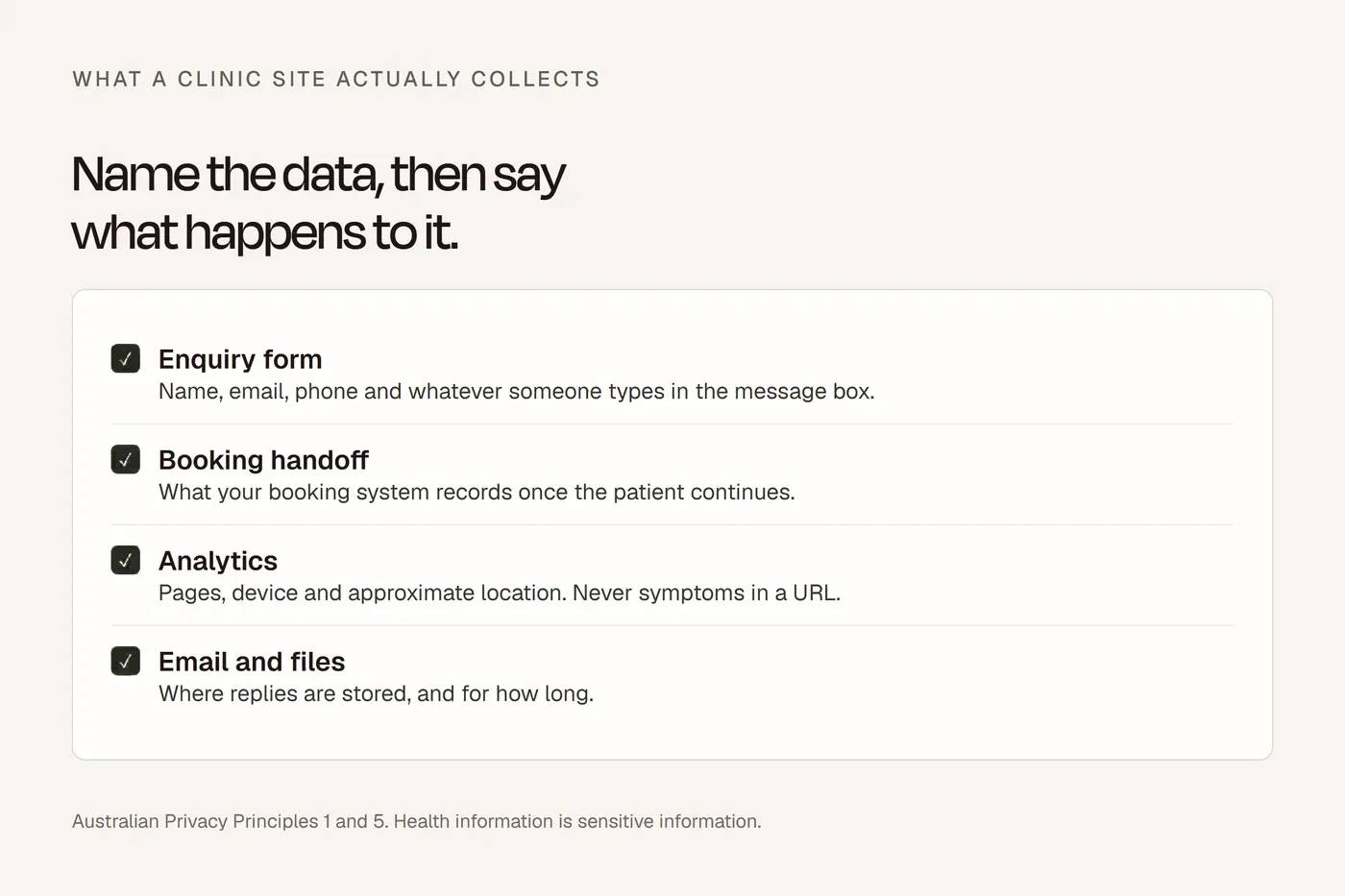
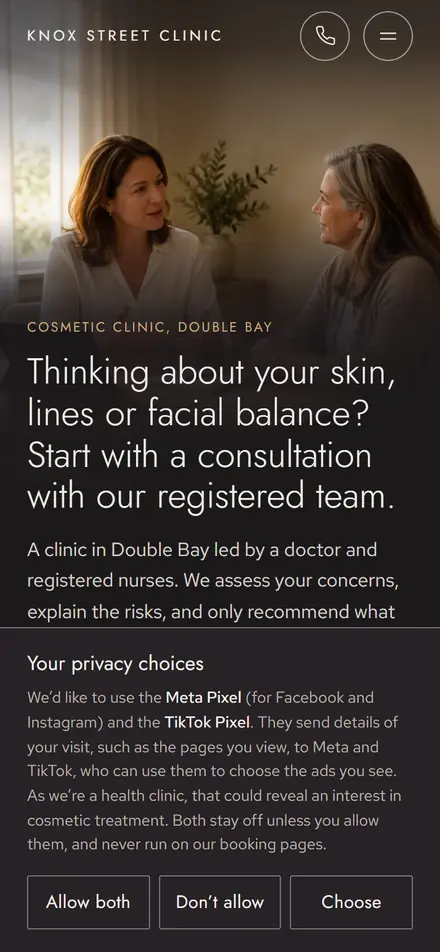
That means a privacy policy that says what personal information you collect and how, why, how people can access and correct it, how they can complain about a privacy breach, and whether it goes overseas. It should be free and in a form people can use, so a plain or Easy Read version on request is a fair ask. Keep your first-contact form short: name, how to reach them, suburb and the kind of support. Don't ask for a diagnosis, NDIS number or plan upload before you've spoken. And don't put advertising pixels on your forms: the Information Commissioner treats tracking on health-related pages as collecting sensitive information.
How ready is your NDIS website?
Tick what your site already does. Items near the top come from the law or the Commission and are weighted more heavily; your ticks save in this browser.
- Registration wording is exact: "registered" only if you're on the register, and for what.
- No support advertised that needs registration you don't hold.
- No plain NDIS logo, no "NDIS" in your name, no "NDIS approved" or "NDIS packages".
- Complaints: how to complain to you and to the NDIS Commission, easy to find.
- A privacy policy with all the required contents, free on the site.
- No gifts, vouchers, devices or cash offered to sign up or refer.
- The same advertised price for participants and private clients.
- Tested against WCAG 2.2 AA, not an overlay widget.
- An accessibility statement and an accessible way to report problems.
- Clear prices: what's included, extra charges, cancellations.
- Plain language throughout, with Easy Read versions of the core pages.
- An interpreter line and TIS National's number on the contact page.
- Staff qualifications and training stated truthfully.
- Anonymous complaints accepted, and help to complain offered.
- No advertising pixels on forms or health pages without consent.
- Photos and stories only with express, specific consent.
- Who can use you: NDIA-managed, plan-managed or self-managed.
- Your service area and availability.
- Legal name and ABN in the footer, and a link to the Provider Register if you're registered.
- A worker screening statement, only if every worker is cleared.
- A short first-contact form, with no diagnosis or plan upload.
- How to start, and a plain sample of your service agreement.
- A link to the Disability Advocacy Finder on your complaints page.
Things that build trust, honestly
Some things competitors call legal requirements aren't, as far as I can find. No NDIS rule requires your registration number, ABN, a Commission logo or a worker screening statement on your website. They're still worth showing where true:
- Legal name and ABN in the footer. Whether the law demands it depends on your business structure, but coordinators use it to match you to the Commission's register.
- Worker screening. Unregistered providers aren't legally required to have their workers screened, but the Commission recommends it, and tells self-managing participants to choose providers whose workers are cleared. If every worker who supports people holds a current NDIS Worker Screening clearance, say so. Don't call a police check "NDIS worker screening", and never publish workers' clearance details.
- Your team. Real people, with their qualifications and training. It's what participants asked for and what fewer than half of providers share.
- Support coordination conflicts. If you coordinate supports and also deliver them, say so, and say you'll offer outside options.
Two things to leave out. Testimonials, if your therapists are Ahpra-registered: section 133 of the National Law bans them. And language that frames disability as something to pity or cure. The Human Rights Commission describes seeing people with disability as "inherently vulnerable and in need of 'fixing' or 'curing'" as ableism. Write about what you do with people, not for them.
My view
An NDIS website gets judged on honesty first: exactly what you're registered for, what things cost, who'll turn up, and how to complain. Get those right, write them in plain language, and make the site work with a keyboard and a screen reader. That alone puts you ahead of most of what participants find when they search. And keep an eye on the Commission's pages, because the registration rules are changing in stages, and your website has to change with them.
Questions I get asked
How can I check if a provider is NDIS registered?
Search the NDIS Commission's Provider Register. It shows each provider's registration status and what they're registered for, and whether a registration has been suspended or revoked.
Can an unregistered provider advertise NDIS services?
Yes, for supports that don't need registration, to people who self-manage or use a plan manager. Say you're unregistered, and don't advertise supports such as SIL or plan management that require registration.
Can I use the NDIS logo on my website?
Not the plain logo without the NDIA's written consent. Registered providers can use the "I heart NDIS" or "I support NDIS" logos with the "Registered Provider" tagline.
What accessibility standard should an NDIS website meet?
The Australian Human Rights Commission says WCAG 2.2 at Level AA as a minimum, tested properly rather than relying on an overlay widget.
Does a small NDIS provider need a privacy policy?
Almost certainly. A business that provides a health service and holds health information is covered by the Privacy Act whatever its size, and care for a person with disability counts.
About this guide
Written by Joseph Alzein, founder of bdog. bdog builds NDIS provider websites. The rules come from the NDIS Act, the NDIS Commission's rules and guidance, the NDIA, the Australian Human Rights Commission and the Privacy Act, read on 12 October 2026, and the participant findings from the Commission's own surveys. NDIS rules are changing in stages, so check before you rely on anything here. This is general information, not legal advice.
Main sources:
- NDIS Commission: about registration
- NDIS Commission: mandatory registration
- NDIA: logo guidelines
- NDIA: what are NDIS supports
- NDIS (Complaints Management and Resolution) Rules
- NDIS Commission: complaints about your supports
- NDIS Commission: report an issue
- NDIS Code of Conduct: guidance for providers
- Australian Human Rights Commission: equal access to digital goods and services
- NDIA: interpreting services
- OAIC: what is a health service provider
- NDIS Commission: worker screening for unregistered providers
- NDIS Commission: Information insights report