Is your clinic website legal? Accessibility, WCAG 2.2 and the Disability Discrimination Act
bdog builds websites for clinics. We are not lawyers and this is not legal advice. It’s what the Australian Human Rights Commission’s guidance says, in plain terms, and how to check your own site against it.
On This Page
- The law, in three sentences
- The case everyone cites, because it’s still the one
- Who you’re building for
- What WCAG actually asks for
- The booking widget is your problem too
- PDFs and intake forms
- How to test in twenty minutes
- The widget someone will try to sell you
- The accessibility statement
- Your building is a separate question
- Questions we get asked
One in five Australians has a disability. Among people over 65, it's one in two. Your patients skew older and less well than the general population, so the share on your website is higher still.
If your site can't be read by a screen reader, can't be used without a mouse, or has grey text on a white background that half your patients can't make out, you're turning those people away at the door. You may also be breaking the law.
The law, in three sentences
Section 24 of the Disability Discrimination Act 1992 makes it unlawful to discriminate in providing goods, services and facilities, and it applies to websites. There is no small business exemption; a two-room clinic has the same obligation as a hospital. The Australian Human Rights Commission's guidance says the standard to meet is the latest published version of the Web Content Accessibility Guidelines, which today means WCAG 2.2 at level AA.
The Commission replaced its old web access advisory notes in April 2025 with new Guidelines on equal access to digital goods and services. They aren't binding law in themselves, but they're what the Commission and the anti-discrimination bodies rely on when a complaint comes in. The Australian Government holds its own sites to WCAG 2.2 AA. That's the benchmark.
The case everyone cites, because it's still the one
In 1999 Bruce Maguire, who is blind, complained that the official Sydney Olympics website couldn't be used with a screen reader. In August 2000 the Human Rights and Equal Opportunity Commission found the organising committee had discriminated against him under section 24 and ordered fixes: text alternatives on images, an accessible sports index, readable results tables.
The committee argued the fix would cost $2.2 million and take 368 days. Independent experts estimated about $30,000 and four weeks. The committee only partly complied, and in November 2000 the Commissioner awarded Maguire $20,000 in damages.
Twenty-six years later it's still the Australian precedent, partly because most complaints since then have settled quietly. Coles settled one over its online shopping site in 2014. We couldn't find a published health-sector decision from the last five years, which doesn't mean complaints aren't being made. It means they're being resolved before a hearing.
Who you're building for
The Bureau of Statistics' most recent disability survey, released in 2024, counts 5.5 million Australians with disability, 21.4 per cent of the population, up from 17.7 per cent in 2018. About 8 per cent have profound or severe disability. Among people aged 65 and over, 52.3 per cent have a disability.
Think about who books a physio, a podiatrist, a psychologist. Then think about who's most likely to be shut out by small text, poor contrast, an unlabelled form and a booking button you can't reach with a keyboard. The people a clinic exists for are the people bad web design excludes.
What WCAG actually asks for
The guidelines are organised under four principles: content has to be perceivable, operable, understandable and robust. Under those sit specific criteria. Most don't apply to a simple clinic site. These do.
| What it's called | Level | What it means on your site |
|---|---|---|
| Non-text content | A | Every image has alt text. Your team photos, your logo, your map, your icon buttons |
| Captions | A | Any video with speech has captions |
| Info and relationships | A | Headings are real headings, form labels are real labels, so a screen reader can follow the structure |
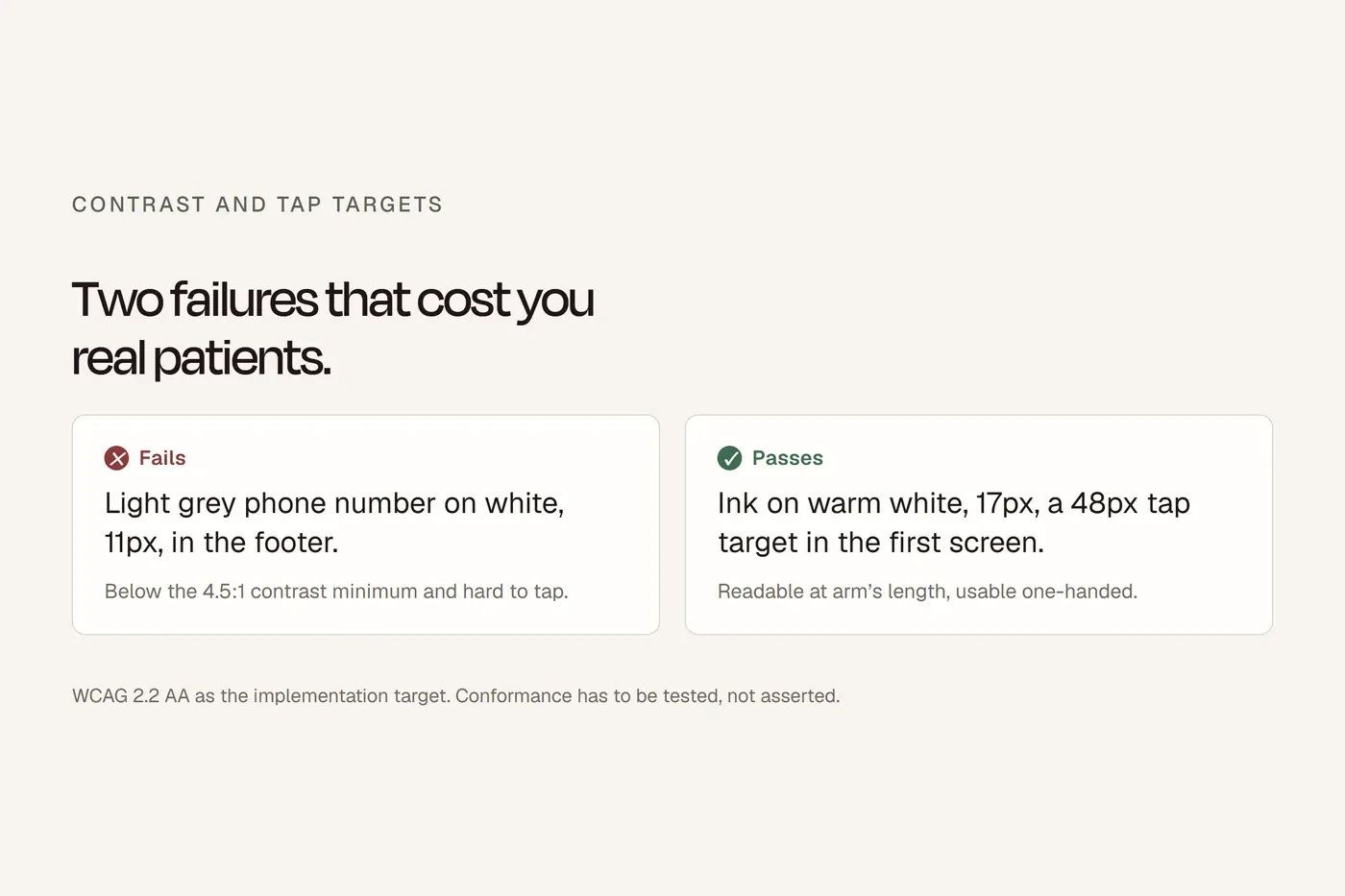
| Contrast minimum | AA | Text contrast of at least 4.5 to 1. The grey-on-white fashion fails this constantly |
| Resize text | AA | The page still works at 200 per cent zoom |
| Reflow | AA | On a phone, content flows into one column with no sideways scrolling |
| Non-text contrast | AA | Buttons, form borders and icons have 3 to 1 contrast against their background |
| Keyboard | A | Everything, including the menu and the booking widget, works with Tab and Enter alone |
| Focus visible | AA | When you Tab through the page, you can see where you are |
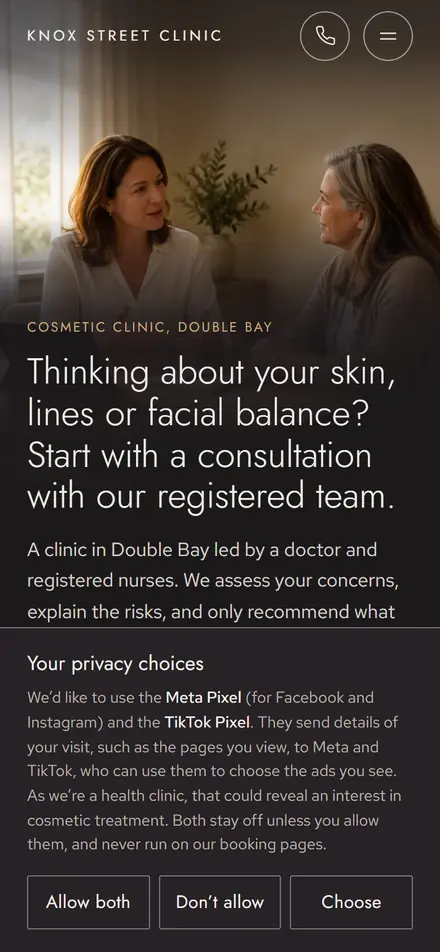
| Focus not obscured | AA, new in 2.2 | A sticky header or cookie bar doesn't hide the thing you've tabbed to |
| Target size | AA, new in 2.2 | Tap targets are at least 24 by 24 pixels. Your Book Now button should be much bigger |
| Error identification | A | When a form field is wrong, the page says which one and why, in words |
| Labels or instructions | A | Every form field has a visible label, not just placeholder text that disappears |
| Accessible authentication | AA, new in 2.2 | No puzzle CAPTCHAs on the booking or login |
| Consistent navigation | AA | The menu is in the same place on every page |
Scroll the table sideways to see every column.
WCAG 2.2 became the standard in October 2023. It added nine criteria to the previous version and dropped one. Three of the new ones are in the table because they matter for clinics: focus not obscured, target size, and accessible authentication. WCAG 3.0 exists as a working draft and isn't expected to be finished before about 2028. Don't wait for it.
The booking widget is your problem too
Under the Act, you're providing the service. If the booking widget embedded on your page can't be used with a keyboard or a screen reader, that's your site failing, whoever wrote the code.
We checked whether the major booking vendors publish an accessibility statement or a conformance report. HotDoc, HealthEngine, Cliniko, Halaxy, Nookal and Zanda: none that we could find. Jane has a help page about accessibility and an accessibility mode, but claims no WCAG level. HotDoc has a blog post about improving its app for visually impaired users, with no conformance claim.
So you can't outsource the assurance. Test the live widget on your own site, with a keyboard and a screen reader. If it fails, ask the vendor for a conformance report, and in the meantime make sure the phone number is right there as the alternative.
PDFs and intake forms
A PDF intake form that a patient downloads, prints and fills in by hand is a barrier for anyone who can't see it, can't hold a pen, or can't get to a printer. An untagged PDF is also invisible to a screen reader. Where a document is essential, offer it as a web page or an accessible online form. If the PDF has to exist, tag it properly and say what's in it.
How to test in twenty minutes
Three free tools and two manual checks. The manual checks matter more than the tools.
Run an automated scanner. WAVE, axe DevTools or Google's Lighthouse. Any of them will flag missing alt text, contrast failures and unlabelled fields. Now the important part: the UK Government Digital Service once seeded a page with 142 known accessibility problems and ran it through 13 automated tools. The best found 40 per cent. The worst found 13 per cent. WAVE found about 30 per cent, axe about 29. A clean automated scan is where testing starts, not where it ends.
Check your contrast. Paste your brand colours into a contrast checker. If body text is under 4.5 to 1, darken it. Most clinic sites we rebuild fail on the light grey their designer chose in 2021.
Put the mouse away. Load your homepage and use only the keyboard. Tab through the menu, into the content, to the phone number, to Book Now, and through the booking widget to a confirmed appointment. Can you see where you are at every step? Does anything trap you? Can you reach everything?
Turn on a screen reader. VoiceOver is built into every Mac and iPhone. NVDA is free on Windows. Close your eyes and try to book an appointment. This is the check that finds the problems nothing else does: images announced as "image dot jpg", a form field announced as "edit text" with no label, a booking calendar that reads out as forty unlabelled buttons.
Zoom to 200 per cent. Does the page still work, or does the Book Now button fall off the right edge?
If you fail any of the last three, that's your priority list.
The widget someone will try to sell you
You'll be offered an accessibility overlay: a plugin that adds a little icon to your site and promises compliance for a monthly fee. accessiBe, UserWay and others.
The accessibility community has been telling people not to buy these for years. They lay a control panel over a site's structural problems without fixing them, and they can actively interfere with the screen readers people already use.
In January 2025 the US Federal Trade Commission announced that accessiBe would pay $1 million over claims that its widget could make sites automatically comply with WCAG. The final order in April 2025 bars it from making unsubstantiated compliance claims. Different country, same product, same claim. The Human Rights Commission's guidelines don't mention overlays, but their whole emphasis is on designing and building accessibly, not bolting something on afterwards.
Fix the site. Don't rent a badge.
The accessibility statement
Not required in Australia. Worth having. A good one names the standard you're aiming for (WCAG 2.2 AA), says honestly where you are and what you know isn't fixed yet, gives a way to report a problem, offers another way to access the service (a phone number, an email), and carries a date. The Australian Government publishes its own as a model.
Your building is a separate question
The Disability (Access to Premises, Buildings) Standards 2010 govern the physical clinic: ramps, doors, toilets, signage. That's a different obligation under the same Act. A compliant ramp doesn't fix your website, and an accessible website doesn't excuse the step at the front door. Your homepage should say which one you've got, so a patient with a mobility aid knows before they arrive.
The 20-minute accessibility test for a clinic website bdog.com.au · Current at September 2026
Scan (5 minutes)
- Run WAVE, axe or Lighthouse on the homepage and the booking page
- Note the missing alt text, contrast failures and unlabelled fields
- Remember: this finds a third of the problems at best
Contrast (3 minutes)
- Body text against its background is 4.5 to 1 or better
- Buttons and form borders are 3 to 1 or better
Keyboard only (5 minutes)
- Tab reaches the menu, the phone number and Book Now
- You can see where you are at every step
- You can get through the booking widget to a confirmed appointment
- Nothing traps you
Screen reader (5 minutes)
- VoiceOver or NVDA on, eyes closed
- Images are described, not read as file names
- Every form field announces its label
- The booking calendar makes sense
Zoom (2 minutes)
- At 200 per cent, the page still works and Book Now is still on screen
Failed any of the last three sections? That's your priority list.
Also
- The site has an accessibility statement with a contact
- Essential PDFs have a web page or accessible form alternative
- Nobody has installed an overlay widget
Questions we get asked
Does the law actually require my website to be accessible?
Yes. Section 24 of the Disability Discrimination Act applies to websites, and the Human Rights Commission's 2025 guidelines name WCAG as the standard.
Is there a small business exemption?
No.
Which version of WCAG?
2.2, level AA. That's what the Australian Government holds itself to and what the Commission's guidance points to.
Has anyone in Australia been sued over a website?
Maguire v SOCOG, 2000, $20,000 in damages. Most complaints since have settled before a hearing.
My booking widget is from HotDoc. Is that my problem?
Yes. You're providing the service. And none of the major booking vendors publicly publishes a WCAG conformance statement or VPAT, so test it yourself. One may exist on request; ask your vendor.
Will an accessibility widget make me compliant?
No. The FTC fined one vendor $1 million in 2025 for saying it would.
How do I test for free?
WAVE or axe for a first pass, a contrast checker, then keyboard only, then a screen reader. The automated tools catch a third of the problems at best.
Do I need an accessibility statement?
Not required. Recommended.
Are PDFs a problem?
Untagged ones are invisible to screen readers. Offer a web page or accessible form instead.
How many of my patients does this affect?
One in five Australians. One in two over 65.
Is WCAG 3.0 coming? Should I wait?
It's a working draft, not expected before about 2028. Build to 2.2 AA now.
Is my building's access the same obligation?
Same Act, different standard. Both apply.
About this guide
Sources are named in the text; where the rules come from a regulator we link to the regulator, not to a summary of it. This is general information about building a website, not legal advice.