Google Business Profile suspended: why it happens and how to get it back
What Google’s words mean, the rules that usually cause a suspension, the appeal step by step, and which Australian documents match what Google asks for. From Google’s own help pages, with a cause-finder quiz and a first-week plan.
On This Page
A suspended Google Business Profile is one of the most stressful things that can happen to a local business, because the calls stop and nobody tells you clearly why. Most of the advice online is American: Google's own AI summary even tells Australians to send a "tax/EIN certificate". This guide is written for an Australian business. It covers what Google's words mean, the rules that usually cause a suspension, how to appeal step by step, and which Australian documents fit what Google asks for, all from Google's own Business Profile help pages read on 12 October 2026, plus what Google's volunteer Product Experts report. Google changes these pages often, so check the links before you act.
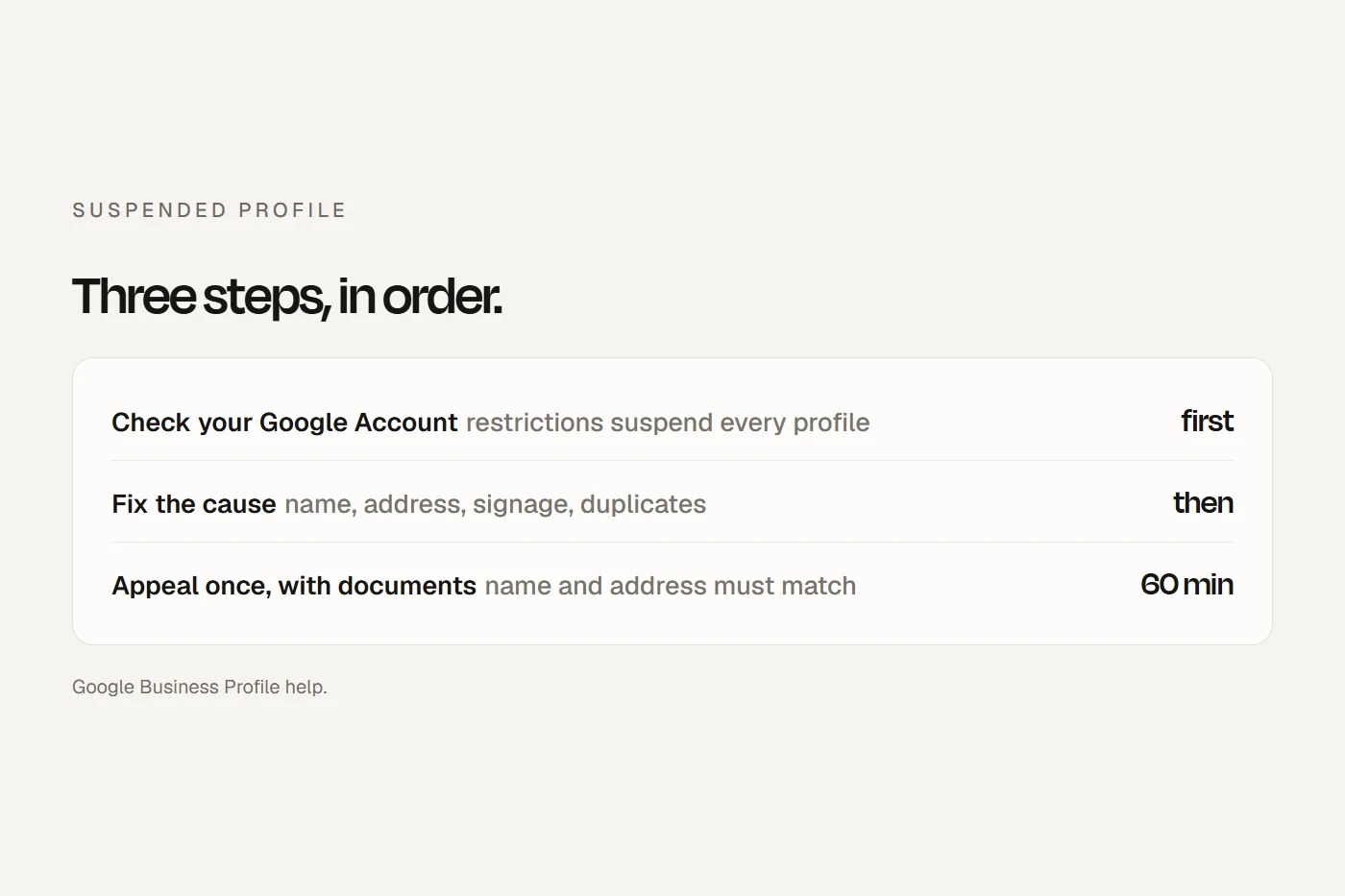
- Check your Google Account firstIf the account is restricted, every profile it manages is suspended. Clear it at myaccount.google.com/restrictions, then appeal each profile.
- Fix the cause, then appeal onceUse the Business Profile appeals tool, attach evidence within 60 minutes, and make sure the business name and address match your documents.
- Don't make a new profileGoogle says twice not to create one while your appeal is under review. Wait, then ask for an additional review if you're turned down.
What the words mean
Google's help pages talk about profiles being "suspended", "disabled", "restricted" or "removed". It doesn't define the difference between suspended and disabled; the one place it uses "disable" is when it decides a business "doesn't exist in the location that you claim". When a profile is removed, Google says, "The public can't go to the profile" and the owner and managers can't act on it.
You'll also see "soft" and "hard" suspension in forums and agency blogs. Those aren't Google's terms, but they're useful: a soft suspension means the profile still shows on Google Maps but you can't manage it; a hard suspension means it's gone from Search and Maps. Search for your business on Google Maps to see which you have.
There's also a third kind of action that isn't a suspension: a review restriction. If Google finds fake reviews, it can stop new reviews, hide existing ones for a period and show a warning that fake reviews were removed. That's appealed the same way.
Why profiles get suspended
Google's guidelines say a profile that "won't be suspended" has to avoid prohibited content, reflect the business accurately and follow its policies. In practice, the common causes are these:
- The name. "Including unnecessary information in your business name isn't permitted, and could result in the suspension of your Business Profile." No suburbs, services, taglines or phone numbers that aren't part of your real name.
- The address. A PO box isn't allowed. A virtual office "isn't eligible". A co-working desk only counts if it has your sign, your staff there in opening hours, and customers visiting.
- A home address showing. If you travel to customers, Google says to hide your address. If customers come to you, it expects "permanent fixed signage" with your business name.
- More than one profile. Google may suspend your account if it finds "multiple profiles for the same business in the same metropolitan area": an old login, an ex-staffer's profile, or one per service.
- Not eligible. A business must make "in-person contact with customers during its stated hours". Online-only businesses and lead generators don't qualify.
- Big changes. Changing the name, address or category can trigger re-verification, and significant changes to a business's identity can be rejected.
- Fake engagement. Paid or incentivised reviews, reviews from staff or family, and unusual patterns of reviews.
- Your account or your agency. A restricted Google Account suspends every profile it manages, and a profile created from a Google Ads or Merchant Center login can go with that product's problems. An agency that breaks Google's third-party rules can get your profile suspended too.
Sometimes none of these apply. A Google Product Expert told Inside Small Business that false positives are "fairly common". The appeal process is still the same.
How to appeal, step by step
- Check your Google Account. Go to myaccount.google.com/restrictions. If the account is restricted, appeal that first; Google says to lift the account restriction before appealing the profile.
- Open the appeals tool. It's at support.google.com/business, under "Manage appeals". Sign in with the account that manages the profile, choose the profile, and it shows the reason and a link to the policy Google says you broke.
- Fix the cause. Google: "Before you submit an appeal: Make sure that your profile follows all the guidelines." Fix what breaks a rule, and don't change other details while you wait.
- Gather your evidence. Google lists official business registration, a business licence, tax certificates, and utility bills such as electricity, phone, water or internet, and says to "check that the business name and address match the profile". The Australian documents that fit are below.
- Submit one appeal. Once you open the evidence form, "you must submit it within 60 minutes or it won't be attached". Write one or two factual sentences about what you fixed.
- Wait. Google says decisions "can take up to five working days". During a surge of suspensions, a Product Expert measured nearly five weeks. Don't submit another appeal before you get a decision, and don't create a new profile.
- If you're turned down, fix anything left and ask for an additional review with new evidence through Google's additional review form. You can also post in the Business Profile Help Community, where volunteer Product Experts "can escalate certain issues", but never post your documents there; it's public.
Australian evidence
Google names categories, not Australian documents, so this mapping is mine. The key is that the business name and street address match your profile exactly. Tick what you have; your ticks save in this browser.
- A utility bill in the business name at the business address: electricity, gas, water, phone or internet. Google's additional review form asks for one, matching your registration.
- An ASIC business name or company extract. It shows your street address only if your principal place of business isn't your home.
- An ABN Lookup page. It proves the name, but shows only state and postcode, so pair it with something that shows the street address.
- A licence for your trade or profession: a state trade licence, your Ahpra register entry, a practising certificate, or a food or liquor licence.
- Your GST registration notice, with sensitive numbers covered. Google says to avoid sending sensitive business documents.
- A lease or rates notice showing the business at the address. Not on Google's list, but Product Experts suggest it.
- Photos of your permanent sign, inside the premises or a branded vehicle. Not on Google's list; Product Experts say they don't hurt.
- Your Business Profile ID, copied from the profile's advanced settings.
If Google asks you to verify by video
It must be one continuous, unedited clip of at least 30 seconds, recorded live on a phone through your Business Profile. For a shopfront, show the street and nearby landmarks, your business name on a permanent sign that matches your profile, and proof you manage the place, such as opening the till or a storeroom. For a service-area business run from home, film your neighbourhood's street signs and landmarks, then your tools, branded vehicle or an invoice in the business name. Don't show other people's faces or ID, bank or tax numbers.
Don't make it worse
Tap a card for the verdict.
Clinics, mobile businesses and shared spaces
- Clinics and firms with several practitioners. Public-facing practitioners can have their own profiles, named with just their name, while the practice keeps its own. Support staff shouldn't have profiles, and nobody should have one per specialty. A solo practitioner shares one profile, named "[practice]: [practitioner]". For health practices, Ahpra's rules on "Dr" and "specialist" still apply to the name and description.
- Mobile businesses such as mobile physios, groomers, mechanics and cleaners list as service-area businesses, address hidden, with up to 20 service areas.
- Two businesses at one address are allowed with different names and clearly different signage.
- Moving. Google's pages contradict each other: one says venues that move should close the old profile and start a new one, another says to update the address and not create a new profile. For most service businesses, updating the address and re-verifying is the path; don't start a new profile without being sure.
Scams and paid "reinstatement"
Google says it "will never try to convince you to pay to maintain your Business Profile", including to have it verified or reinstated, and it never asks for a one-time code. If someone calls claiming to be Google, hang up and call back on a number you've found yourself, which is Scamwatch's advice for any caller. Real Google calls exist, but they only confirm details like opening hours. Agencies can charge to help you, but Google's own policy bars them from posing as Google, guaranteeing results, threatening that you'll lose your profile, or holding it hostage. Keep ownership yourself and add them as a manager.
What a suspension costs you
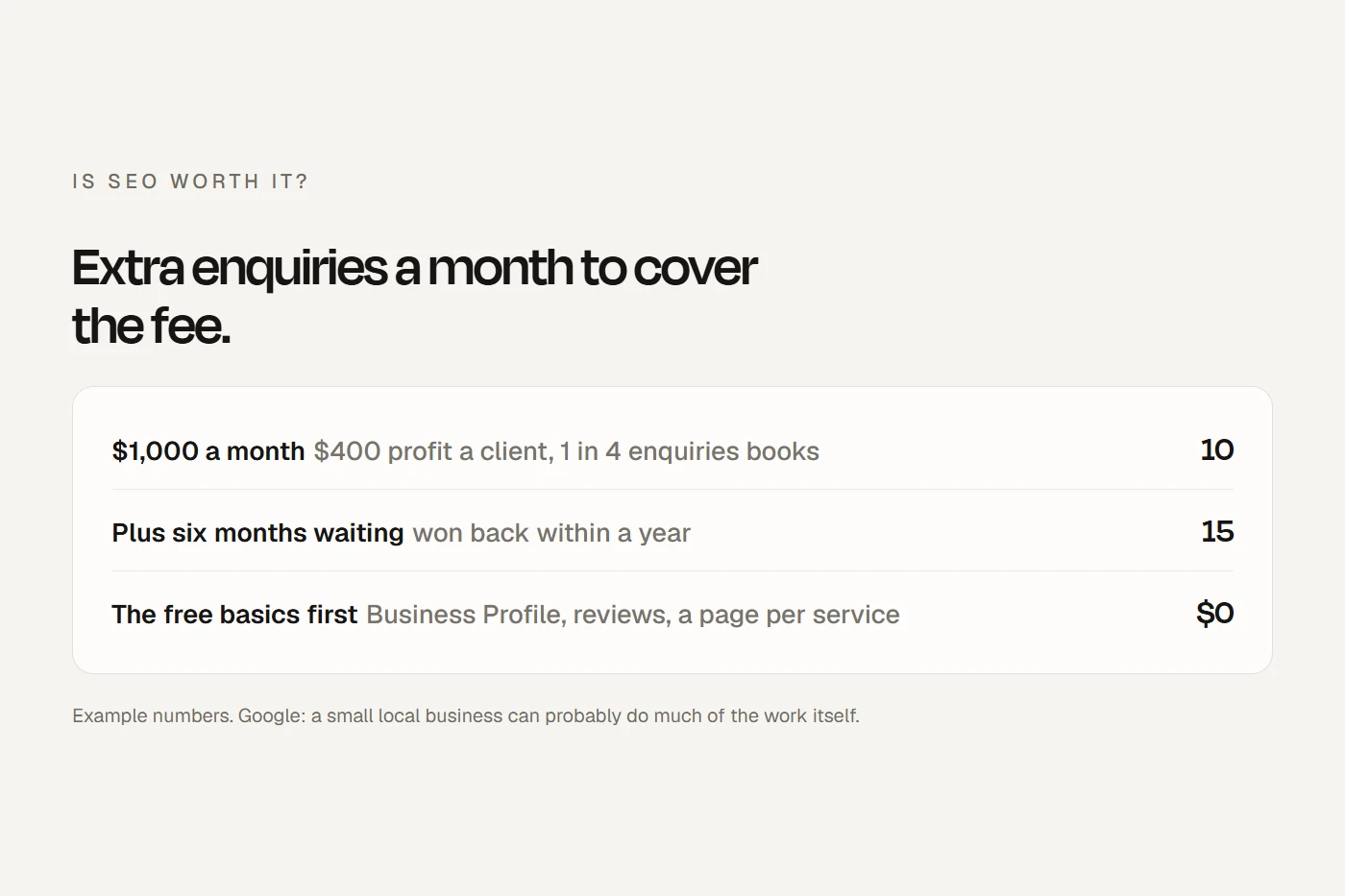
Put in your own numbers from your profile's performance report. The starting figures are an example.
That's the argument for not relying on your Google profile alone: a website that ranks in its own right, and a phone number regular clients already have.
Your first week
Your ticks save in this browser.
- Day 1: read Google's email, open the appeals tool for the reason, and check your Google Account for restrictions.
- Day 1: run the quiz above and fix the cause on the profile.
- Days 1 to 2: gather your documents and copy your Business Profile ID.
- Day 2: submit one appeal, with evidence attached within 60 minutes.
- Days 2 to 7: no new profile and no second appeal. Keep taking enquiries through your website and phone, and tell regular clients the listing is temporarily down.
- If denied: fix anything left, request the additional review with new evidence, and ask in the Help Community without posting documents.
- After reinstatement: check your reviews came back, watch your rankings for a couple of weeks, and remove access for anyone who's left.
My view
Most suspensions come down to a handful of rules: the name, the address, signage, duplicates and reviews. Fix the cause, send one clean appeal with documents that match your profile exactly, and then wait, however hard that is. Don't start a new profile and don't pay anyone claiming to be Google. And longer term, make sure your business doesn't depend on one listing: your own website and your regular clients are the parts Google can't switch off.
Questions I get asked
How do I unsuspend my Google Business Profile?
Check your Google Account for restrictions, fix whatever breaks Google's guidelines, then submit one appeal through the Business Profile appeals tool with evidence that your business name and address match the profile.
How long does a Google Business Profile appeal take?
Google says up to five working days. During surges, people have reported waits of several weeks.
Why does my Google Business Profile keep getting suspended?
Usually the cause hasn't been fixed: extra words in the name, an address that isn't eligible, a home address showing, or a duplicate profile. Changing details often can also trigger reviews.
Should I create a new Google Business Profile if mine is suspended?
No. Google says not to create a new profile for the same business while your appeal is under review, and a new profile would most likely start without your reviews.
Can I call Google about a suspended profile?
Google Business Profile support works through a signed-in contact form, usually by email and sometimes chat, not a phone line. Anyone calling you to offer paid reinstatement isn't Google.
About this guide
Written by Joseph Alzein, founder of bdog. bdog builds websites for Australian small businesses. Google's rules come from its Business Profile help pages, read on 12 October 2026; the Australian document mapping is my own, and appeal timing beyond Google's stated time comes from its volunteer Product Experts. Google changes these pages often, so check before you act.
Main sources:
- Google: fix suspended or disabled profiles
- Google: appeal moderation decisions
- Google: guidelines for representing your business
- Google: Business Profile policies
- Google: video verification
- Google: third-party policies
- Google: avoid scams
- ASIC: business names register
- Inside Small Business: an Australian owner's suspension