LEAP vs Smokeball vs Actionstep: which suits a small Australian firm?
Price, lock-in, Macs and how much work you want the system to do. I’ve read all three vendors’ pricing pages, terms and system requirements so you can compare the parts most reviews skip.
On This Page
- LEAP vs Smokeball vs Actionstep, side by side
- Which one fits your firm?
- Pricing: what each one costs
- Contracts: what you’re signing up to
- Mac, Windows and the browser
- Forms, precedents and document automation
- Trust accounting
- Getting your website’s enquiries into the system
- Who’s behind each company
- Law society deals
- Questions I get asked
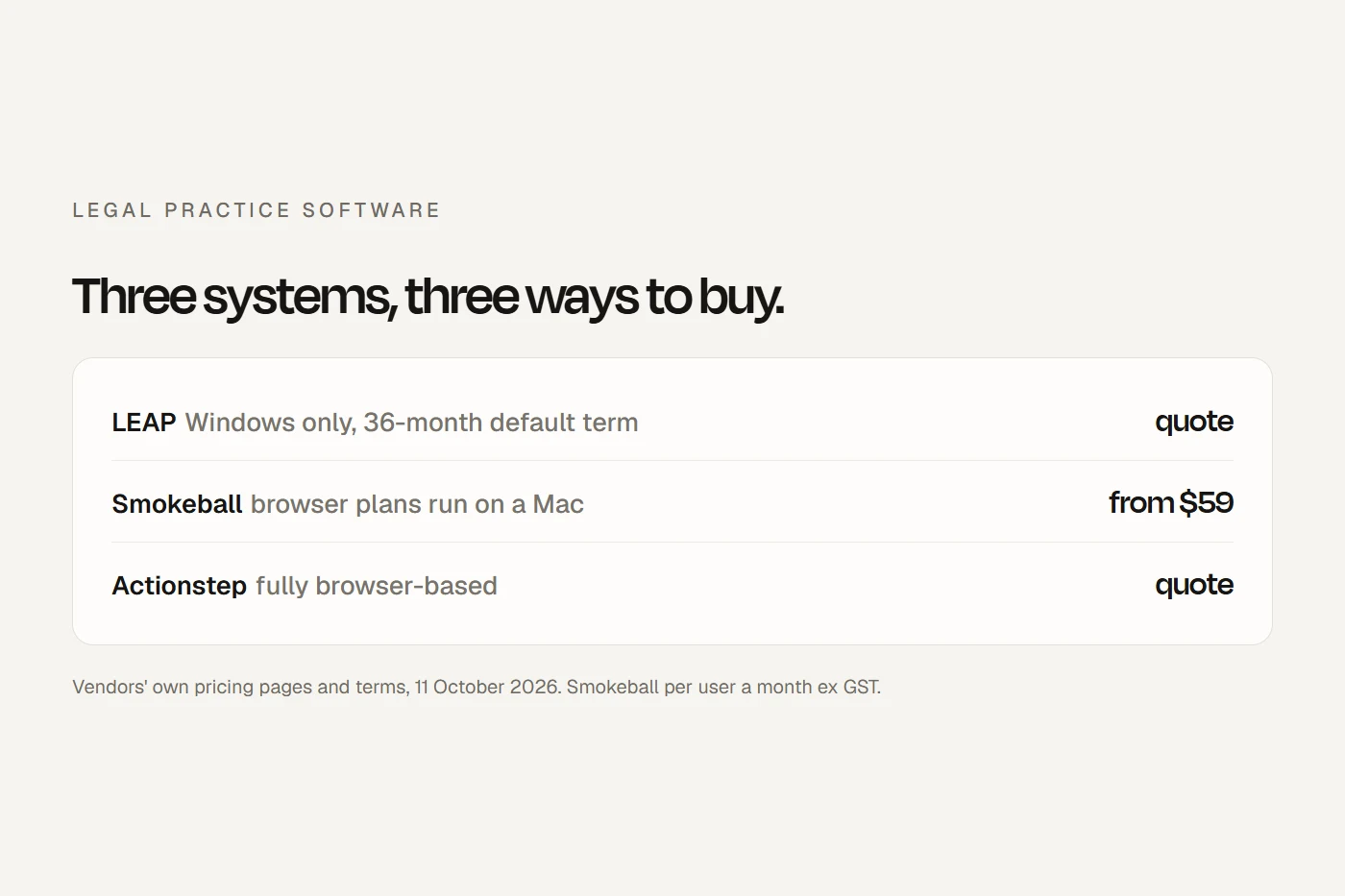
For a small Australian law firm, the choice between LEAP, Smokeball and Actionstep usually comes down to four things: what you'll pay, what you're locked into, whether your team uses Macs, and how much of the work you want the system to do for you. LEAP includes a large library of Australian forms and precedents but needs Windows and defaults to a 36-month term. Smokeball is the only one that publishes prices, and its lower plans run in a browser. Actionstep runs entirely in a browser and is built for firms that want to design their own workflows, with document automation and web forms as paid add-ons. This guide puts them side by side, with every claim sourced to the vendors' own pages.
- LEAPIncluded Australian forms and precedents, Windows only, quote-only pricing, and a 36-month initial term if your order form doesn't say otherwise.
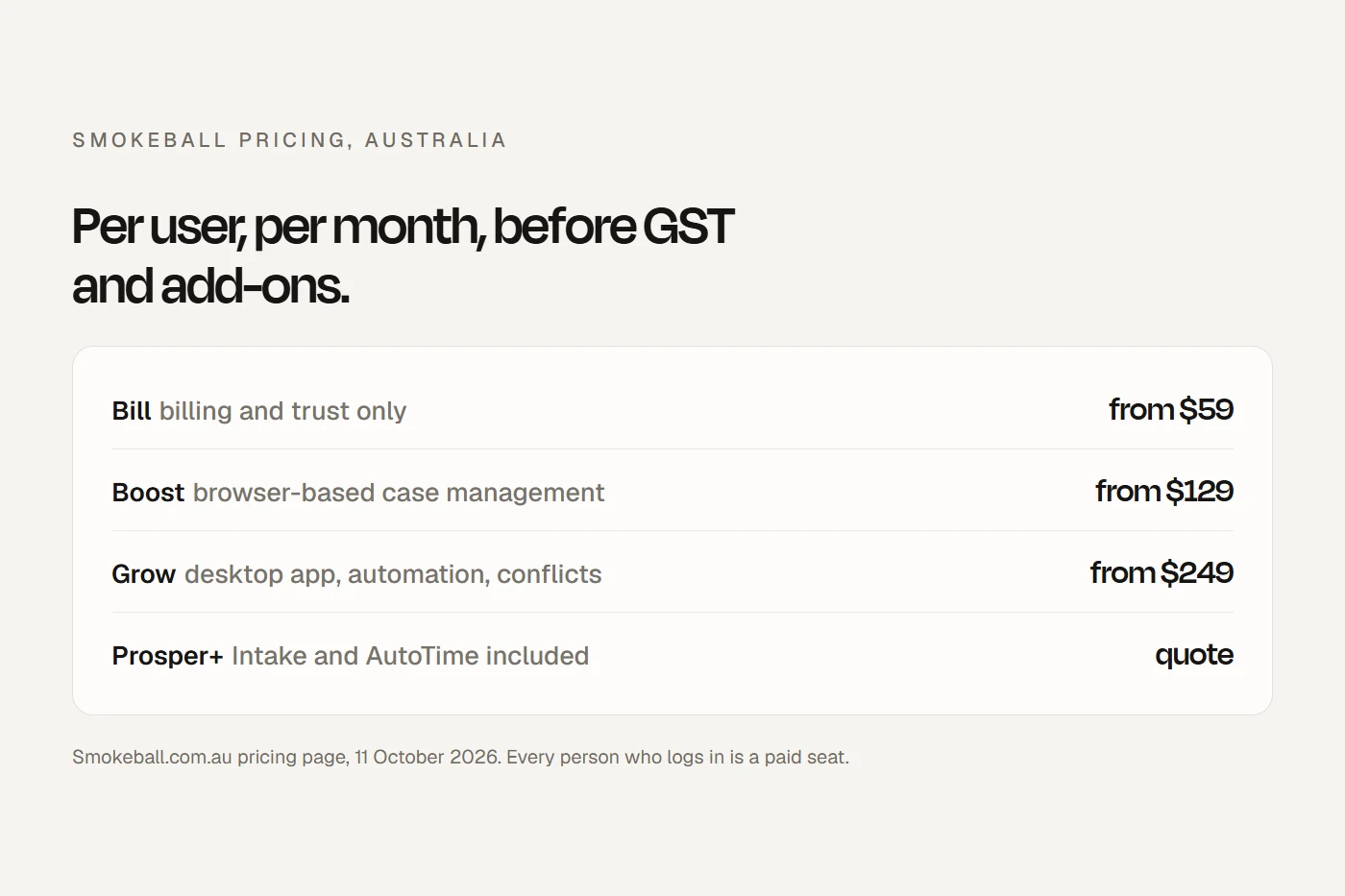
- SmokeballPublished prices from $59 to $249 per user per month ex GST. Bill and Boost run in a browser; Grow and Prosper+ need the Windows app.
- ActionstepFully browser-based, workflow-driven, priced per user plus implementation fees, with automation and web forms as add-ons.
I build websites for law firms and have no commercial relationship with any of these companies. I haven't run a practice on them. What I've done is read their pricing pages, terms, system requirements and help centres, which is the part most comparisons skip, and set out what they say.
LEAP vs Smokeball vs Actionstep, side by side
| LEAP | Smokeball | Actionstep | |
|---|---|---|---|
| Price published? | No. Quote per user per month | Yes. From $59, $129 or $249 per user per month ex GST; Prosper+ by quote | No. "Priced per user plus implementation fees" |
| Runs on a Mac without Windows? | No. "LEAP does not run on Mac OS" | Bill and Boost yes, in a browser. Grow and Prosper+ need the Windows app | Yes. Fully browser-based |
| Australian data hosting (vendor's claim) | AWS Sydney | Says Australian data stays in Australia; region not named | AWS Sydney |
| Security (vendor's claim) | SOC 2 Type II. ISO 27001 "Aligned; formal certification in progress" | ISO 27001:2022 certified | SOC 2 Type 2 |
| Law Society of NSW certified trust accounting | Yes | Yes | Yes |
| Forms and precedents | "Over 5,500 precedents", Australian court and government forms included | "Thousands of templates", from Grow up | Document automation is the Builder add-on |
| Website enquiry form into the system | LEAP CRM (included) lists "web form" as a source; ask how it connects | Intake add-on: embed on your site | Capture add-on: embed on your site |
| Default term | 36 months if the order form is silent, then 12-month renewals | Set on your order form; renews for 12 months | Subscription periods renew automatically |
| Capterra Australia rating | 4.3 from 547 reviews | 4.8 from 360 | 4.2 from 135 |
Scroll the table sideways to see every column.
The Capterra ratings pool reviews from several countries, and Capterra says it may earn a referral fee from vendors, so treat them as a rough signal. On G2 the order is the same with fewer reviews: Smokeball 4.7 from 388, Actionstep 4.0 from 17, LEAP 3.6 from 40.
Which one fits your firm?
Pricing: what each one costs
LEAP pricing
LEAP doesn't publish a price list for its law firm software in Australia. Its own information page describes it as "a per-user monthly subscription" priced by firm size and requirements, with a quote from LEAP. You'll see figures quoted on review sites and competitors' comparison pages, but none come from LEAP, so I haven't repeated them. LEAP's separate conveyancing product, LEAP Conveyancer, does publish a price: $209 plus GST per user per month.
When you ask LEAP for a quote, ask for the initial term, any implementation, training and data migration fees, and what the price review looks like at renewal. LEAP's US pricing page mentions "a one-time implementation fee" that "may apply", and says some integrations need their own subscription. Whether the same applies in Australia is something to confirm on your quote.
Smokeball pricing
Smokeball is the only one of the three with public prices: Bill from $59, Boost from $129 and Grow from $249 per user per month, excluding GST, with Prosper+ by quote. The Intake add-on is $29 on Boost or $59 on Grow, AutoTime is $39 on Grow, and several extras are quoted. I've worked through what that comes to for a small firm, with a calculator, in my Smokeball pricing guide.
Actionstep pricing
Actionstep lists its practice management and each add-on (Builder for document automation, Capture for web forms, Trace and Acumen) as "Priced per user plus implementation fees", with a request-pricing form. Implementation is done through "certified implementation partners", and Actionstep offers finance options for it, so ask for the implementation figure early. Its separate Legal Accounting product is "Only available in North America".
Contracts: what you're signing up to
This is where the three differ most, and where I'd spend the most time before signing.
| LEAP | Smokeball | Actionstep | |
|---|---|---|---|
| Initial term | As on your order form, or 36 months if it doesn't say | As on your order form | Subscription periods per the fee schedule |
| Renewal | Automatic, 12 months if not specified | Automatic, 12 months, at "then standard pricing" | Automatic until terminated |
| How to leave | At least 30 days' written notice before the term ends | At least 30 days' notice before expiry | Cancel in your subscription settings; its FAQ says give a month's notice |
| Reducing users mid-term | Not allowed in Australia, except "Flexi Users" | Not below your order form | Not stated |
| Your data after you leave | Your job to extract, under a paid single-user "Historical Use Licence" | 30 days to retrieve it, then it may be deleted | Request a backup within 20 days; deletion after 30. Exports to spreadsheet and HTML, documents in original formats |
| Money back | A 90-day money-back guarantee on a first agreement, with conditions and deductions for training and setup | 30-day free trial of Boost | Not stated |
Scroll the table sideways to see every column.
LEAP's terms say both parties "automatically enter into an Historical Use Licence charged at Your then current single user Monthly Amount" when the agreement ends, so you can get your data out. All three say the data is yours. They differ on how easy it is to take it.
Questions to ask before you sign
- What's the initial term, in writing? And when does it start: on signing or on installation?
- What are the implementation, training and migration fees? Smokeball and LEAP both say these can be extra.
- Can we reduce users if someone leaves? Both LEAP and Smokeball say no, mid-term.
- How does renewal work, and how much notice do we need to give? Put the date in the calendar now.
- What will the price be at renewal? Smokeball says "then standard pricing"; LEAP says it can increase fees with notice.
- How do we get our data out, in what format, and at what cost?
- Where is our data stored? Ask for it in writing.
- Will it run on our computers? Especially if anyone uses a Mac.
- How does our website's enquiry form connect? Embed, email, or not at all.
Mac, Windows and the browser
This rules options out quickly. LEAP's Australian system requirements specify Windows 11 64-bit and say "LEAP does not run on Mac OS"; Mac users need a virtual Windows environment, and it also needs the desktop Microsoft 365 apps. Smokeball's desktop app, required for Grow and Prosper+, also needs Windows 11 and locally installed Office, but Bill and Boost run in Chrome or Edge on a PC or Mac. Actionstep says it is "100% cloud-based so it runs on any computer with Internet access and a modern browser", with phone apps too.
So a firm where anyone works only on a Mac can run Actionstep, or Smokeball's browser plans, without workarounds.
Forms, precedents and document automation
For conveyancing, wills, family and litigation, the forms library can matter more than anything else. LEAP says it has "over 5,500 precedents for all common areas of law", monitored "across all Australian jurisdictions", and that its automated forms come "at no extra cost", maintained by "a team of over 50 Australian legal professionals". Smokeball says it has "thousands of templates that fill straight from the matter", maintained in house, with third-party precedents from Precedents Online and FLENA, from the Grow plan up. In Actionstep, document automation is the Builder add-on, and I found no claim of an included Australian court forms library.
Trust accounting
All three are on the Law Society of NSW's list of certified trust accounting software. Certification is about the software, not your firm's compliance, and the certificate can have limits, so ask for it. I didn't find certification lists from other states' regulators for these products. Whatever your state, check with your regulator and your external examiner.
Getting your website's enquiries into the system
This is my part of it. A firm's website brings in enquiries, and the question is whether they land in your practice system or in someone's inbox.
- Smokeball: the Intake add-on gives you forms you can embed on your site, open from a "Contact Us" button, link to, or share as a QR code. Each submission creates a lead. Smokeball says adding the code to your site is outside its support, so your web developer does it.
- Actionstep: the Capture add-on lets you "embed webforms on your firm's website", and Actionstep says it fills matter fields from the form. It's an iframe your developer adds, with the domain verified.
- LEAP: LEAP CRM is included and lists "web form" among the enquiry sources it captures, but LEAP's page doesn't explain how your own website's form connects. Ask. LEAP also lists LawTap for online booking and Lawlytics for websites among its integrations.
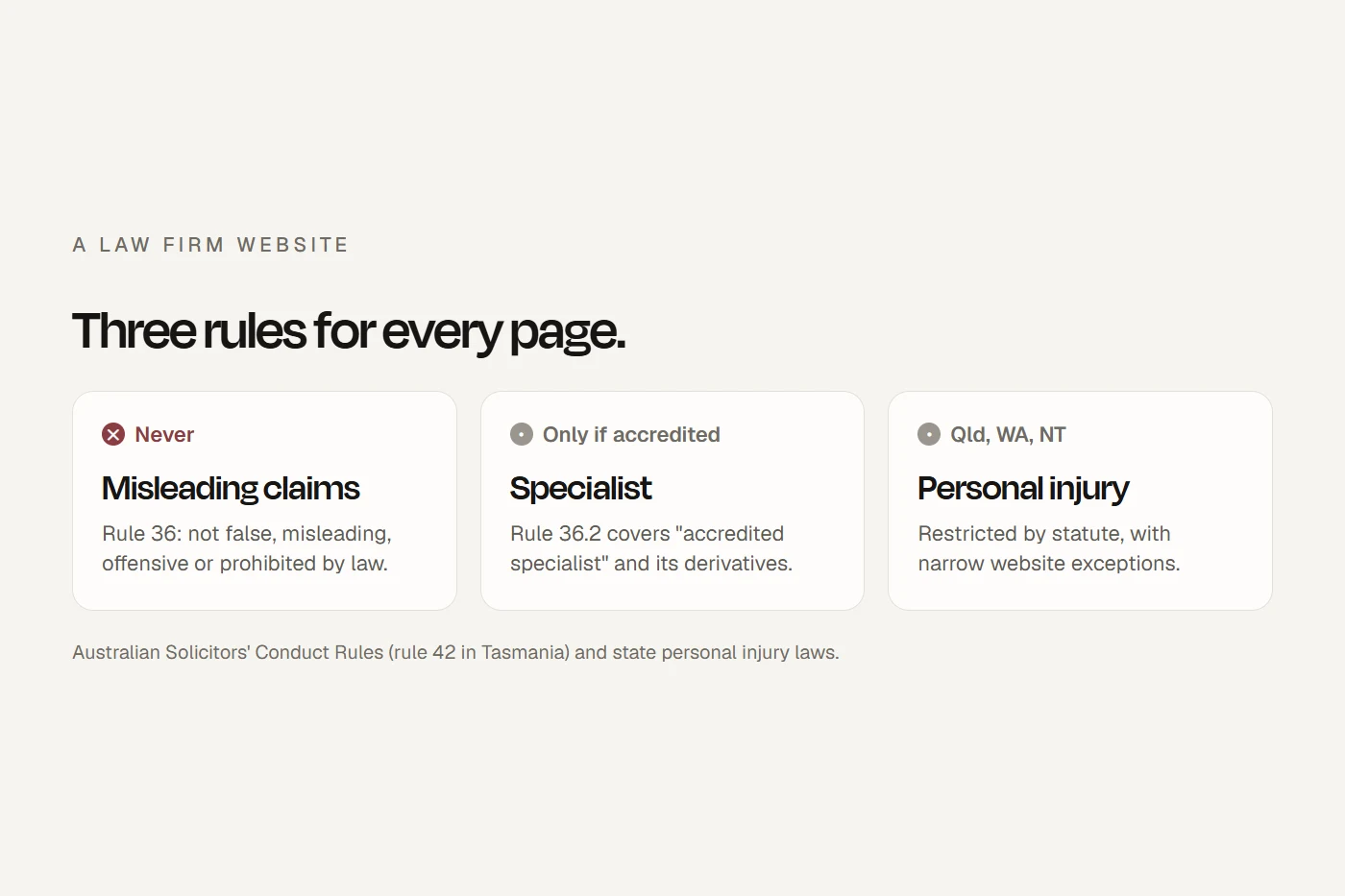
Whatever you choose, keep the form short. A prospective client who sends confidential details can become a former client for conflict purposes. My guide to what a law firm website needs covers the wording.
Who's behind each company
LEAP says it's "privately held and Australian-owned", founded in Sydney in 1992 by Christian Beck. Smokeball's own site names its co-founders as Hunter Steele, Jane Oxley and Bart Vadala. People often ask whether LEAP owns Smokeball: a 2021 press release about the group's purchase of LawLytics described LEAP, Smokeball and InfoTrack as companies in the same group, founded by Christian Beck, and said he "maintains significant investment in all the Group's entities". They operate as separate companies. Actionstep was founded in New Zealand in 2004, and trade press reported that US private equity firm Serent Capital took a controlling interest in 2020. It has since bought the Australian practice systems LawMaster and FilePro.
Law society deals
I found no Australian law society member discount for any of the three. The Law Society of NSW's member benefits programme lists Clio for practice management.
Questions I get asked
Which is better, Smokeball or LEAP?
It depends on your firm. LEAP includes a large Australian forms library and suits form-heavy Windows firms. Smokeball publishes its prices and its browser plans run on a Mac. Compare the contract terms as closely as the features.
How much does LEAP legal software cost?
LEAP doesn't publish prices for its law firm software. It's a per-user monthly subscription quoted by firm size and needs. LEAP Conveyancer is $209 plus GST per user per month.
Does LEAP own Smokeball?
A 2021 press release described LEAP, Smokeball and InfoTrack as companies in the same group, founded by Christian Beck. They operate as separate companies.
Does LEAP run on a Mac?
No. LEAP's system requirements say it "does not run on Mac OS" and needs Windows 11.
Is Actionstep good for a small firm?
It runs in any browser and suits firms that want to design their own workflows. Budget for implementation through a certified partner, and for the Builder and Capture add-ons if you want automation and web forms.
Can I leave LEAP before my term ends?
LEAP's terms let either party end the agreement at the end of the initial or renewal term, with at least 30 days' written notice. The default initial term is 36 months if your order form doesn't set one.
Which legal software lets my website form create a matter?
Smokeball's Intake and Actionstep's Capture add-ons both embed on your website. LEAP CRM lists web forms as a source; ask LEAP how your site connects.
About this guide
Written by Joseph Alzein, founder of bdog. I build websites for law firms and have no commercial relationship with LEAP, Smokeball or Actionstep. Everything here comes from the vendors' own pages and terms, read on 11 October 2026; terms and prices change, so confirm on your quote. This is general information, not legal advice.
Main sources:
- LEAP: information page
- LEAP General Terms
- LEAP system requirements
- LEAP security
- LEAP Essentials
- LEAP CRM
- LEAP integrations
- LEAP Conveyancer pricing
- LEAP US pricing page
- Smokeball pricing
- Smokeball Terms of Service
- Smokeball system requirements
- Smokeball: web enquiries and lead intake
- Smokeball security
- Smokeball precedent library
- Actionstep pricing
- Actionstep terms
- Actionstep FAQ
- Actionstep Capture
- Law Society of NSW: certified trust accounting software
- Law Society of NSW: member benefits
- Business Wire: the group's acquisition of LawLytics (2021)
- LawNext: Actionstep acquires FilePro
- Capterra Australia: LEAP, Smokeball and Actionstep