Local SEO for childcare centres
What parents actually see when they search, the Google category Australian centres use, your profile field by field, StartingBlocks as a search asset, directories and councils, centre pages without doorway pages, and reviews within Google’s and the childcare subsidy rules. With a category chooser, a can-I-do-this sorter, a value calculator and a 90-day plan.
On This Page
- What parents see when they search
- Your Google Business Profile, field by field
- StartingBlocks: the listing you can’t edit directly
- Directories and councils
- Your centre pages
- Reviews, within the childcare rules
- Can I do this?
- What a map listing is worth
- A 90-day plan for one centre
- My view
- Questions I get asked
Search for local SEO for childcare centres and every result on page one is an agency selling it. None of them checks what parents actually see on google.com.au. I did: on every parent search I ran, Google showed a map with three centres and one paid map ad before any website, CareforKids sat at or near the top of the normal results, and operator groups took most of the rest. This guide is for the owner or director of one to three long day care centres or a preschool. It covers the map listing, the category Google uses for childcare in Australia, StartingBlocks as a search asset you already have, directories, your own centre pages, and reviews within the childcare rules. I build childcare websites, and the rules come from Google's own help pages, the Child Care Subsidy rules and the ACCC.
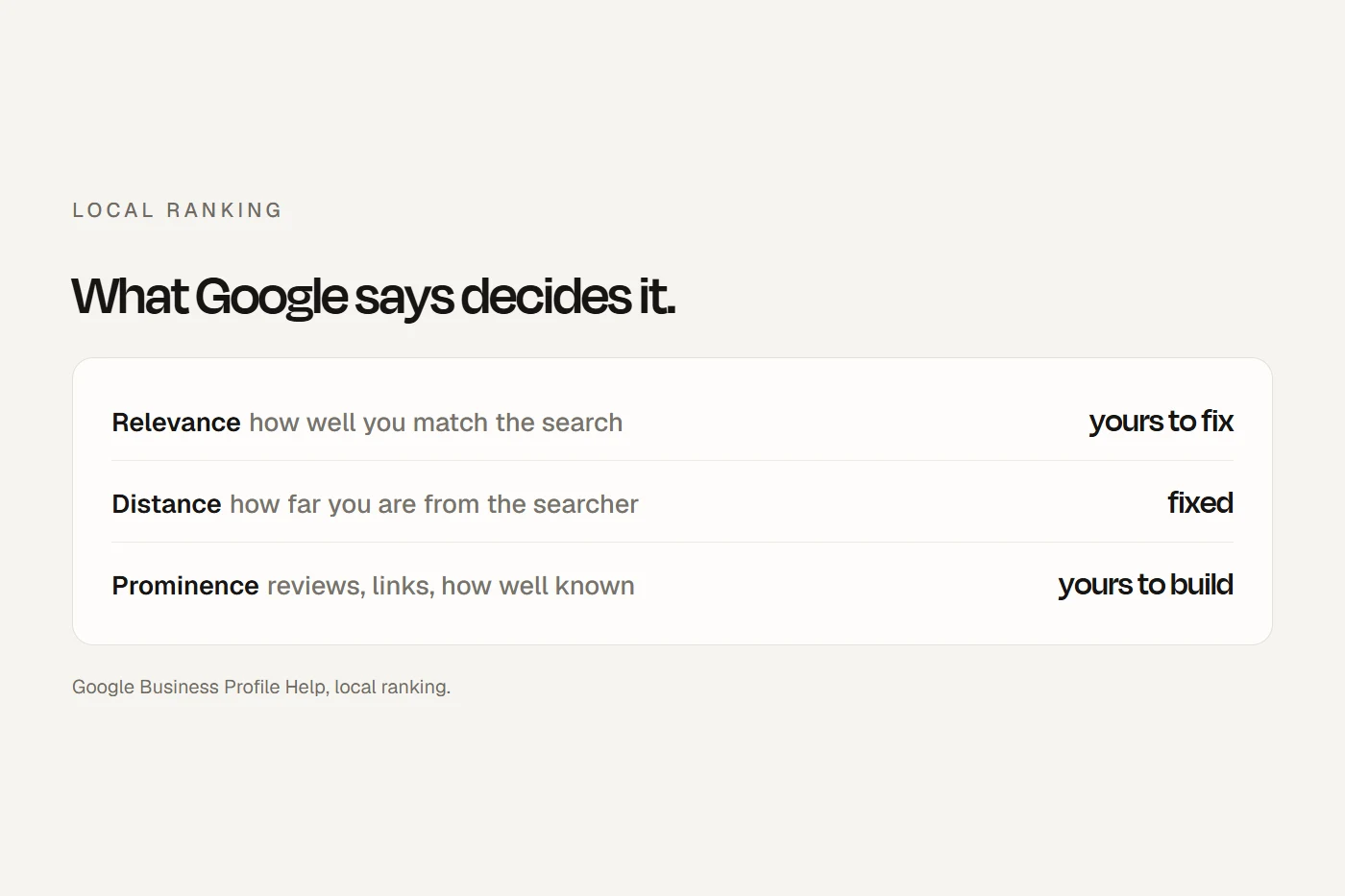
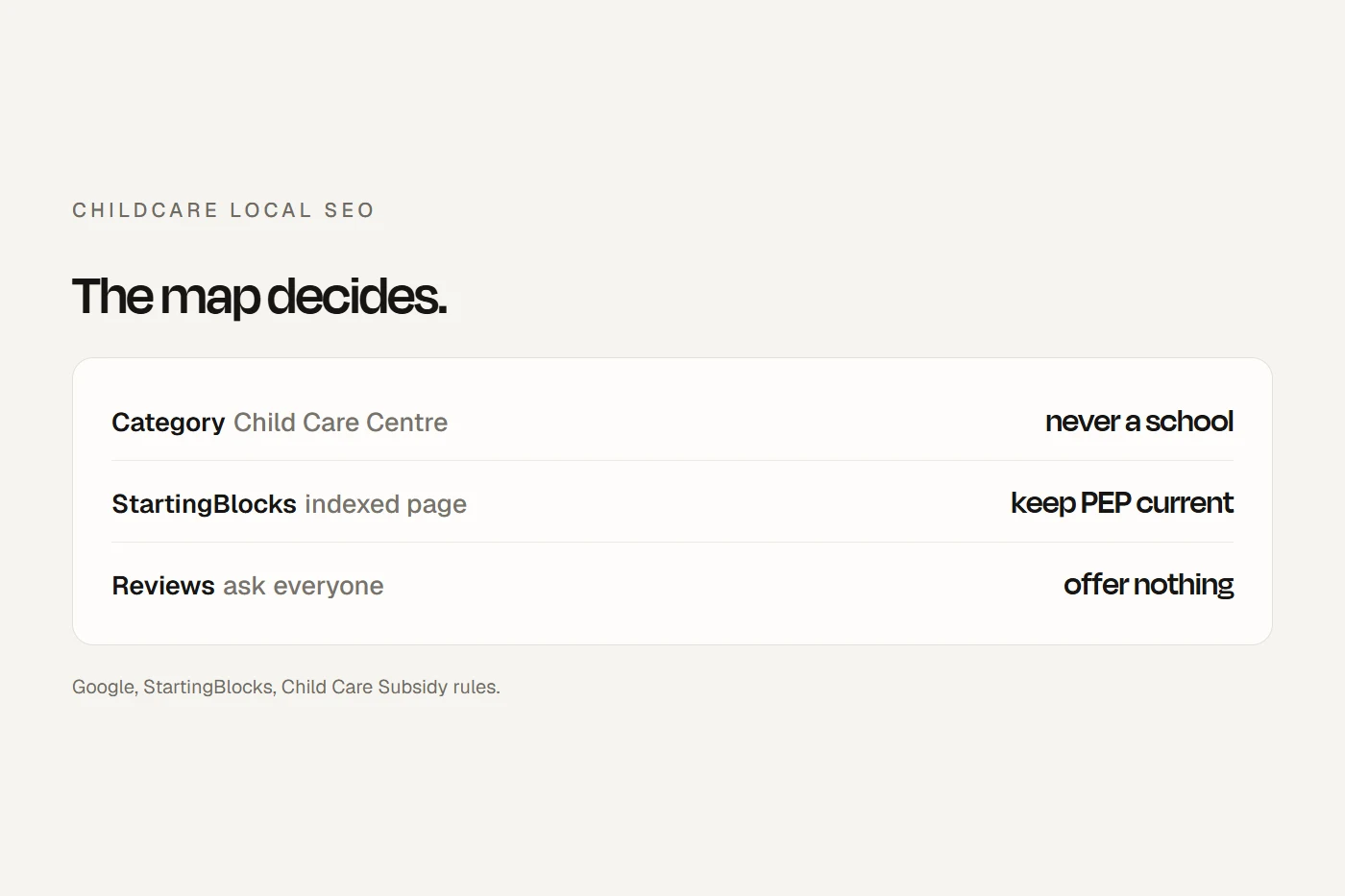
- The map decides most of itParents choose within a couple of kilometres of home, and Google shows three centres on a map above everything else. Your Google profile matters more than any directory listing.
- Use the childcare category, never a school oneAustralian profiles show "Child Care Centre". Google removes reviews from profiles categorised as schools for ages 6 to 18, but not day care centres.
- No gifts for reviewsGoogle bans any incentive for a review, and the childcare subsidy rules ban gifts that bring in enrolments. Ask every family the same way and offer nothing.
What parents see when they search
I ran seven parent searches on google.com.au from one Sydney suburb. Results vary by person, place and day, so treat this as a snapshot, but the pattern was clear:
- Every search showed a map of three centres and a paid map ad above the normal results.
- "Near me" searches went mostly to operator groups' "find a centre" pages, plus CareforKids and StartingBlocks. No independent single centre made the normal results.
- Suburb searches such as "daycare [suburb]" or "childcare centre [suburb]" gave individual centres about four of the nine normal results, with CareforKids first or second.
- Councils that run their own centres ranked on page one for several searches, and first for one suburb.
So an independent centre has two real chances: a place on the map for searches near it, and its own page ranking for its suburb. Directories take one or two spots, not the whole page.
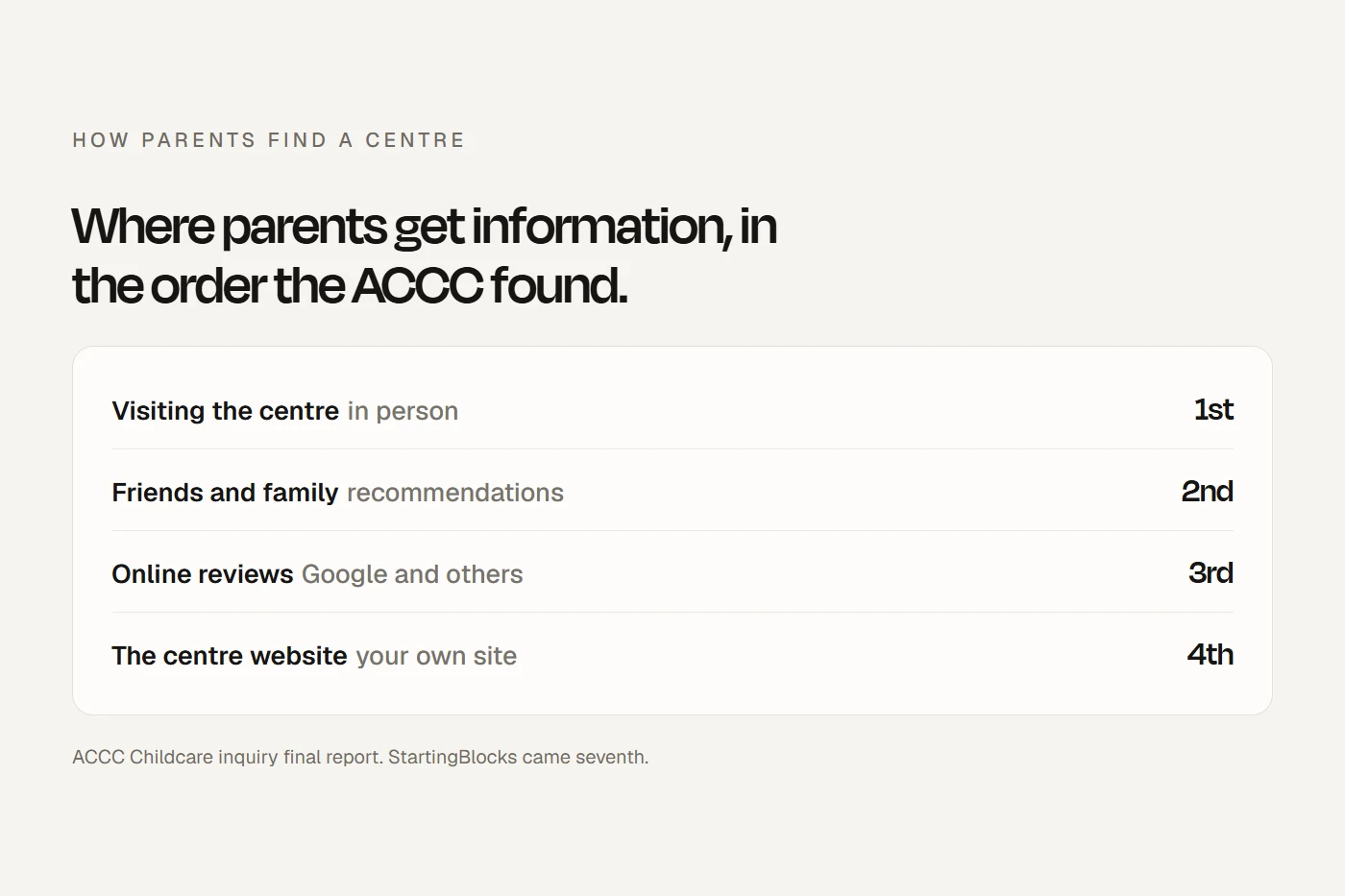
When the ACCC looked at childcare, parents ranked an in-person visit first, then friends and family, then online reviews, then the centre's own website, with StartingBlocks and comparison sites further down. Google is where they find the reviews and the website, and where they book the tour. On Google Trends, Australians search "childcare near me" far more than "daycare near me", and searches are highest in January and February and lowest in December. Have everything right before the new year.
Your Google Business Profile, field by field
Category
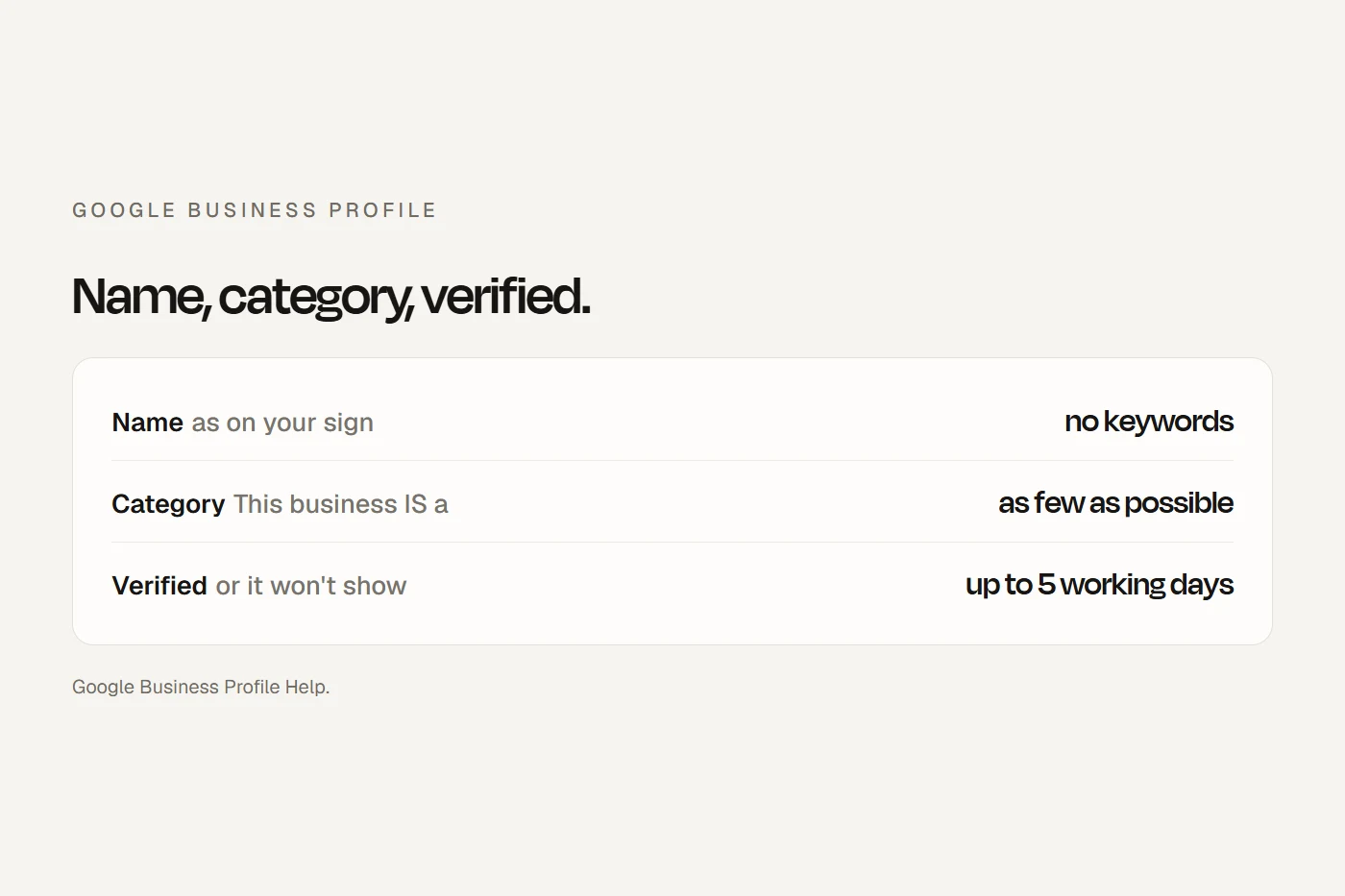
Google says your categories "affect your local ranking", and to pick ones that complete "This business IS a". Google doesn't publish its category list, but Australian long day care profiles show "Child Care Centre", which is how Google's "Day care center" category displays here. Australian profiles also showed "Kindergarten" and "Preschool". One centre appeared as "Kindergarten" on kindergarten searches and "Child Care Centre" on childcare searches, so a second category does get used.
The reason to stay away from school categories: Google removes and disables reviews for profiles "primarily categorised as educational institutions for students aged 6 to 18", and says day care centres "won't be impacted". "Early learning centre" isn't a Google category, however often the industry uses it.
Name, groups and hours
- Name: the name on your sign, website and stationery. "[Brand] [Suburb]" is fine if that's what the sign says; "Best Childcare Maroubra" is not.
- One profile per centre. For a group, every centre uses the same brand name and primary category, and each profile links to that centre's own page and phone number. A separately approved service with its own entrance, such as an OSHC, can have its own profile; a room inside the centre can't.
- Hours: Google tells schools not to show hours, but childcare isn't on that list, and every childcare profile I saw showed them. List your daily hours and set public holidays as special hours. A shutdown of seven days or more, such as Christmas, should be marked temporarily closed, with the reopening date set in advance.
- A centre you've bought: don't create a new profile. A change of owner keeps the existing profile and its reviews.
Services, photos, posts and description
- Services: list your rooms and programs ("Nursery, 6 weeks to 2 years", "Preschool program, 3 to 5 years") with a short description. No prices in the service names.
- Photos: Google suggests at least three each of the outside, the inside, your services and your team, and wants them real, not AI. For children, the National Law says images may only be taken, stored and uploaded on service-supplied devices, with parents' authorisation under your policy. Empty rooms, the yard, hands at work and consenting educators carry a profile well. My guide to photos of children online has the consent wording.
- Posts: use them for open days, tour times and term dates. They carry little ranking weight, so post for parents.
- Description: up to 750 characters, no links or promotions. If you mention your NQS rating, it must match the certificate exactly. See NQS ratings: what they mean and how to show yours.
- Q&A: Google says it's only available in some categories and regions. Put the answers parents want on your website instead.
StartingBlocks: the listing you can't edit directly
Every approved service has its own StartingBlocks page, and Google indexes them. They can rank for "childcare centre [suburb]", and Google's snippets show their hours and rating. Each page shows parents your rating and the previous one, the last regulator visit, any enforcement actions in the past two years, this week's vacancies by age group, your fees by session and how they've changed over time. Where a website is on record, it links to it with a normal link, which is a government link to your site.
Fees and vacancies come only from what you report through the Provider Entry Point (PEP) or your childcare software, and updates can take a day or two. Report vacancies by the Friday deadline each week, and fee changes within 14 days. Make sure the website on record is your centre's page, and that your own site's fees and vacancies match: parents compare them side by side.
Directories and councils
- CareforKids ranked first or second on every suburb search I ran. It has a free basic listing and paid tiers, and only the paid tiers include a link to your website. It also offers to collect reviews from your families, which come to you "for authorisation to upload". Approve every genuine one: the ACCC says suppressing negative reviews is misleading.
- KindiCare and Toddle offer free listings to claim. Claim and correct them; decide on any paid tier from the enquiries it actually brings, not the advertising claims.
- Your council: many councils keep a free community directory of local services. Ask to be listed, or corrected.
- Links: the useful ones are free: StartingBlocks, the council, the local paper when your rating is new, the primary schools your families move on to. Google treats buying links, or swapping goods or services for them, as spam. Sponsoring the local footy club is fine; the club's link back should be marked sponsored.
Your centre pages
Each centre needs its own page, at its real address, with: the centre's name and address exactly as on the profile, a map, hours, rooms and ages, which rooms have places now and which are waitlist only, fees before subsidy with a link to the government's subsidy estimator, the rating for that centre only, your educators, the questions StartingBlocks tells parents to ask, and a tour booking form. The ACCC found the nursery age group is where waitlists are longest, so say plainly which rooms are full.
Don't build pages for suburbs you don't operate in. Google's spam policy calls "pages targeted at specific regions or cities that funnel users to one page" doorway abuse, and an online florist was penalised for websites pretending to be local in towns it wasn't in. A sentence saying families come from two or three nearby suburbs is fine. For a group, a page listing every centre with a page per centre is the "clearly defined, browseable hierarchy" Google wants.
Mark each centre page up with schema.org's ChildCare type (it's a local business type) and its name, address, phone and hours. Don't mark up your own Google star rating: Google only supports review stars on sites that review other businesses.
Reviews, within the childcare rules
Three sets of rules stack. Google bans offering anything for a review, asking only happy families, staff review quotas, asking reviewers to name an educator, and pressuring people to review on the premises. The ACCC bans fake reviews and suppressing negative ones. And the Child Care Subsidy rules bar providers from offering benefits likely to induce a family to enrol or keep enrolling; the Department says that includes offers to enrolled families that bring in other families, and lists cash, vouchers, gift cards and giveaways as not allowed. Free tours and free trial days are expressly allowed.
In practice: ask every family the same way at natural points, such as the end of the settling-in period, the end of the year and the move to school, with your plain Google review link. A QR code sign at the entrance is fine; a tablet at the sign-out desk isn't. Educators, and educators whose own children attend, shouldn't review the centre. Reply without naming any child or family, and report reviews that name or show another child.
Can I do this?
Tap a card to see the verdict.
What a map listing is worth
Your profile's Performance section shows calls and website clicks. Put in your own numbers. The fee field starts empty.
These are your numbers, not an average. The point is that one extra enrolment a month is worth far more than the work, which is why the profile and the centre page come first.
A 90-day plan for one centre
Your ticks save in this browser.
- Search like a parent: "childcare near me" and "childcare centre [your suburb]" on a phone at the centre, signed out. Are you on the map?
- One profile only, owned by the centre, not an agency or an ex-director.
- Name to the sign, primary category "Child Care Centre" or the right preschool one, extras only if true.
- Hours, public holidays and the shutdown planned.
- Website link to the centre's own page, and a phone that rings at the centre.
- StartingBlocks checked: hours, website and rating right; fees and vacancies current, with a Friday reminder.
- The centre page rebuilt with rooms, vacancies by room, fees, rating, educators and tour booking.
- ChildCare structured data on that page.
- A photo session on service devices with written consent, to Google's three-of-each.
- Services and description filled in.
- A standard review request to every family at a natural point, and a reply to every review.
- Free directory listings claimed and corrected, and your council directory checked.
- A post a month for open days and tour times.
- Before December: the shutdown set, and vacancies and photos current for the January rush.
- Day 90: compare calls, clicks and tour bookings with day one.
My view
Most of this a centre can do itself, and most of it costs nothing. The profile and the centre page do the heavy lifting: the right category, a real name, accurate hours, honest photos, a steady flow of genuine reviews, and a page that answers fees, vacancies and the tour in one place. Directories are worth claiming, but they're not where parents decide. If you'd rather have it done for you, bdog's Marketing plan, from $500 a month +GST and quoted after a call, includes your Google profile and local SEO.
Questions I get asked
Can I do local SEO for my childcare centre myself?
Mostly, yes. The Google profile, StartingBlocks reporting, directory listings, your centre page and review requests are all things a director can do. The technical parts of the website are where help is useful.
What Google category should a childcare centre use?
Australian long day care profiles show "Child Care Centre". A standalone preschool or kindergarten can use "Preschool" or "Kindergarten". Never use a school category: Google removes reviews from school profiles for ages 6 to 18.
Can I give families a gift for leaving a Google review?
No. Google bans incentives of any kind for reviews, and the Child Care Subsidy rules ban gifts likely to bring in enrolments. Ask every family the same way and offer nothing.
Does StartingBlocks help my centre show up on Google?
Yes. Each service's StartingBlocks page is indexed and can rank for suburb searches, and it links to your website if one is on record. Keep your fees and vacancies current through PEP.
Should I make pages for nearby suburbs?
Only for suburbs where you actually have a centre. Pages aimed at suburbs you don't operate in are what Google calls doorway pages.
About this guide
Written by Joseph Alzein, founder of bdog. bdog builds childcare websites and, on its Marketing plan, looks after centres' Google profiles. Page one results were checked on google.com.au from one Sydney suburb, and results vary by place and person. The rules come from Google Business Profile Help, Google's spam policies, the Child Care Subsidy Minister's Rules, the Department of Education, StartingBlocks and the ACCC. Sources were checked on 12 October 2026. This is general information, not legal advice.
Main sources:
- Google: reviews removed from school profiles
- Google: categories
- Google: bulk verification
- Google: spam policies
- Google: qualifying outbound links
- schema.org: ChildCare
- Department of Education: advertising and inducements
- Child Care Subsidy Minister's Rules 2017
- Google Trends: childcare searches in Australia