Google Business Profile checklist for firms and centres
Google’s own rules, field by field, for law firms, accountants, agents, brokers and centres: who can have a profile, the name and category, practitioner profiles, hours, verification, posts, reviews and ownership, with the Australian rules that change what goes on it. With an audit checklist, a category sorter and a why-isn’t-it-showing check.
On This Page
Search for a Google Business Profile checklist and page one is agency checklists written for American shops, a Scribd PDF, Reddit threads, and at least one ranking post telling you to put a keyword in your business name, which breaks Google's own rules. None is written for a law firm, an accounting practice, an agency office or a centre, where the questions are different: does each lawyer or agent get a profile, should a tutoring studio that runs classes in a hired hall have one, what hours does an appointment-only firm show, and what can a mortgage broker post. This checklist works through Google's own help pages, field by field, with the Australian rules that change what goes on a firm's profile. I build websites for firms and centres. Health clinics have their own version.
- You need in-person contact to qualifyGoogle's test is that the business meets customers in person during its stated hours, at your place or theirs. Online-only firms, virtual offices and a hall you only hire for classes don't qualify.
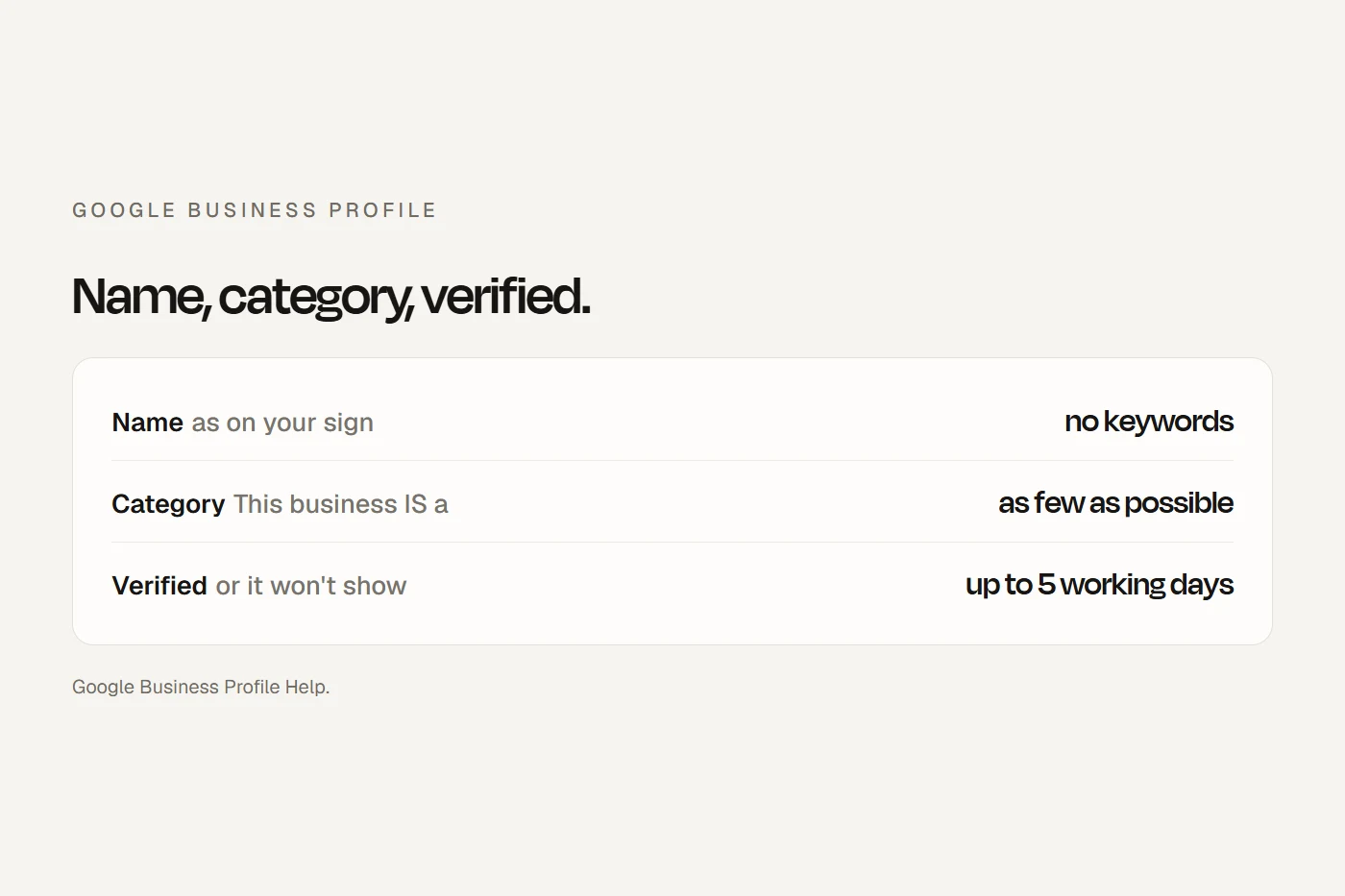
- Name, category and verification come firstThe real-world name on your sign, the one category that completes "This business IS a", and a verified profile. An unverified profile doesn't show at all.
- Practitioners can have their own profilesGoogle names lawyers, financial planners and insurance and real estate agents. The firm keeps its own profile, and each practitioner's carries only their name.
Can you have a profile at all?
Google's eligibility rule is one sentence: "To qualify for a Business Profile, a business must make in-person contact with customers during its stated hours." That can be at your premises or at the customer's. What's out:
- Online-only businesses. A firm or adviser that only ever meets clients by video isn't eligible.
- Virtual offices, PO boxes and unstaffed co-working desks. A co-working office only counts with clear signage, customers received there and your own staff there during opening hours.
- Venues you only hire. Google excludes "an ongoing service, class or meeting at a location that you don't own or have the authority to represent." A tutor or dance, yoga or martial arts teacher who hires a school or community hall can't list the hall. If you travel to students, you can be a service-area business instead.
- Lead generation companies. A business that only collects leads for a lender or licensee isn't eligible; a broker who meets clients is.
- Property listings. Rentals and homes for sale can't have profiles; the agency's sales or leasing office can.
Working from home is fine if you go to clients: you're a service-area business and you hide your address. If clients come to your home office, Google expects permanent signage with your business name at the address.
The checklist
Each item is Google's rule, from its own help pages. Your ticks save in this browser.
- Only one profile for this business at this location. Google won't show duplicates.
- The business is the primary owner, on a firm email account, not a staff member's or the agency's.
- Your agency and staff are managers, not owners. Each person uses their own Google account.
- Ex-staff removed from the profile's people and access settings.
- Verified: no "Get verified" button on your profile.
- Name exactly as on your sign and letterhead. No suburb, service, phone number or tagline, and no "Pty Ltd" unless it's on the sign. Extra words can get the profile suspended.
- Primary category: the most specific one that completes "This business IS a". Categories affect your local ranking.
- Additional categories: only true ones, as few as possible, up to nine.
- Every office has the same name and primary category.
- Shopfront or office: full address with suite and floor, a permanent sign with the business name, and the pin on the right building.
- Service-area: address hidden, up to 20 service areas by suburb or postcode, within about two hours' drive.
- Regular hours set, or "Open with no main hours" if you see clients only by appointment or your hours are a class timetable.
- The next public holiday confirmed in special hours, even if your hours don't change.
- Closures of seven days or more set as "Temporarily closed", not special hours.
- A local phone number under your control, not a premium number or one that redirects elsewhere.
- The website link goes to your own site, and each office to its own page if you have them.
- An appointment link to your own booking or contact page, marked "Business preferred".
- Services listed with short descriptions, and no prices or phone numbers in the service names.
- Description under 750 characters, with no links or promotions, and no restricted titles you're not entitled to use.
- Attributes: only the true ones, especially accessibility.
- Photos: at least three exterior, three interior, three at work and three of the team, plus your logo and a cover photo. Real, not AI.
- A post in the last six months, if you have something worth saying.
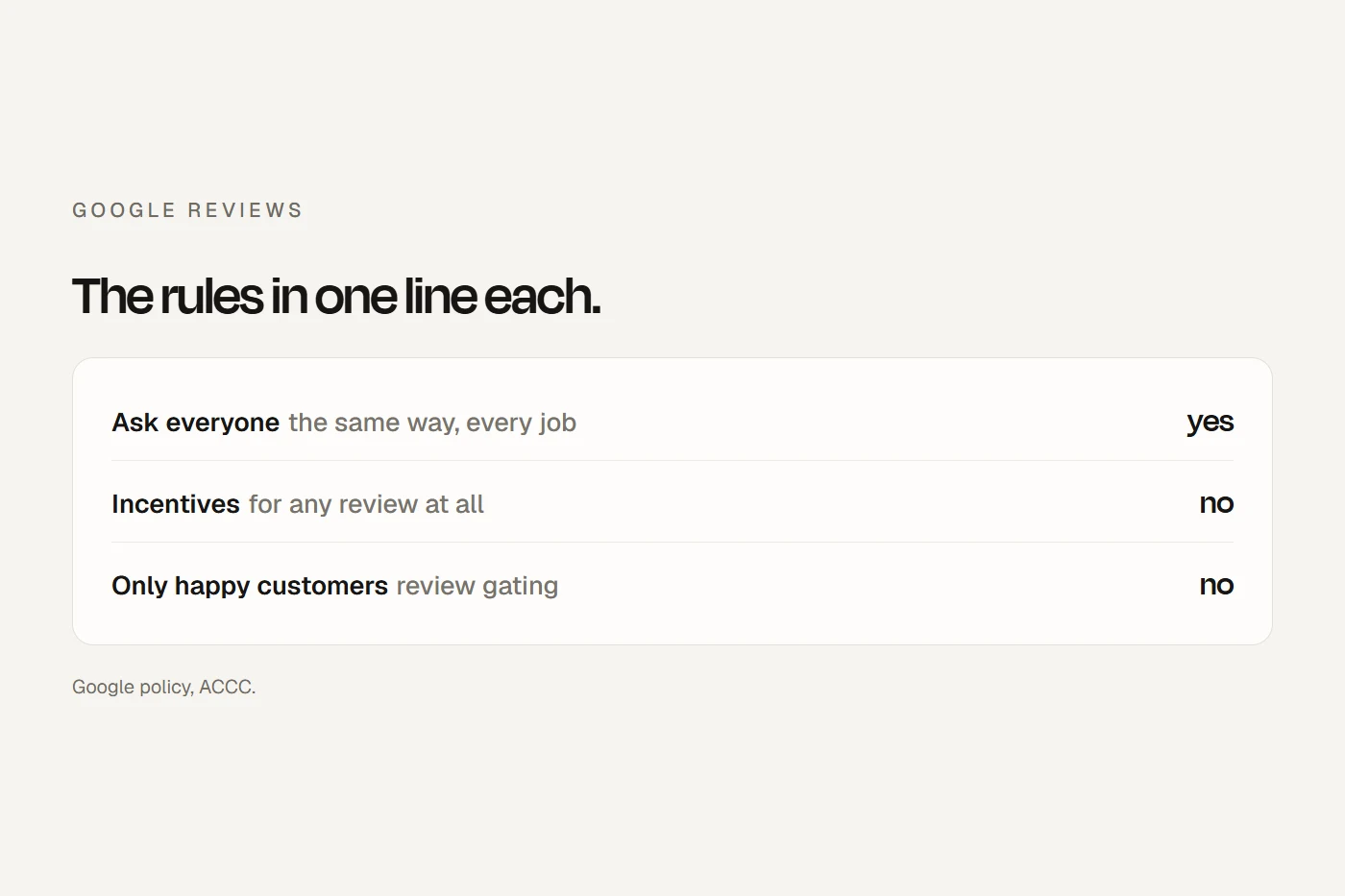
- One standard review request to every client after the work, with your Google link or QR code.
- No incentives, no filtering, no staff targets, no asking clients to name a staff member, and no asking at the counter.
- Short replies with no client details.
- Reviews that break policy reported, not argued with in public.
- Profile strength checked, and the gaps it shows filled.
- Performance read monthly: calls, website clicks, directions, bookings and search terms.
- Google's suggested edits reviewed within four days, before they publish themselves.
Name and categories, in detail
Google wants your name "as used consistently on your shopfront, website, stationery and as known to customers". Including unnecessary information "could result in the suspension" of your profile. So "Smith Family Law" is fine if that's the name on the sign; "Smith Family Law Parramatta Divorce Lawyers" is not, unless that genuinely is the name. Changing a name, address or category after verification can trigger re-verification, so make one change at a time, with your sign and website already matching.
For categories, Google says to use "as few categories as possible" and pick ones that complete "This business IS a", not "this business HAS a". Its own example: a 24-hour fitness chain's correct category is "Health club", not "Gym" or "Swimming pool". Google doesn't publish its category list, and names vary (some use American terms such as "attorney"), so type your profession into the category box and choose the most specific match. Tap a card to see where each belongs.
Practitioner profiles for firms
Google treats "lawyers, financial planners and insurance or real estate agents" as individual practitioners: public-facing professionals with their own clients, who can have their own profile. It doesn't name accountants, mortgage brokers or conveyancers, but the same test applies: public-facing, with their own clients, and contactable at the verified office during stated hours.
Several practitioners at one office
- Google's rule
- The firm has its own profile for the location. Each practitioner can have a separate profile, titled with only their name (title and post-nominals allowed), not the firm's.
- Worth knowing
- Practitioner profiles split your reviews and each needs verifying. Keep the firm as owner and make each practitioner a manager, so the profile stays when someone leaves.
One practitioner at a branded office
- Google's rule
- One shared profile, named "[brand]: [practitioner name]". Google's example is "Arnedale: Joe Miller".
- Worth knowing
- One profile, one set of reviews, one verification.
Who doesn't get a profile
- Google's rule
- Support staff, sales associates and lead generation agents. And no practitioner gets several profiles to cover each specialty or suburb.
- Worth knowing
- A real estate agent can have a profile at the agency's verified office, but not one for every suburb they sell in.
Australian rules on titles
- Lawyers
- "Accredited specialist" only if accredited, and nothing implying specialist expertise you don't have.
- Financial advice
- "Financial adviser" or "financial planner" only for people on the Financial Advisers Register, and "independent" only if every legal condition is met.
- AI descriptions
- Google can draft your description with AI. Read it before saving, because it can add words like these.
How verification works
- Google chooses the methods, and they "can't be changed". The options are phone or text, email, a live video call, a postcard or a recorded video. Google recommends video when it's offered.
- Instant verification only happens if you've verified your website in Search Console, or through bulk verification for businesses with 10 or more locations.
- Reviews take up to five working days, occasionally longer. Verification is free; Google says it will never ask you to pay for it or for your code.
- Postcards: most arrive within 14 days and codes expire after 30. Don't edit your name, address or category while you wait, and don't request a new code.
For a recorded video, Google wants one continuous, unedited take of at least 30 seconds, from the phone, showing where you are (street, building number), that the business exists (the name on a permanent sign, matching your profile), and that you manage it (unlocking the office, logging in to your system). It must not show bank, tax or ID numbers, private information or other people's faces. For a firm, that means keeping client files and screens out of shot. For a centre, film before the children arrive.
Why isn't my profile showing?
Google gives its own reasons, and they're worth checking in order. Answer each question.
To see what customers see, search for your business name in a private, signed-out browser window.
Posts, bookings, Q&A and reviews
- Posts. Posts older than six months are archived. Google lets businesses in regulated industries, including financial services, use posts but "do not include content about the products". A mortgage broker or adviser can post news about the business, but not rates, product offers or "refinance now" calls.
- Bookings. A "Book" button comes through Google's booking partners, which include Fresha, Mindbody, Setmore, SimplyBook.me and Square Appointments. Ask your provider whether it offers the button in Australia. Most firms should simply set the appointment link to their own booking or contact page.
- Q&A. Google says Q&A is only available for some categories and regions, and it's being replaced by AI answers in Maps that draw on your profile, reviews and website. Keep those accurate rather than seeding questions.
- Products. In-store product listings are only for retail in a few countries, not Australia.
- Reviews. Ask every client the same way. Google bans incentives of any kind, asking only happy clients, staff quotas, asking for staff names and asking people to review on your premises. Under Australian law testimonials are allowed for lawyers, accountants, agents, brokers and advisers, but must be genuine and you must be able to prove it. Lawyers and tax agents can't use client information to rebut a review. My reviews guide covers the detail.
- Centres. Google removes reviews from profiles categorised as schools for ages 6 to 18, but not day care centres or swim schools. Don't post photos of identifiable children without written consent, and update an NQS rating on the profile the moment it changes.
Owners, agencies and selling the business
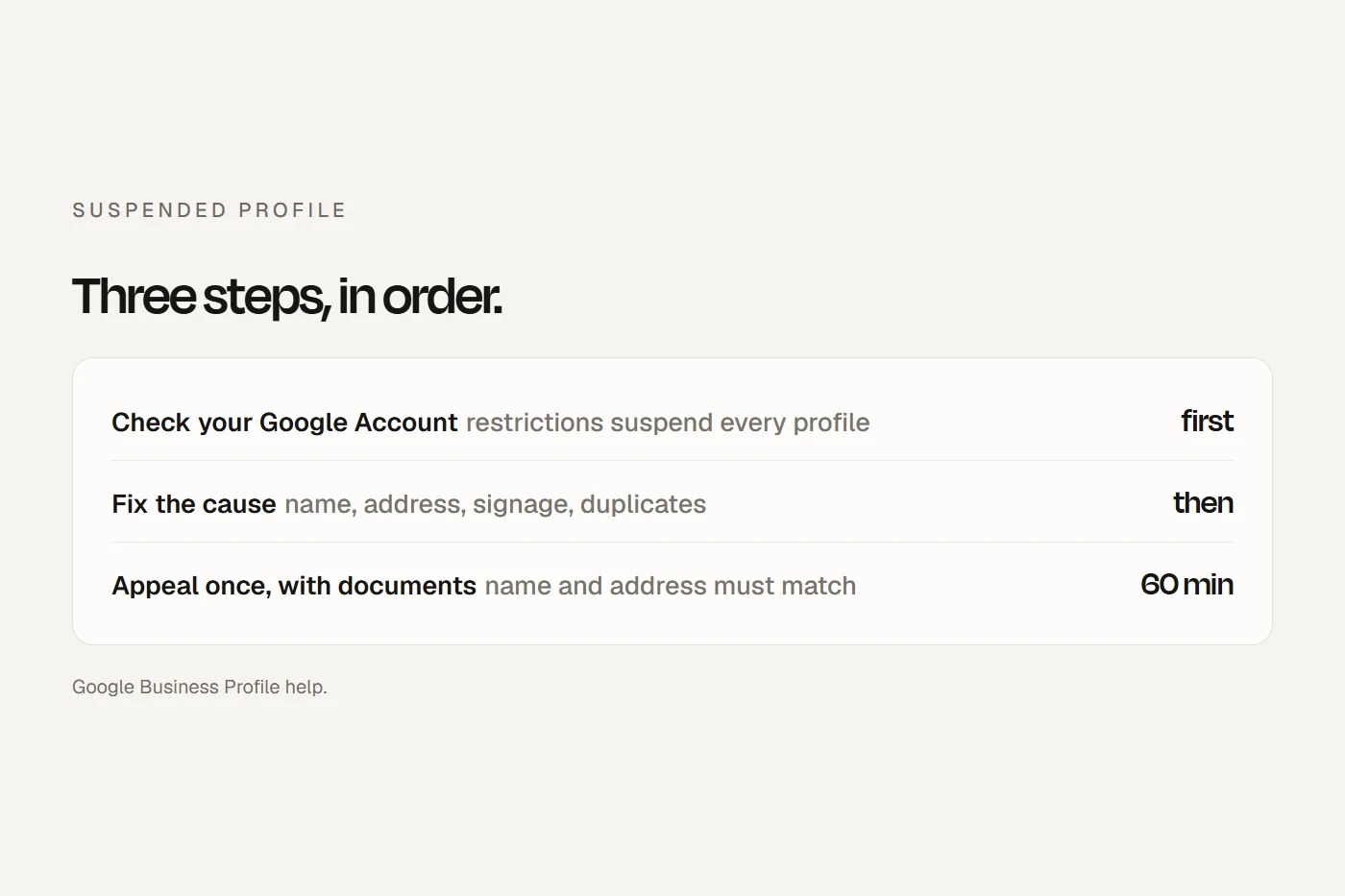
A profile can have several owners but one primary owner. Managers can do almost everything except add or remove people or delete the profile. New owners and managers wait seven days before they can remove others or transfer ownership. Only the primary owner can transfer primary ownership, and transferring it keeps the reviews, so when you sell the practice, transfer it to the buyer rather than letting them start again. Google tells agencies to "never claim a Business Profile without express consent", to hand ownership back on request, and to be added as managers, not owners. Google also says it will never guarantee placement or charge to verify, and that third parties can't remove your business without your permission. If your profile is suspended, see what to do when your Google Business Profile is suspended.
My view
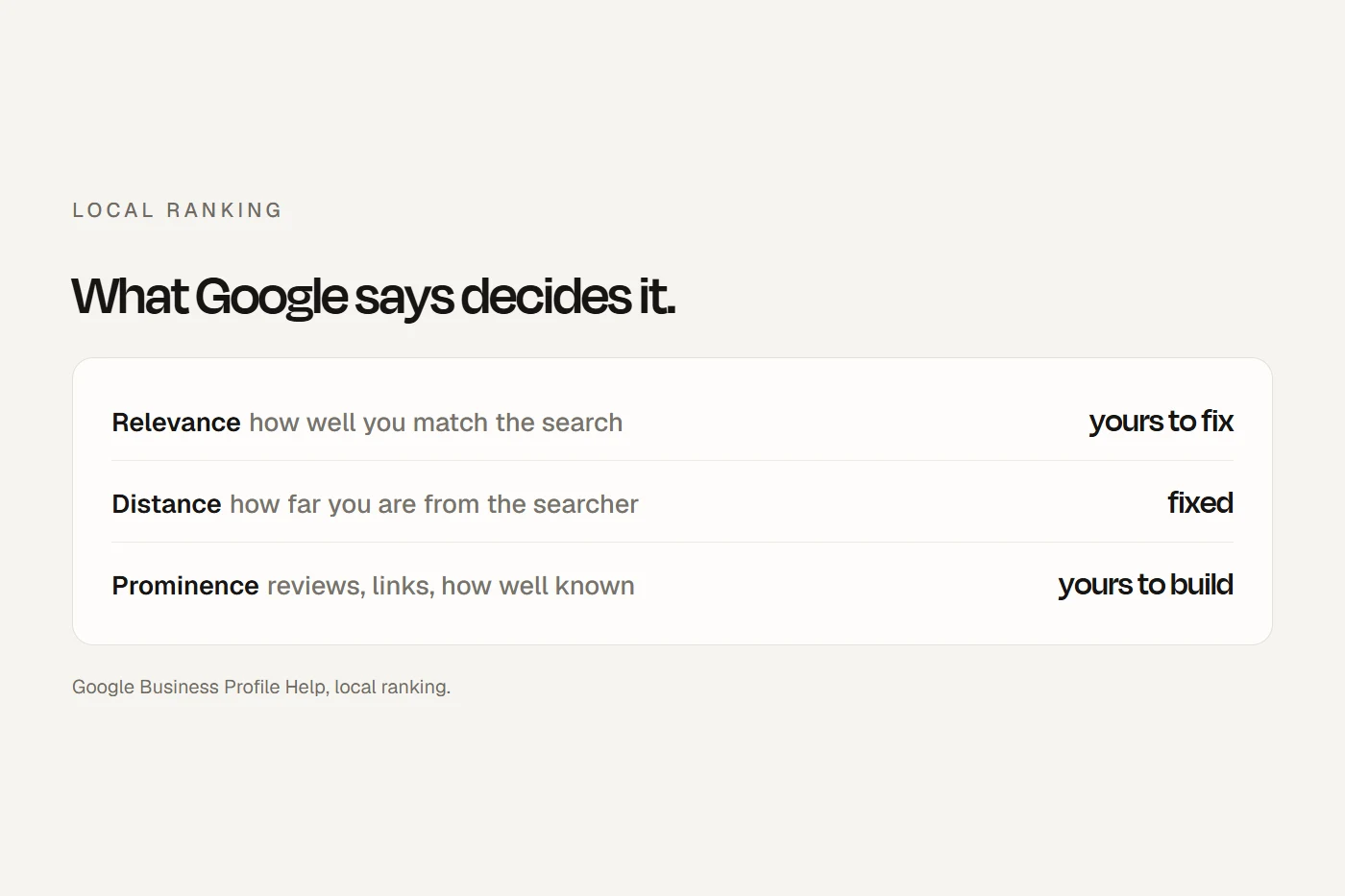
For a firm or a centre, the profile is usually the first thing a new client sees, and three things decide whether you're one of the businesses on the map: the right primary category, a verified profile with accurate details, and a steady flow of genuine reviews. Get those right before posts, photos or anything clever. And keep your website's name, address, phone number and hours identical to the profile, because Google reads your website to check the profile and can update it from what it finds.
Questions I get asked
What is needed for a Google Business Profile?
In-person contact with customers during stated hours, a real address with signage or a service area, your real-world business name, the right category, a phone number or website, and verification.
How long does Google take to verify a business?
Google says verification reviews take up to five working days, occasionally longer. Postcards usually arrive within 14 days. Once verified, a new business can take up to a month to appear in rankings.
Does it cost anything to verify a Google Business Profile?
No. Google says it will never try to get you to pay to verify your profile, and will never ask for your verification code.
Why is my business not showing on Google Maps?
Usually because it isn't eligible, isn't verified, is a duplicate, is suspended, or was created or edited recently. If none of those apply, it's live but losing on relevance, distance or prominence.
Should each lawyer or agent at my firm have their own profile?
They can, if they're public-facing with their own clients. The firm keeps its own profile, and each practitioner's profile is titled with only their name. A sole practitioner shares one profile named "[brand]: [practitioner name]".
About this guide
Written by Joseph Alzein, founder of bdog. bdog builds websites for firms and centres. The rules come from Google Business Profile Help, read in its Australian edition, with the Australian Consumer Law, the Solicitors' Conduct Rules and the Corporations Act where they change what goes on a profile. Sources were checked on 12 October 2026. Google changes its features often, so check the live settings.
Main sources:
- Google: eligibility and ownership
- Google: guidelines for representing your business
- Google: categories
- Google: service areas
- Google: opening hours
- Google: verification
- Google: video verification
- Google: why your business isn't showing
- Google: duplicate profiles
- Google: local ranking
- Google: posts
- Google: owners and managers
- Google: Maps content policy
- Google: Reserve with Google partners