Google Business Profile for clinics: the 14-field checklist
bdog builds websites for clinics and runs Google Business Profiles for the ones that ask. This is the setup we do.
On This Page
When someone searches "physio Marrickville", the first thing they see isn't a website. It's three businesses on a map. Whether you're one of the three depends far more on your Google Business Profile than on anything on your site.
Most clinic profiles were set up once, by someone who's since left, and haven't been opened since. Here's how to set one up properly, the three fields that do most of the work, and the rules Google changed in April 2026 that most practices haven't heard about.
Before you start: one profile or several
Google has specific rules for health practices, and they're the first thing to get right.
The practice gets a profile. Each public-facing practitioner with their own patient base may also have one. Google names doctors and dentists as examples. A practitioner's profile title contains only their name, with a title like "Dr" allowed but no other descriptors, and never the practice name. Support staff, receptionists and practice managers don't get profiles.
If you're a solo practitioner trading under a brand, you share one profile, named "Brand: Your Name". If you're one of several practitioners at a location, the practice has its own profile and yours is separate.
Two things Google forbids. A practitioner can't create several profiles to cover different specialities. And a virtual-only service can't hold a profile at all unless it also sees patients in person at a real address. A rented mailbox doesn't count.
Get this structure wrong and you'll spend a year untangling duplicate listings. Get it right first.
The 14 fields, in order
Google's field names, in the order they appear when you set up.
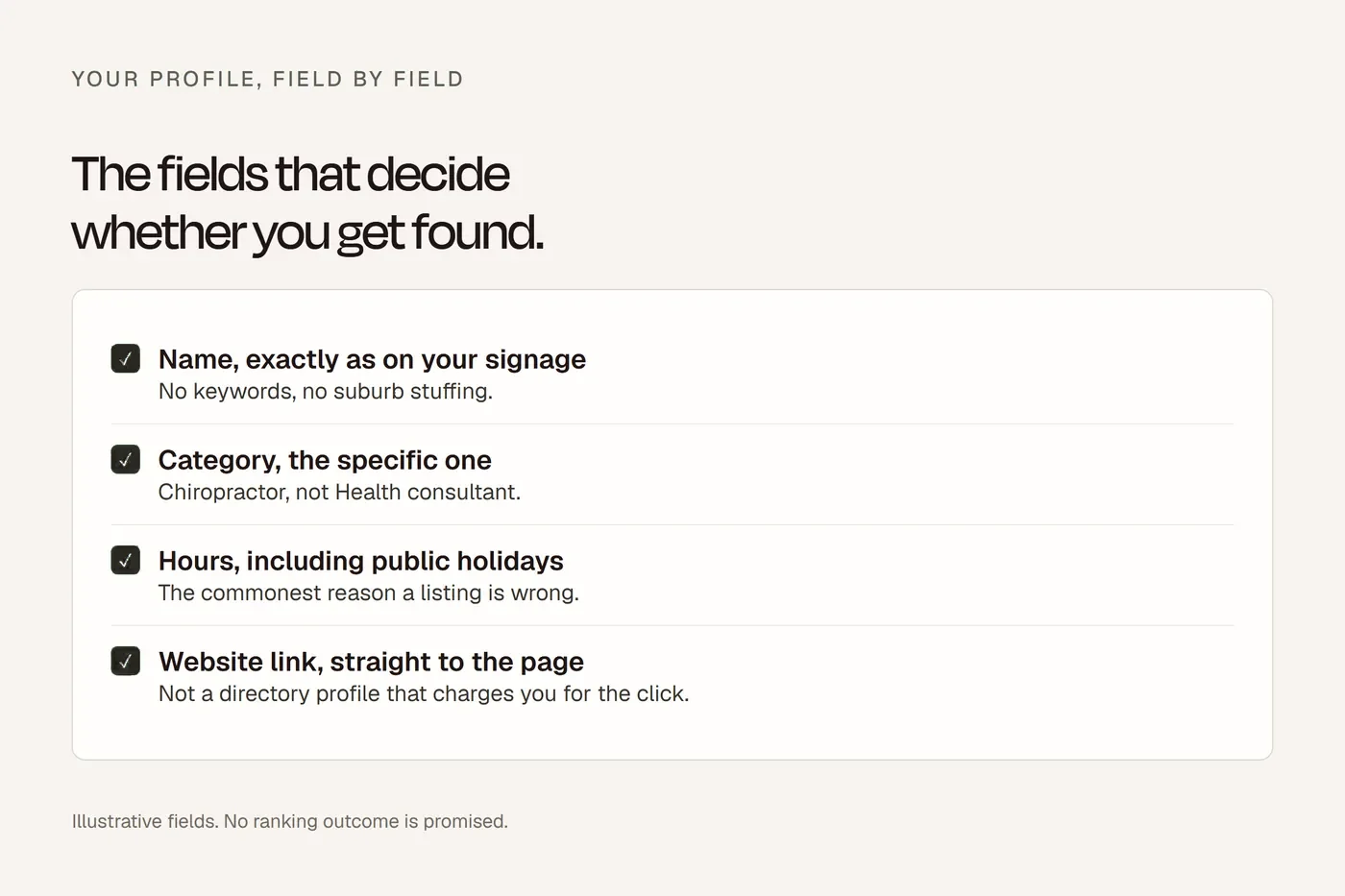
1. Business name. Your real-world name. Not "Marrickville Physio Back Pain Sports Injuries". Keyword-stuffing the name is a guideline breach and a common reason profiles get suspended. It's also, awkwardly, the third strongest ranking factor, which is why so many people do it. Don't. If your registered business name happens to include your suburb and profession, good. If it doesn't, leave it.
2. Primary category. The single most important field on the profile. More on it below. Pick the most specific category that describes what you mostly do: Physiotherapist, Psychologist, Chiropractor, Osteopath, Dentist, Podiatrist, Skin care clinic, Veterinarian. Google's list uses American spellings for some, so you may see "Physical therapy clinic" alongside "Physiotherapist".
3. Additional categories. Up to nine. Only ones that are true. A physio clinic that also runs exercise physiology adds that. It doesn't add "Massage therapist" because it hopes to pick up traffic. Wrong categories pull the wrong patients and cost trust.
4. Address or service area. If patients come to you, your address. If you go to them, set a service area and hide the address. Showing a home address for a mobile practice is a negative factor and a suspension risk. Keep the service area realistic; Google penalises areas bigger than about two hours' drive.
5. Hours. Accurate, every day. "Open at the time of search" jumped to the fifth strongest ranking factor in 2026. If your hours say closed when you're open, you're invisible to the patient searching at 6pm.
6. Special hours. Public holidays and closures. Set them in advance. A patient who drives to a closed clinic on a public holiday leaves the review you'd expect.
7. Phone. Your local number, written the same way everywhere.
8. Website. Your homepage, or a page on your site. Not a directory listing, and not a URL that redirects to a different domain; Google treats that as a negative signal.
9. Services. Predefined and custom, with short descriptions. This is the field most clinics leave empty, and it's a confirmed ranking factor. List what you treat, the way patients say it.
10. Products. Optional. Low ranking value. Skip it unless you sell something.
11. Business description. 750 characters. Write it for the patient, not for Google; keywords in the description barely register as a ranking factor. Say who you are, where you are, and how to book.
12. Photos and video. Your rooms, your reception, your team, your signage. No stock. No patients. Refresh them a couple of times a year. Google scores quality and recency.
13. Attributes. Wheelchair accessible, online care, and the identity attributes if they apply. Tick what's true.
14. Booking link. A "Book online" button. In Australia, HealthEngine powers the Reserve with Google button for GP, dental, chiro, physio and podiatry, with no extra subscription but with per-booking usage fees. Otherwise, set your appointment link to your own booking page. Given the fee difference, we'd start with your own link.
Then verify the profile, and set up a review process that stays inside the Ahpra rules.
The three fields that do most of the work
Whitespark surveys local search experts every year on what moves map rankings. The 2026 report, published in November 2025, scored 187 factors. The top three are all on your profile.
Primary category scored highest of anything. If yours is wrong, nothing else you do matters much. A physio listed as "Medical clinic" is competing with GPs for a query they'll never win, and absent from the one they would.
Proximity to the searcher is second, and you can't control it.
Keywords in the business name is third, which is why Google has to keep suspending people for stuffing them in. Use your real name.
Then, in order: your address being in the suburb searched, being open at the time of search, ratings of four stars and above, showing your address, your additional categories, the number of reviews with text, and your map pin being in the right place.
Notice what isn't in the top ten: your description, your posts, your Q&A. Posts sit at 148th. Description keywords at 171st. Do them for patients, not for ranking.
Reviews inside the profile
The Ahpra side of reviews is in our reviews article: you can ask everyone the same way, you can't offer anything, and you can't copy clinical reviews onto your own site. Here's the Google side.
In April 2026 Google rewrote its review policy. It now explicitly bans asking customers to name a specific staff member, setting review quotas for staff, on-premises review kiosks or shared tablets, screening patients by sentiment before asking, and incentives of any kind. Enforcement is automated. In 2025 Google removed or blocked more than 292 million reviews, about a fifth of everything submitted, and took down more than 13 million fake profiles.
For a clinic that means: one standard message, sent to every patient the same way, asking for a review about their experience of the practice. No names. No prize. No tablet at reception.
To report a review that breaches Google's policies, use the flag on the review itself. Google removes reviews that break its content rules; it doesn't remove reviews for being negative. Reply to reviews about parking and reception if you like. Don't reply to the clinical ones.
Verification
Video verification is now the default for new profiles and for a lot of reinstatements. You record a single, continuous, unedited clip of a minute or two: the street outside, your permanent signage, then proof you operate there, such as unlocking the door or accessing your practice software. No voices in the audio. No cuts.
Google says review takes up to five business days. First attempts fail often, mostly for the same reasons: the name or address on the signage doesn't match the profile exactly, the signage isn't visible, or the clip was edited. A failed attempt gets your later attempts looked at harder, so do it properly once.
Postcard and phone verification still exist but are offered less often, particularly for health.
The mistakes we see most
Wrong primary category. The most damaging error and the most common.
The departed practitioner. Their profile is still live, still collecting reviews for a person who works somewhere else. Don't delete it if it holds reviews; mark it as moved or closed.
Duplicate listings. A practice profile plus a practitioner profile with the practice name in it, or two practice profiles from two different logins.
Home address on a mobile practice. Covered above. Service area, address hidden.
Hours that drifted. Set in 2022, never updated. Now the fifth strongest ranking factor.
Unverified. Someone started the setup and never finished. The profile exists but you don't control it.
No booking link. The one field that turns a search into an appointment.
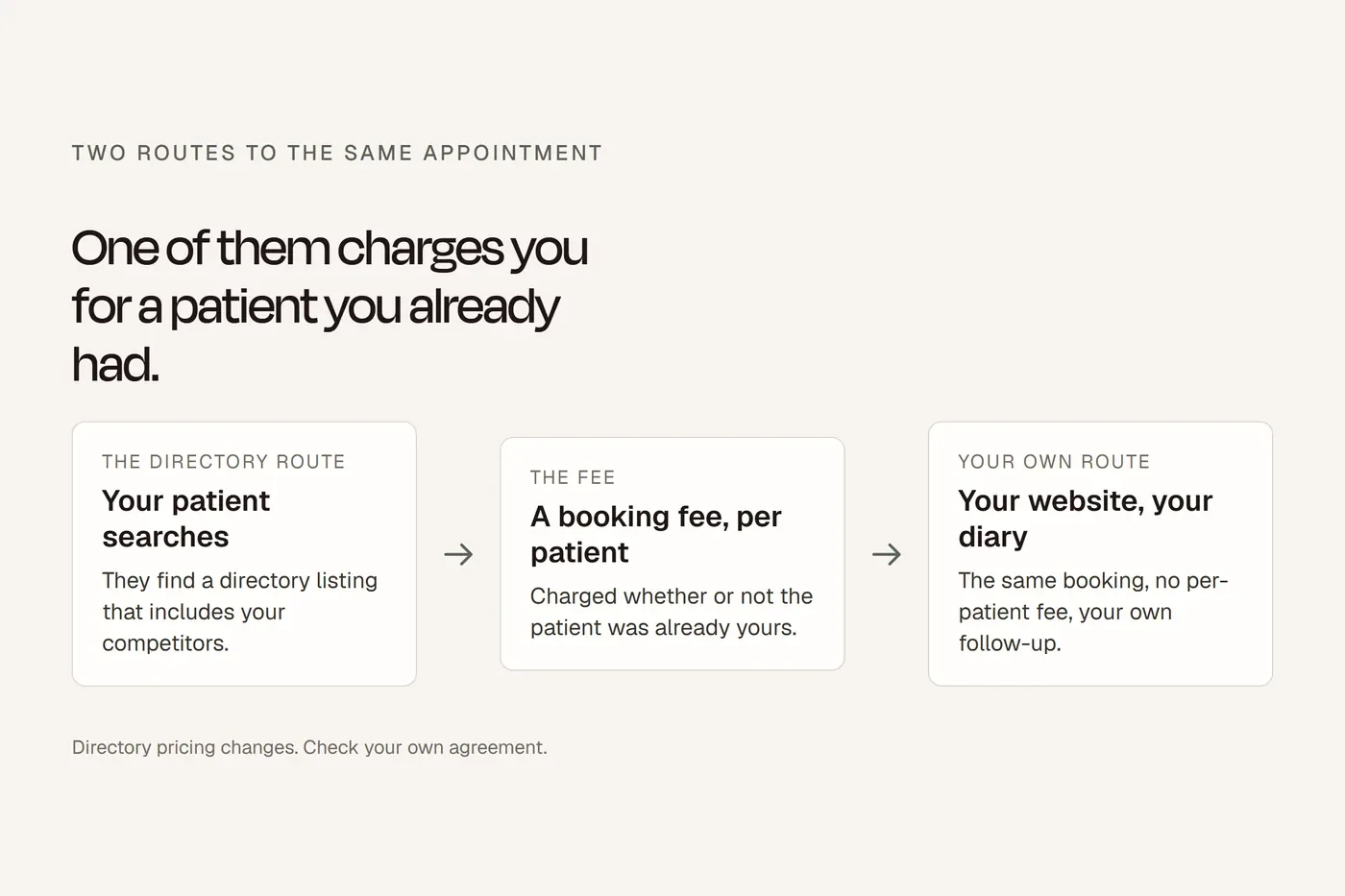
Booking link to a directory. Which means every booking from your own profile may carry a new-patient fee. Point it at your own diary.
What to read in the numbers
The profile's Performance tab shows calls, direction requests, website clicks, bookings, and the search terms that surfaced you. Read the first four as conversions. Ignore impressions. Those four actions are also behavioural signals Google uses in ranking, so a profile that gets tapped ranks better, which is one more reason to have the phone number and booking link filled in.
The search terms tell you what patients actually typed. If "bulk billing" shows up and you don't bulk bill, your funding information needs to be clearer. If a suburb you don't serve shows up, your service area is wrong.
The explained version is above. This is the working copy.
Google Business Profile for clinics The 14 fields, in order · bdog.com.au · Current at September 2026
Before you start
- One profile for the practice. Separate profiles only for public-facing practitioners, titled with their name alone
The 14 fields
- 1. Business name: your real name, nothing added
- 2. Primary category: the most specific true one. The single most important field
- 3. Additional categories: up to nine, only true ones
- 4. Address, or service area with address hidden for mobile practices
- 5. Hours: accurate every day
- 6. Special hours: public holidays set in advance
- 7. Phone: local, written the same way everywhere
- 8. Website: your own site, no redirect to another domain
- 9. Services: filled in, with descriptions, in patients' words
- 10. Products: optional
- 11. Description: 750 characters, written for patients
- 12. Photos: rooms, reception, team, signage. No stock, no patients
- 13. Attributes: wheelchair access, online care, whatever's true
- 14. Booking link: your own diary
Then
- Verified, by a single unedited video showing street, signage and access
- One standard review request to every patient, no names, no incentives, no kiosk (Google, April 2026)
- Nobody replies to reviews that mention treatment (Ahpra)
- Departed practitioners' profiles marked moved or closed, not deleted
The three that matter most: primary category, real name, accurate hours.
Questions we get asked
Should each practitioner have their own Google Business Profile?
Google allows it for public-facing practitioners with their own patient base, and the practice has its own separate profile. Support staff don't get one.
Why can't I select "Physiotherapist" as my category?
Category availability varies by account and region. If it's missing, try the search field with different spellings, or check whether your profile type is set correctly.
A practitioner has left. Do I delete their listing?
If it has reviews, mark it as moved or closed rather than deleting it.
Can I put "physio Newtown" in my business name?
Not unless that's your registered name. Stuffed names get suspended.
Do Google Posts help ranking?
Barely. They rank 148th of 187 factors in the 2026 survey. Post for patients, not for Google.
How do I get a "Book online" button in Australia?
Through HealthEngine's Reserve with Google integration for some professions, with usage fees, or by setting your appointment link to your own booking page.
How many photos should a clinic have?
Enough to show the rooms, reception, team and signage. Quality and recency matter more than count. No stock, no patients.
Can a mobile physio have a profile without showing an address?
Yes. Set a service area and hide the address.
How long does video verification take?
Up to five business days for review. Get the clip right the first time.
Can I embed my Google reviews on my website?
Not if they mention treatment, symptoms or results. That's an Ahpra testimonial on your own advertising.
About this guide
Sources are named in the text; where the rules come from a regulator we link to the regulator, not to a summary of it. This is general information about building a website, not legal advice.