Online booking systems for Australian service businesses, compared
For firms and centres that book people in: what you may already pay for, how each tool charges, which include text reminders and payments, where your data goes, and the rules on surcharges, cancellation fees, reminders and sender names. With a cost calculator, a shortlist quiz and a setup checklist.
On This Page
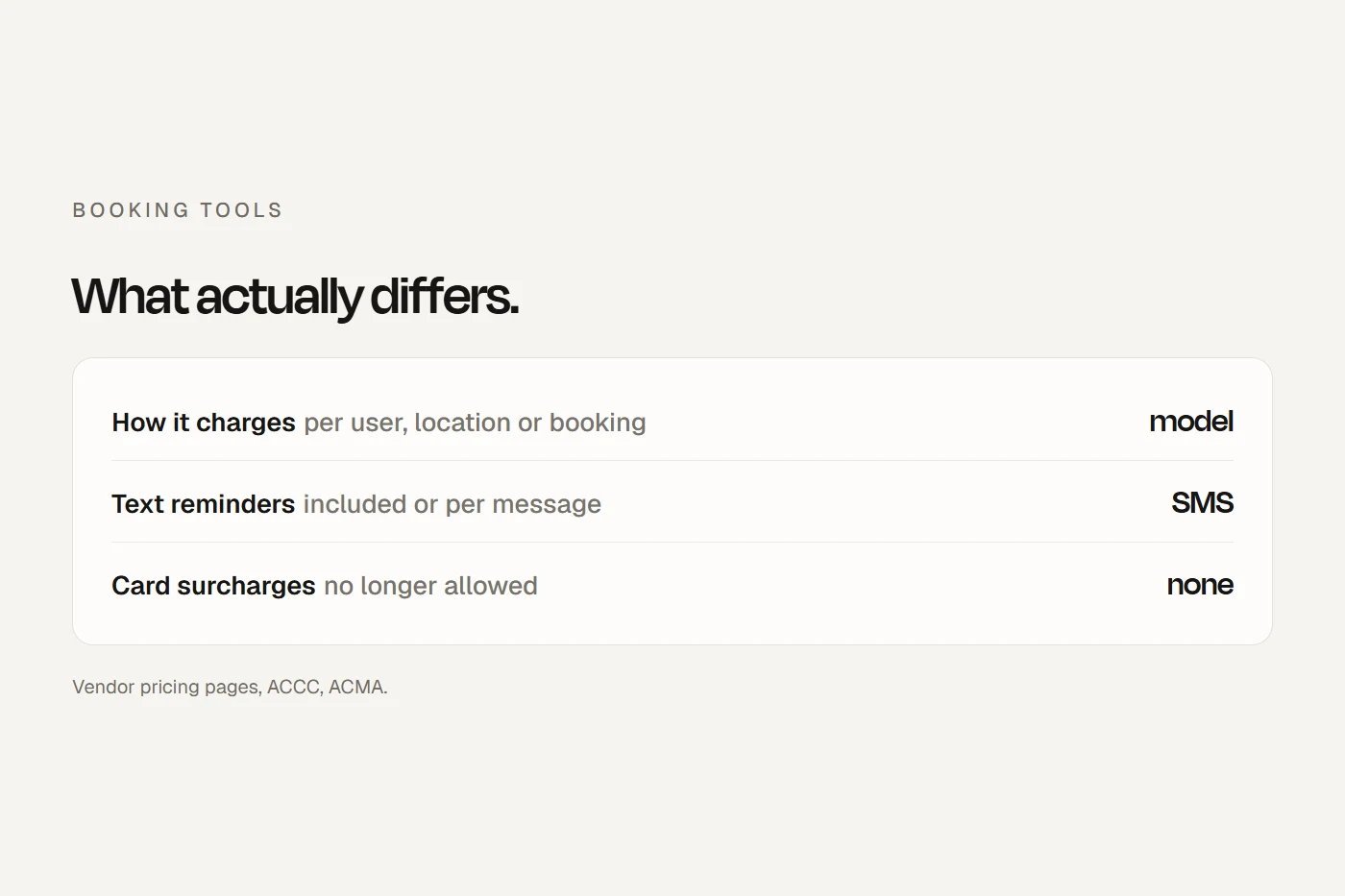
Search for an online booking system in Australia and page one is vendors, software directories and "best of" lists written by vendors, two of them Australian companies ranking themselves first. Most are built around salons and gyms. This guide is for firms and centres that book people in: law and accounting firms booking consultations, consultants and coaches, tutors, and music, dance, swim and driving schools. It compares the tools on what actually differs (how they charge, whether texts are included, payments, video links, where your data lives) and covers the Australian rules on card surcharges, cancellation fees, reminders and sender names. Prices are from each vendor's own page, read on 12 October 2026, in the currency and GST basis they show. Prices change, so check before you sign up. If you run a clinic, my guide to adding online bookings to a clinic website covers the health systems.
- Check what you already pay forMicrosoft 365 Business plans include Microsoft Bookings, and Google Workspace Business Standard includes appointment booking pages.
- Compare on texts and paymentsPricing models differ more than prices. SMS reminders are included with some tools and charged per message by others.
- No card surcharges any moreTurn off any "pass on card fees" setting. Show fees before people book, and keep reminders factual.
You may already have one
Two of the questions people ask Google are whether Microsoft has a booking system and whether Microsoft 365 has a scheduling tool. It does. Microsoft Bookings is included in Microsoft 365 Business Basic (A$10.50 a user a month on an annual plan, before GST), Standard and Premium. It gives you a booking page linked to Outlook, creates a Teams link for online meetings, and sends email reminders. Text reminders need the Teams Premium add-on, and Microsoft's own page lists only Canada, the UK and the US for them, so check before you count on SMS. I found no built-in payments.
Google Workspace has appointment schedules. A personal account or Business Starter gets one booking page; Business Standard (A$19.80 a user a month, before tax) and up add more pages, email reminders and payments through Stripe. No text reminders. For many accounting and law firms already on Microsoft 365, Bookings costs nothing extra and is worth trying first.
The tools, compared
| Tool | How it charges | Free plan | Texts | Payments | Data |
|---|---|---|---|---|---|
| Microsoft Bookings | Per user, inside Microsoft 365 | In your plan | Teams Premium add-on | None found | Exchange Online; Australian residency available |
| Google appointment schedules | Per user, inside Workspace | One page | No | Stripe, Standard and up | Not stated |
| Calendly | Per seat, US dollars | Yes, one event type | Paid plans, from US numbers | Stripe, PayPal on paid plans | US |
| Acuity Scheduling | Flat, by number of calendars | No, a 7-day trial | Included from Standard | Yes, including deposits | US |
| Square Appointments | Per location | Yes, one location | Included | Prepayment; no-show fees on Plus | Not stated |
| Setmore | Per user, US dollars | Yes, up to 4 users | Pro, 500 credits a user | Yes; deposits on Pro | Not stated |
| SimplyBook.me | Flat, by bookings and staff | Yes, 50 bookings a month | Paid per message | From Basic | Canada and France; Australia on Enterprise |
| Bookeo | Flat, by staff and bookings | No, a 30-day trial | Paid per message | Yes, no commission | North America and Europe |
| OneBookPlus | Flat tiers, GST included | Yes | Not itemised | Stripe | Sydney, by its own account |
Scroll the table sideways to see every column.
A few notes the table can't hold:
- Calendly bills Australians in US dollars, and its help centre says texts come "from random U.S. numbers" and some carriers outside the US may block them. It's the cleanest tool for booking calls, and its free plan covers one type of meeting.
- Acuity handles classes and group events as well as appointments, takes deposits, and texts are "free to you" from Standard up. It's sold through Squarespace in Australian dollars.
- Square Appointments is free for one location with text and email reminders and prepayment. Google Calendar sync, class booking, and cancellation fees need Plus (A$40 a location a month).
- SimplyBook.me prices in Australian dollars by bookings a month, so a busy single practitioner can outgrow a cheap plan. Texts cost $8 per 100.
- LawTap, for law firms, combines booking with a directory of lawyers, includes text and email reminders, and works with trust-account-friendly payments. My guide to law firm marketing covers it.
- Salon tools such as Fresha and Timely are built for hair and beauty; Fresha now charges a subscription.
Class and lesson tools
If you run classes, terms or lessons with capacity limits, you need a class tool rather than an appointment tool. They charge differently: TeamUp and Clubworx by active members a month, Mindbody by location, Bookeo Classes and CoreBookings by flat tiers. Clubworx, an Australian product built for fitness and martial arts, has a free plan for up to 20 active members. My guide to dance studio software covers the tools made for term enrolments.
What it would cost you
Enter your numbers to see each tool's base price a month at the published rates, including texts where they're charged per message. Calendly and Setmore are in US dollars; the rest in Australian dollars. Card fees on paid bookings are extra.
It covers base plans only. Add-ons, annual versus monthly billing and taxes vary, and most vendors don't say whether their prices include GST.
Which should you look at?
The rules that touch online booking
No card surcharges
The ACCC says businesses can no longer add a surcharge for paying by Visa, Mastercard, American Express or eftpos, and calling it a "booking admin fee" instead may be misleading. You can offer a discount for bank transfer or PayID. Some booking tools still list a feature to "pass on card fees"; turn it off and build the card cost into your prices.
Cancellation fees and deposits
I found no ACCC guidance specific to no-show fees or deposits, but a booking accepted through your website is almost always a standard form contract, so the unfair contract terms law applies, and proposing or relying on an unfair term can now attract penalties. The ACCC lists "harmful cancellation terms" among its enforcement priorities. A late-cancellation fee is safer when it's shown before the person books, sized to the real cost of the lost slot, and matched by what you do if you cancel on them. Any mandatory booking fee has to be shown with the price from the start, not added at checkout.
Reminders and marketing texts
Under the Spam Act, a message made up only of factual information, such as "Your consultation with [firm] is at 10am Tuesday", is treated differently from marketing: it needs your business named, but not consent or an unsubscribe. Add "book your next lesson and get 10% off" and it's a marketing message that needs consent and a working unsubscribe. That's my reading of the Act; the ACMA hasn't published guidance on appointment reminders specifically. Keep reminders plain, and send offers separately to people who agreed to them.
Your name on texts
Texts sent with your business name at the top must now have that sender ID registered with the ACMA's SMS Sender ID Register, or the name is replaced with "Unverified" and grouped with likely scams. If your booking tool sends texts under your name, ask whether it has registered it for you.
Where client data goes
Many of these tools store data overseas. That's allowed, but if the Privacy Act covers your business, you must take reasonable steps to make sure the overseas provider handles it properly, and your privacy policy should say data may go overseas and where.
Accessibility
A booking widget is part of your service, so it's covered by the Disability Discrimination Act. Check it works with a keyboard, at phone width, with large enough date buttons, and without a timer that runs out mid-booking: WCAG 2.2's keyboard, reflow, target size and timing criteria. An embedded widget inherits the vendor's accessibility; a "Book now" button that opens the vendor's page keeps your own page clean but moves the problem rather than fixing it.
Can I do this?
Tap a card to see the verdict.
Setting it up
Your ticks save in this browser.
- Run the calculator on your real headcount and booking volume.
- Try what you already pay for first, if you're on Microsoft 365 or Workspace Business Standard.
- Write cancellation terms in plain words, shown before the booking is confirmed, and mirror them for your own cancellations.
- Show any booking fee with the price from the start.
- Turn off any surcharge setting.
- Keep reminder texts factual, and send marketing only to people who agreed.
- Confirm your sender ID is registered if texts go out under your name.
- Check where the vendor stores data, and update your privacy policy.
- Embed the widget or add a Book button, and test it with a keyboard and on a phone.
- Connect your calendars both ways so you're never offered a slot you've filled.
- Add the booking link to your Google Business Profile.
- Book a test appointment as a client on your phone: confirmation, reminder, reschedule and receipt.
My view
For a firm already on Microsoft 365 or Google Workspace, start with what's in your plan; it's often enough. If you need text reminders and payments, Square Appointments and Acuity cover most firms and schools for little or nothing, and a class business needs a class tool priced by members. Whatever you pick, the work that matters is on your side: terms shown before booking, no surcharge, plain reminders, a registered sender name, and a widget that works on a phone.
Questions I get asked
What is the best free online booking system in Australia?
It depends on what you need. Calendly's free plan suits booking calls, Square Appointments is free for one location with text reminders, Setmore is free for up to four users, and SimplyBook.me is free for 50 bookings a month.
Does Microsoft have a booking system?
Yes. Microsoft Bookings is included in Microsoft 365 Business Basic, Standard and Premium, linked to Outlook and Teams, with email reminders.
How much does booking software cost?
From free to about $80 a month for a small team on most appointment tools, and more for class tools priced by members. The pricing model matters as much as the price.
Can I charge a card surcharge on online bookings?
No. Surcharges on Visa, Mastercard, American Express and eftpos are no longer allowed. You can offer a discount for bank transfer or PayID.
Do appointment reminder texts need consent?
A purely factual reminder naming your business generally doesn't need consent or an unsubscribe. Add a promotion and it does.
About this guide
Written by Joseph Alzein, founder of bdog. bdog builds websites for firms and centres and has no arrangement with any vendor named here. Prices and features come from each vendor's own pages, read on 12 October 2026, in the currency and GST basis they show; prices change, so check before you sign up. The rules come from the ACCC, the Australian Consumer Law, the Spam Act, the ACMA and the OAIC. This is general information, not legal advice.
Main sources: