Splose review and pricing 2026, including the 1 November price rise
Splose is built for allied health teams with a lot of NDIS work, and it has some of the best reviews of any Australian practice system. Its price rises on 1 November 2026. Here’s the old and new pricing, what’s included, and who it suits.
On This Page
Splose is the practice software built in Adelaide for allied health teams that live on NDIS work: service agreements, plan budgets, bulk payment requests and plan-manager invoicing are the core of it, not add-ons. It also has more public reviews than any other Australian practice system we track, and they're good.
The first thing to know is the price is going up. On 1 November 2026 Splose's per-practitioner price rises by about 20 per cent, for new and existing customers. This review covers the old and new prices, what's included, claiming and NDIS, what reviewers say, how it connects to your website, and what to check before you sign.
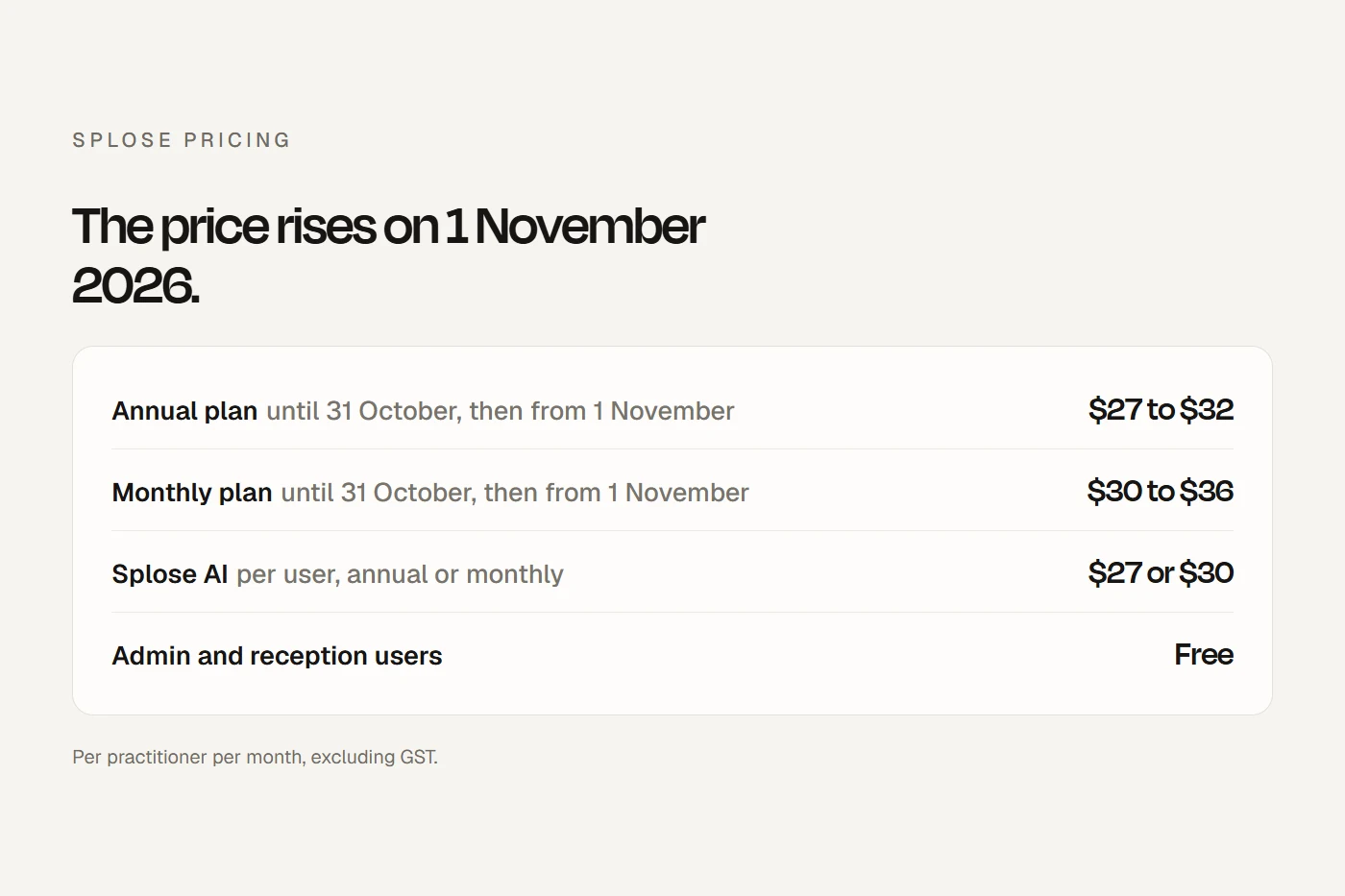
Pricing, before and after 1 November
Splose charges per practitioner. Reception and admin users are free. All prices exclude GST.
| Per practitioner per month | Until 31 October 2026 | From 1 November 2026 |
|---|---|---|
| Annual plan | $27 | $32 |
| Monthly plan | $30 | $36 |
Scroll the table sideways to see every column.
Splose announced the change on 17 September 2026. Annual customers move to the new price at their first renewal on or after 1 November. A monthly customer who switches to annual before 1 November keeps $27 for twelve months, which is the cheapest Splose will be for a while. Splose AI, SMS and payment fees aren't changing.
Splose AI. $27 per user a month on annual billing, $30 on monthly. It's per user, so every practitioner who wants it pays for it. It's optional and can be cancelled any time.
SMS. 10 cents plus GST per message of up to 160 characters, prepaid. Two-way SMS needs a dedicated number at $9 a month, plus 5 cents per reply received.
Card payments through Splose. 1.95 per cent plus 30 cents for Australian cards, or 1 per cent plus 80 cents for direct debit, capped at $4. Since 1 October 2026 you can't surcharge patients for card payments, so that's a cost to the practice.
Included. Calendar, notes, letters, forms, file storage, online bookings, waitlist and triage, cases, batch invoicing, NDIS bulk upload, inventory, Xero reconciliation, reporting and the API. We found no separate charge for email, forms, online booking or telehealth, and no stated fee for data migration. There's a 14-day free trial.
Contracts are monthly or annual and renew automatically, and there's no refund if you cancel part way through.
What it costs: three examples
Monthly totals including GST, excluding claiming and card fees.
| Solo OT, 100 SMS | 5 practitioners and 2 admin, 600 SMS, AI for all 5 | 15 practitioners, 2,000 SMS, no AI | |
|---|---|---|---|
| Now, monthly plan | $44.00 | $396.00 | $715.00 |
| Now, annual plan | $40.70 | $363.00 | $665.50 |
| From 1 November, monthly | $50.60 | $429.00 | $814.00 |
| From 1 November, annual | $46.20 | $390.50 | $748.00 |
Scroll the table sideways to see every column.
In the middle example, AI is a big part of the bill: $150 a month before GST for five practitioners. Without it, that practice would pay about $240 a month before GST on the new monthly price.
How it compares
The middle example on the other systems, using each vendor's published prices in October 2026, before GST. AI scope, claiming and features differ, so this is a rough guide only.
| Five practitioners, two admin, 600 SMS, AI for five | Per month, before GST |
|---|---|
| Splose, from 1 November | $390 monthly, $355 annual |
| Zanda (Growth plan with AI Pro) | about $390 |
| Nookal (Essentials with AI and Voice) | about $365 |
| Coreplus (PLUS, no AI add-on listed) | about $305, plus a separate AI scribe |
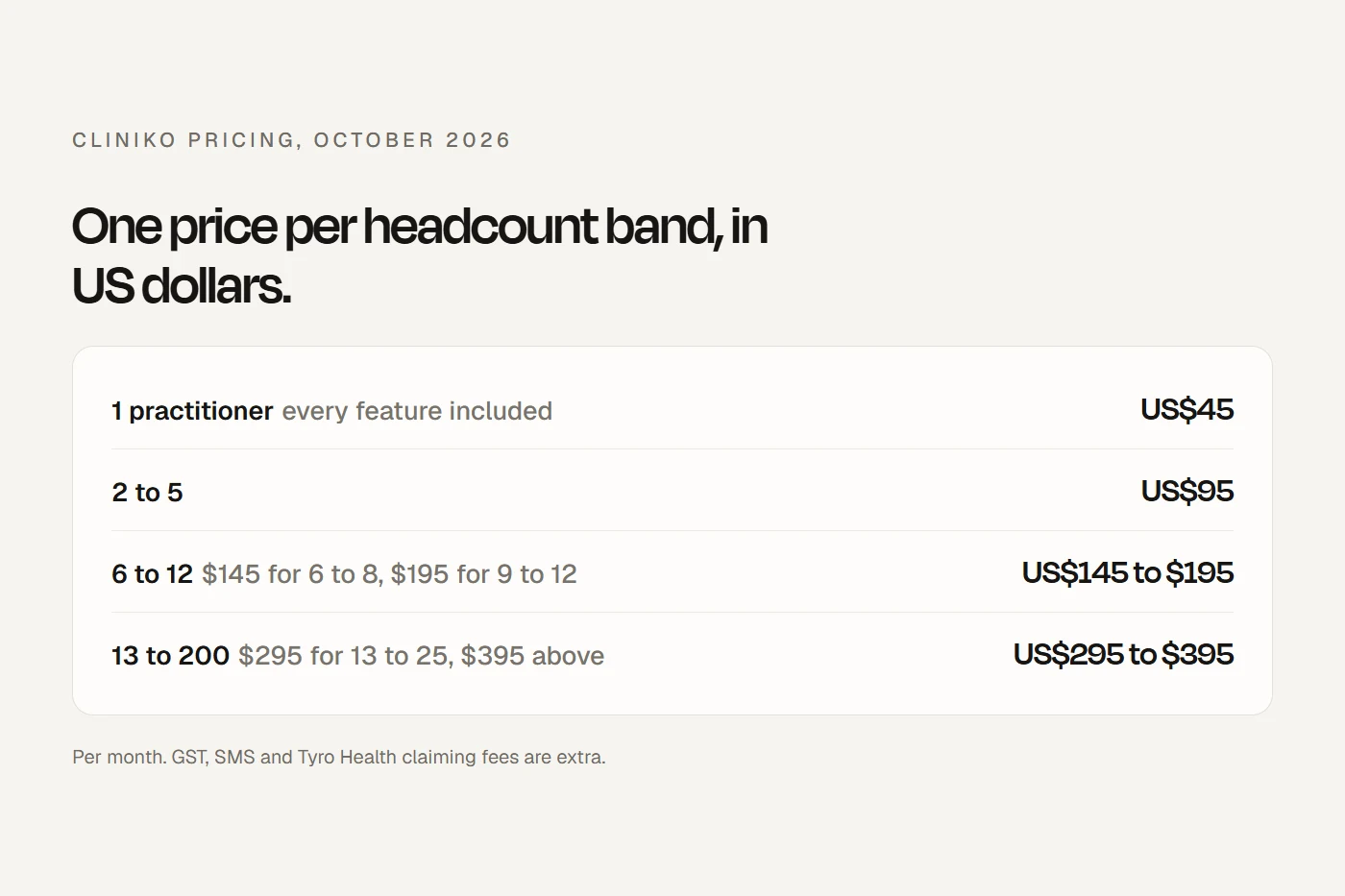
| Cliniko (no built-in AI) | about US$155, plus a separate AI scribe |
| Halaxy (usage-based AI) | depends on hours used; SMS alone is about $109 |
Scroll the table sideways to see every column.
After 1 November, Splose with AI sits with Zanda and Nookal, above Coreplus and Cliniko once you add an outside scribe, and well above Halaxy's pay-as-you-go model. Without AI it's mid-pack. Our Cliniko pricing and Halaxy review work through the other two in detail.
Claiming and NDIS
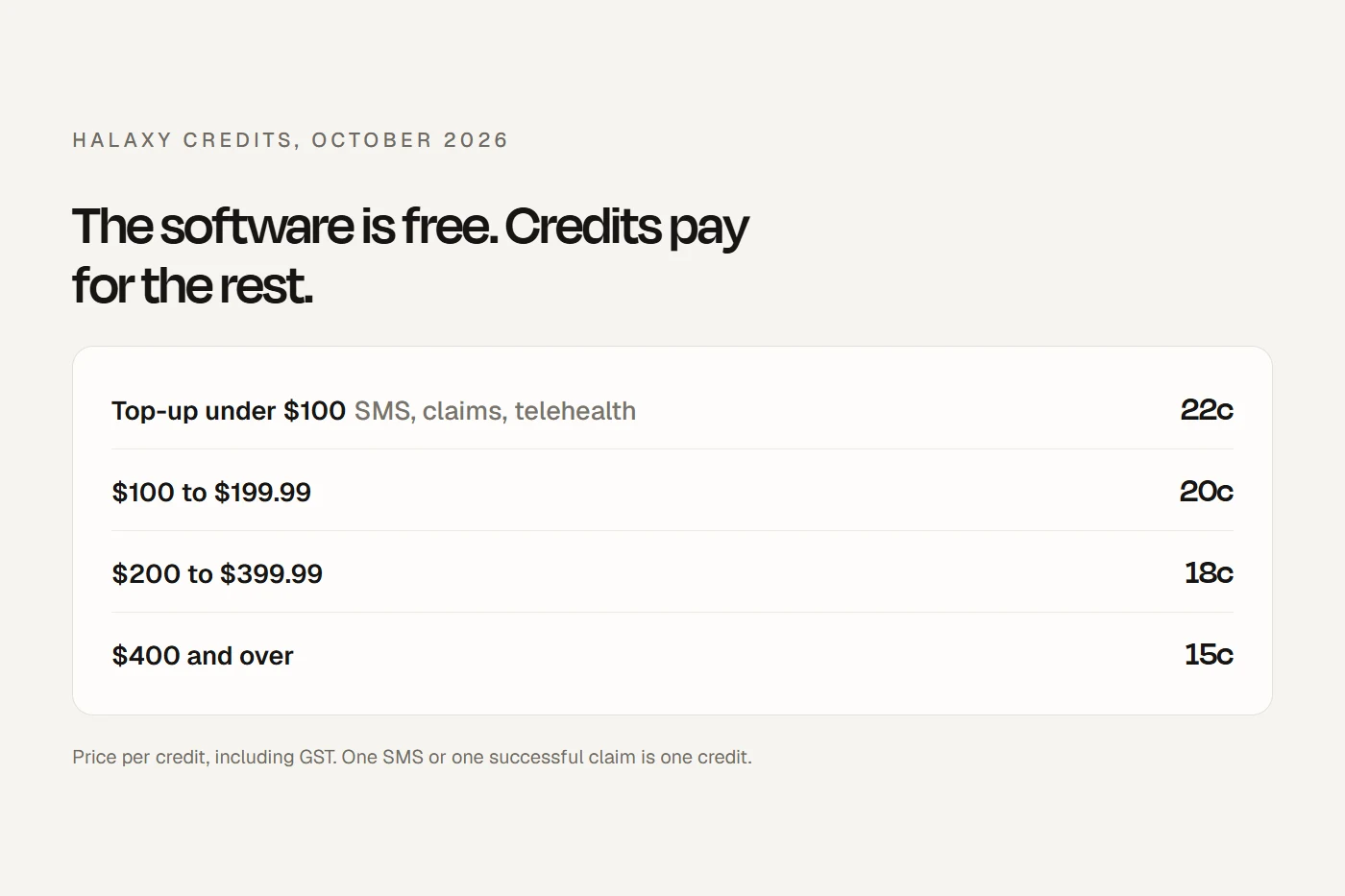
Medicare and DVA go through Tyro Health, which needs its own account and approved provider numbers. Tyro charges 14 cents per approved Medicare or DVA claim, capped at $49 per location per month. Splose itself adds no claiming fee.
Private health funds are claimed through Tyro's HealthPoint, with the patient approving by SMS link, and Tyro doesn't charge for those. We found no HICAPS terminal integration for health funds; Splose's HICAPS link is for NDIS.
NDIS is where Splose earns its reputation. Service agreements are built with the fee schedule inside them and can be signed electronically. Budgets are calculated and tracked, plan expiry triggers reminders, and funding periods warn you before you overbook. For NDIA-managed participants, Splose produces a bulk payment request file for the myplace portal, and its HICAPS integration can claim NDIA-managed invoices directly. Plan managers and parents can be set as the invoice recipient.
One thing to know: NDIS price limits don't update themselves. When the price guide changes each July, you edit your services by hand. Splose publishes a guide to doing it.
Workers' compensation and transport schemes are handled as invoicing third parties with debtor tracking, not electronic claiming, as far as we could find.
Features worth knowing about
Splose AI transcribes sessions with speaker detection, turns them into notes using templates, drafts letters from notes, answers questions about a client's history and uploaded documents, and helps with emails and scheduling. Splose says it runs on OpenAI under an agreement with zero data retention.
Telehealth works by launching Zoom, Google Meet or Microsoft Teams from the calendar, so you'll need an account with one of those.
Forms and waitlist. A drag-and-drop form builder with embeddable referral and intake forms that feed a waitlist you can filter by priority and see on a map. Reviewers like it, with the odd complaint about field widths and no reusable question sets.
Integrations. Xero (two-way, certified), QuickBooks, Stripe, Mailchimp, Physitrack, Google Calendar, Zoom, Meet, Teams and a few others. MYOB, HotDoc and HealthEngine aren't on Splose's integrations list.
No app. We couldn't find a native iOS or Android app; it runs in the browser.
Connecting it to your website
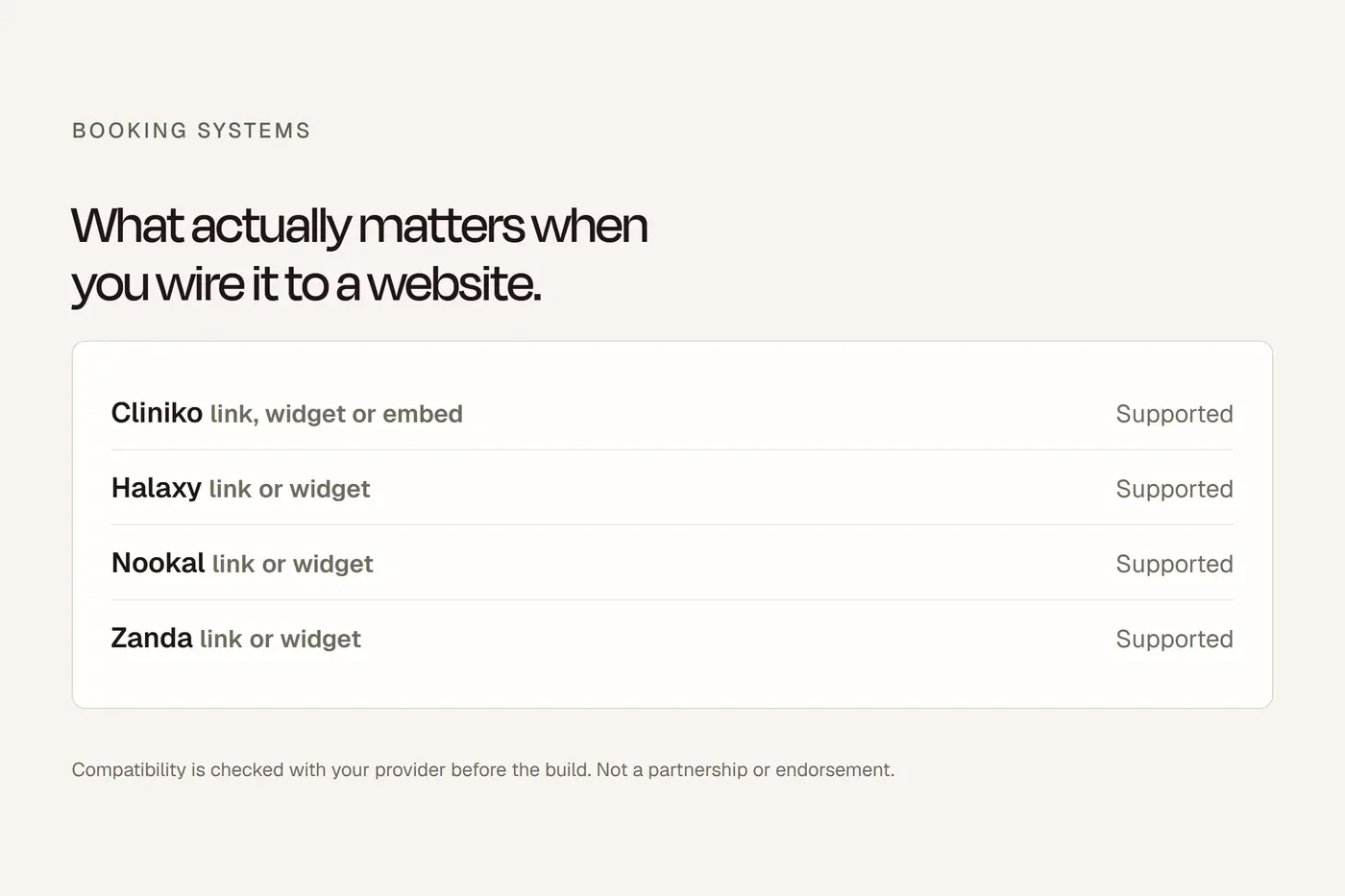
Splose online bookings can be shared as a link or embedded on your site from Settings, Online bookings. You can create several booking pages, so separate links for each location, service or practitioner are possible, and you can add a Google Tag Manager ID to track bookings. Payment at booking through Stripe is either required or off; there's no longer an optional setting. Patients can cancel and reschedule themselves, and Apple Pay and Google Pay work at booking. Our online bookings guide covers embed versus button for every common system.
What reviewers say
In October 2026 Splose rated 4.7 out of 5 from 272 reviews on G2, and 4.5 from 33 on Capterra Australia. Software Advice and GetApp show the same 33 reviews as Capterra, so they aren't separate sources. On the Xero app store it's 4.1 from 9.
G2's own tally of themes puts ease of use far ahead of anything else, followed by responsive support, invoicing and an intuitive interface. The complaints, much less frequent, are slowness or crashes in the appointment view, missing features such as KPI tracking and task management, Xero sync problems, and price. A couple of Capterra reviewers said switching from Cliniko was worth it; one didn't like the add-on costs.
Leaving
You can export the whole workspace yourself as CSV files: appointments, cases, contacts, invoices, letters, clients, forms, payments, services and progress notes, with files and communications in each client's export. Export before you cancel. After cancellation, access runs to the end of the billing period, there's no refund, and Splose's help article says data is deleted or anonymised 60 days later (the same article elsewhere says two to three months, so don't cut it fine). Cliniko's guide to moving from Splose notes that invoices and payments don't transfer.
Support
Support is by in-app and website chat, starting with an AI assistant from 9am to 5:30pm Eastern time (8:30am to 5pm in Adelaide). We found no phone support and no published response time. Onboarding is self-serve, with a setup guide, academy and webinars. Importers bring in clients, contacts and appointments from Cliniko, Halaxy, Nookal, Zanda and Coreplus, and the Splose team handles notes and files, with no fee stated.
Who's behind it
Splose was founded in Adelaide in 2018 by Nicholas Sanderson, who is still chief executive. In February 2026 it raised a $46 million Series A led by Spectrum Equity, a US growth investor. It operates in Australia, New Zealand and the UK, and says it has more than 20,000 users on one page and 25,000 on another. Australian data is stored in Australia on AWS. Its trust centre lists GDPR compliance; we found no ISO 27001 or SOC 2 certification claimed.
Who it suits
Splose suits allied health teams with a lot of NDIS work, especially OTs, speech pathologists and multidisciplinary practices, who want service agreements, budgets and plan-manager billing handled properly and are happy to pay per practitioner for it. It suits practices that bulk bill heavily less well, because Medicare claiming runs through Tyro Health rather than natively, and solo practitioners watching every dollar will find Halaxy cheaper. If you're deciding now, the 1 November rise is worth factoring in: an annual plan taken before then locks in $27 for a year. Our six-way comparison puts all of them side by side.
Questions we get asked
How much does Splose cost?
$27 per practitioner a month on an annual plan or $30 monthly, plus GST, until 31 October 2026. From 1 November it's $32 annual or $36 monthly. Admin users are free.
Is Splose putting its price up?
Yes, from 1 November 2026, for new and existing customers. Annual customers move at their next renewal.
How much is Splose AI?
$27 per user a month on annual billing, $30 monthly, plus GST.
Does Splose do Medicare claiming?
Through Tyro Health, which charges 14 cents per approved Medicare or DVA claim, capped at $49 per location per month.
Is Splose good for NDIS?
It's built around it: service agreements, budgets, plan-manager invoicing and bulk payment requests for NDIA-managed participants. Price limits are updated by hand each year.
Does Splose have telehealth?
It launches Zoom, Google Meet or Microsoft Teams from the calendar, so you need one of those.
Is there a Splose app?
We couldn't find a native one. It runs in the browser.
Does Splose have phone support?
We found chat support during business hours, not phone.
Can I export my data from Splose?
Yes, the whole workspace as CSV files, yourself. Do it before you cancel.
Splose or Cliniko?
Splose for NDIS-heavy teams and built-in AI. Cliniko for a flat, predictable price and the widest set of connected apps.
About this guide
Written by bdog. We connect clinic websites to Splose and the other systems we compare. We don't resell any of them and don't take referral commissions. Prices are from Splose's pages on 6 October 2026 and change, so check before you decide.
Main sources: